Documento originale
GPT Image 2 · en
{
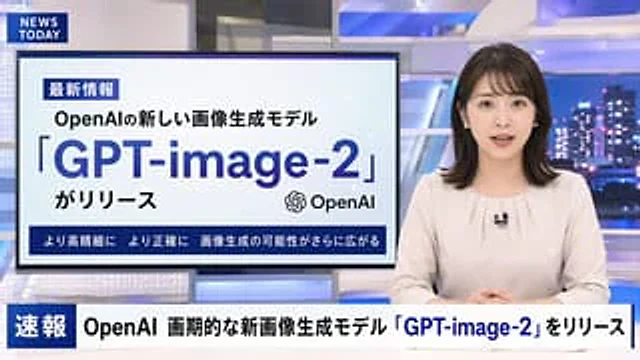
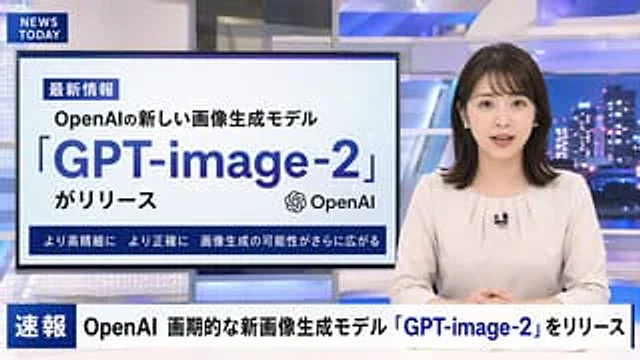
  "type": "Television news broadcasting layout",
  "anchor": {
    "appearance": "{argument name=\"anchor appearance\" default=\"A young Japanese female news anchor with shoulder-length dark hair.\"}",
    "attire": "Light beige shirt, wearing a small lapel microphone",
    "pose": "Sit at the table, hands clasped together, facing forward."
  },
  "studio_environment": "A modern news studio with blue illuminated panels and a nighttime city skyline as a backdrop.",
  "graphics": {
    "top_left_bug": {
      "style": "Dark blue rectangle",
      "text": "{argument name=\"channel logo\" default=\"NEWS TODAY\"}"
    },
    "presentation_monitor": {
      "location": "The left side behind the anchor",
      "badge": "Latest Information",
      "subtitle": "{argument name=\"subheadline\" default=\"OpenAI's new image generation model\"}",
      "title": "{argument name=\"main headline\" default=\"「GPT-image-2」\"}",
      "suffix": "がリリース",
      "icon": "OpenAI logo",
      "bottom_bar": "Higher resolution, greater accuracy – the possibilities for image generation are expanding even further."
    },
    "lower_thirds_ticker": {
      "badge": "breaking news",
      "headline": "{argument name=\"ticker text\" default=\"OpenAI releases groundbreaking new image generation model "GPT-image-2"\"}"
    }
  }
}
Come usare
- Copia tutto il prompt originale, inclusi i parametri.
- Adatta soggetto, testo e composizione alle tue esigenze.
- Usa uno strumento esterno compatibile; verifica accesso e risultato.
Prima di iniziare
- Controlla se serve un’immagine di riferimento. La compatibilità non prova il modello usato per l’esempio.
- Verifica nomi, numeri e testi; i risultati cambiano con le versioni del modello.