原文
GPT Image 2 · en
{
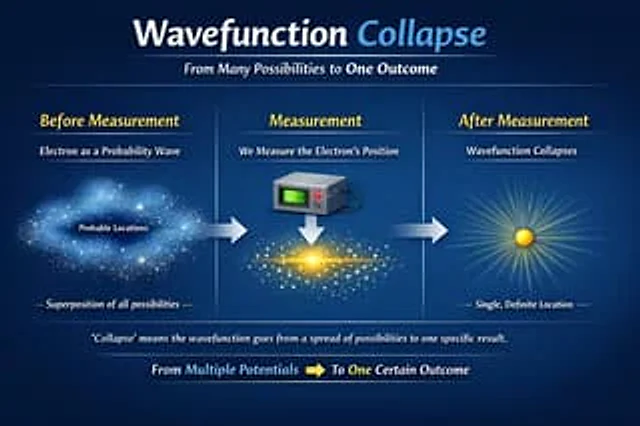
  "type": "Educational Infographic",
  "theme": "quantum physics",
  "background": "Dark blue gradient",
  "header": {
    "title": "{argument name=\"main title\" default=\"wave function collapse\"}",
    "subtitle": "{argument name=\"subtitle\" default=\"From multiple possibilities to a single outcome\"}"
  },
  "layout": {
    "type": "Three-stage horizontal evolution",
    "connections": "There is a thick horizontal arrow pointing to the right between each stage.",
    "stages": [
      {
        "position": "Left side",
        "title": "Before measurement",
        "subtitle": "As a probability wave{argument name=\"subject\" default=\"electronic\"}",
        "visual": "A diffuse, luminous cloud of blue particles, resembling a nebula.",
        "labels": [
          "Possible locations",
          "Superposition of all possibilities"
        ]
      },
      {
        "position": "central",
        "title": "Measurement",
        "subtitle": "Measurement{argument name=\"subject\" default=\"electronic\"} Location",
        "visual": "A gray square measuring device with a green screen and red buttons points downwards to a white arrow, corresponding to a bright yellow condensed matter horizontal particle band in the center."
      },
      {
        "position": "right side",
        "title": "After measurement",
        "subtitle": "wave function collapse",
        "visual": "A single solid yellow sphere emitting bright, radiating light",
        "labels": [
          "Single, definite location"
        ]
      }
    ]
  },
  "footer": {
    "explanation": "\"Collapse\" means that the wave function changes from a distribution of multiple possibilities to a specific outcome.",
    "summary": "From multiple potentials [yellow right arrow] to a definite result"
  }
}
使い方
- パラメータを含む元のプロンプト全体をコピーします。
- 被写体、文字、構図を自分の要件に置き換えます。
- 対応する外部ツールで使用し、利用条件と結果を確認します。
開始前の確認
- 参考画像の要否を確認してください。互換モデルの表示は、そのモデルでの生成実績を意味しません。
- 名前、数値、画像内の文字を確認します。モデルの版で結果は変わります。