原文
GPT Image 2 · en
{
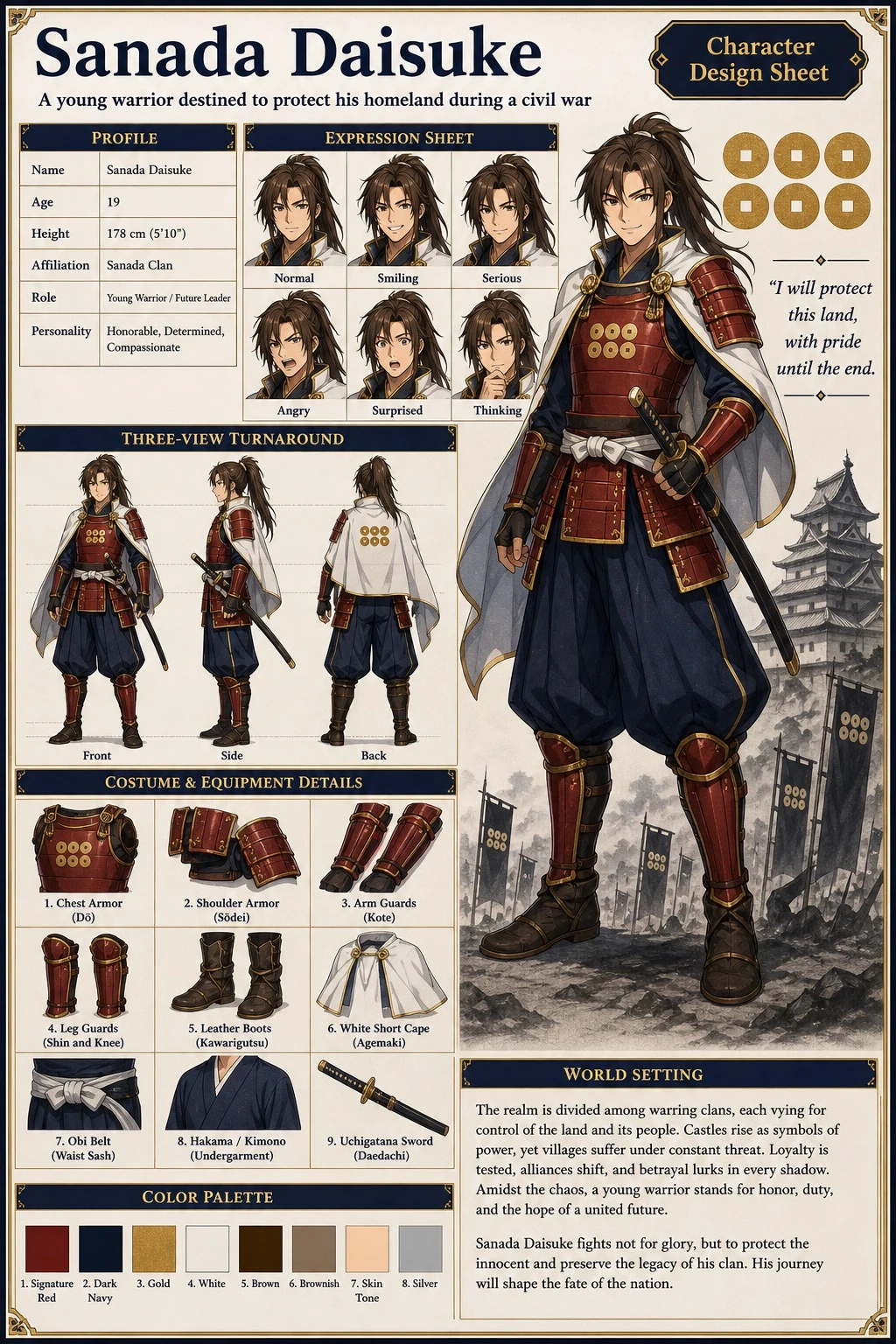
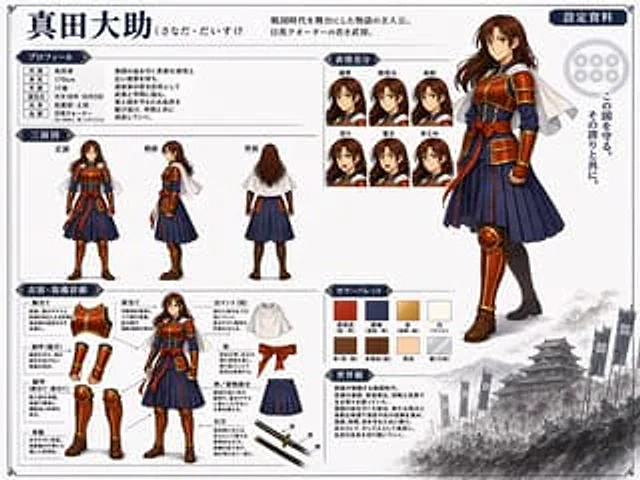
  "type": "Anime Character Design Collection",
  "character": {
    "name": "{argument name=\"character name\" default=\"Sanada Daisuke\"}",
    "appearance": "A young samurai with long brown hair, wearing samurai-style armor.{argument name=\"main color\" default=\"red\"} Breastplate and protective gear{argument name=\"secondary color\" default=\"Navy Blue\"} Pleated hakama, white short cape"
  },
  "layout": {
    "header": {
      "title": "{argument name=\"character name\" default=\"Sanada Daisuke\"}",
      "subtitle": "{argument name=\"character concept\" default=\"The protagonist of a story set in the Warring States period. A young military commander of mixed Japanese and English descent.\"}",
      "badge": "Setting data"
    },
    "right_side": {
      "main_portrait": "A large, full-body standing pose with a confident smile.",
      "background_elements": {
        "emblem": "Six-coin family crest",
        "quote": "{argument name=\"catchphrase\" default=\"Protect this country. With that pride.\"}",
        "scenery": "The bottom right corner features a monochrome image of a Japanese castle and military flag."
      }
    },
    "sections": [
      {
        "title": "Personal information",
        "position": "top-left",
        "content": "A table containing 6 lines of descriptive text"
      },
      {
        "title": "Three-view diagram",
        "position": "mid-left",
        "count": 3,
        "labels": [
          "front",
          "side",
          "back"
        ]
      },
      {
        "title": "Facial Difference",
        "position": "top-center",
        "count": 6,
        "labels": [
          "generally",
          "Smile",
          "serious",
          "anger",
          "surprise",
          "think"
        ]
      },
      {
        "title": "Clothing and Equipment Details",
        "position": "bottom-left",
        "count": 9,
        "labels": [
          "Breastplate",
          "shoulder blade",
          "Arm guards (gauntlets)",
          "Leg armor (shinsplates, kneeplates)",
          "leather boots",
          "White cloak (short)",
          "belt",
          "Hakama/Kimono section",
          "Uchigatana"
        ]
      },
      {
        "title": "Color scheme",
        "position": "bottom-center",
        "count": 8,
        "labels": [
          "Sanada Kurenai",
          "Dark Blue",
          "gold",
          "white",
          "Brown",
          "brown",
          "color",
          "silver"
        ]
      },
      {
        "title": "Worldview",
        "position": "bottom-center-right",
        "content": "Paragraphs describing the background setting"
      }
    ]
  }
}
使い方
- パラメータを含む元のプロンプト全体をコピーします。
- 被写体、文字、構図を自分の要件に置き換えます。
- 対応する外部ツールで使用し、利用条件と結果を確認します。
開始前の確認
- 参考画像の要否を確認してください。互換モデルの表示は、そのモデルでの生成実績を意味しません。
- 名前、数値、画像内の文字を確認します。モデルの版で結果は変わります。