원본 문서
GPT Image 2 · en
{
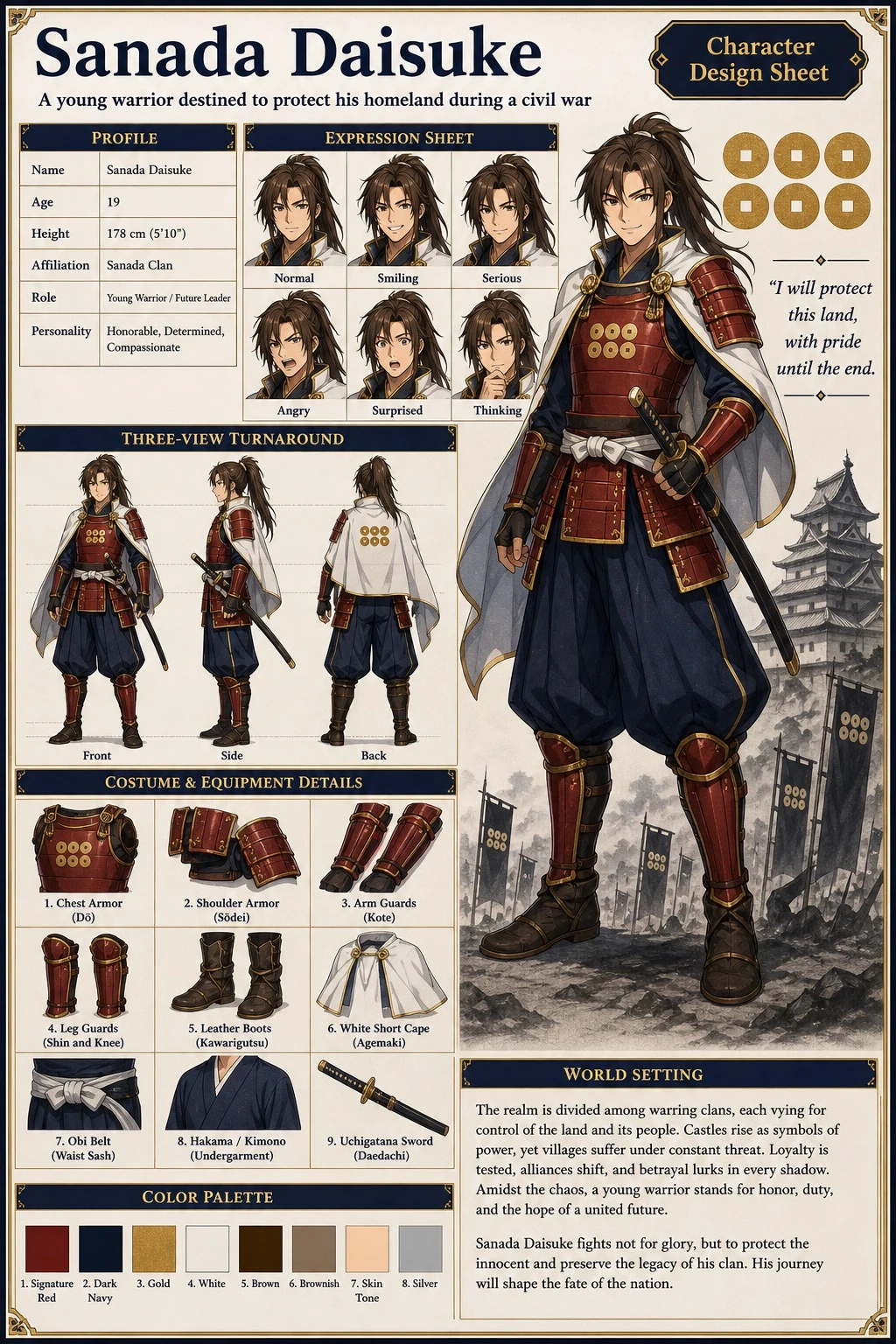
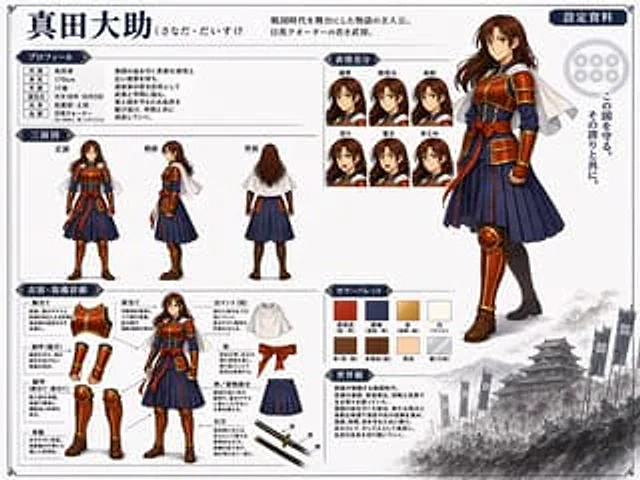
  "type": "Anime Character Design Collection",
  "character": {
    "name": "{argument name=\"character name\" default=\"Sanada Daisuke\"}",
    "appearance": "A young samurai with long brown hair, wearing samurai-style armor.{argument name=\"main color\" default=\"red\"} Breastplate and protective gear{argument name=\"secondary color\" default=\"Navy Blue\"} Pleated hakama, white short cape"
  },
  "layout": {
    "header": {
      "title": "{argument name=\"character name\" default=\"Sanada Daisuke\"}",
      "subtitle": "{argument name=\"character concept\" default=\"The protagonist of a story set in the Warring States period. A young military commander of mixed Japanese and English descent.\"}",
      "badge": "Setting data"
    },
    "right_side": {
      "main_portrait": "A large, full-body standing pose with a confident smile.",
      "background_elements": {
        "emblem": "Six-coin family crest",
        "quote": "{argument name=\"catchphrase\" default=\"Protect this country. With that pride.\"}",
        "scenery": "The bottom right corner features a monochrome image of a Japanese castle and military flag."
      }
    },
    "sections": [
      {
        "title": "Personal information",
        "position": "top-left",
        "content": "A table containing 6 lines of descriptive text"
      },
      {
        "title": "Three-view diagram",
        "position": "mid-left",
        "count": 3,
        "labels": [
          "front",
          "side",
          "back"
        ]
      },
      {
        "title": "Facial Difference",
        "position": "top-center",
        "count": 6,
        "labels": [
          "generally",
          "Smile",
          "serious",
          "anger",
          "surprise",
          "think"
        ]
      },
      {
        "title": "Clothing and Equipment Details",
        "position": "bottom-left",
        "count": 9,
        "labels": [
          "Breastplate",
          "shoulder blade",
          "Arm guards (gauntlets)",
          "Leg armor (shinsplates, kneeplates)",
          "leather boots",
          "White cloak (short)",
          "belt",
          "Hakama/Kimono section",
          "Uchigatana"
        ]
      },
      {
        "title": "Color scheme",
        "position": "bottom-center",
        "count": 8,
        "labels": [
          "Sanada Kurenai",
          "Dark Blue",
          "gold",
          "white",
          "Brown",
          "brown",
          "color",
          "silver"
        ]
      },
      {
        "title": "Worldview",
        "position": "bottom-center-right",
        "content": "Paragraphs describing the background setting"
      }
    ]
  }
}
사용 방법
- 매개변수를 포함한 전체 원본 프롬프트를 복사하세요.
- 주제, 문구, 구도를 자신의 요구에 맞게 바꾸세요.
- 호환되는 외부 도구에서 사용하고 이용 조건과 결과를 확인하세요.
시작 전 확인
- 참조 이미지가 필요한지 확인하세요. 호환 표시는 해당 모델로 이 예시를 생성했다는 뜻이 아닙니다.
- 이름, 수치, 이미지 속 문구를 확인하세요. 모델 버전에 따라 결과가 다를 수 있습니다.