原文
GPT Image 2 · en
{
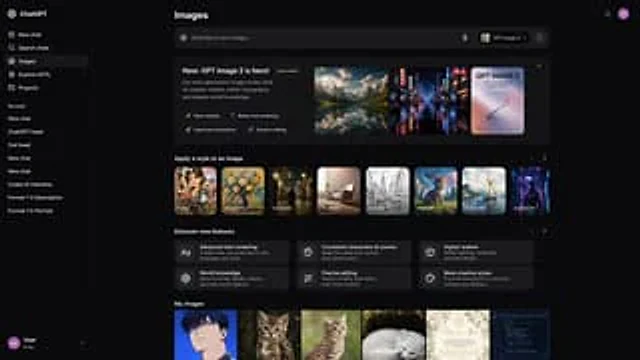
  "type": "UI/UX Web Application Prototype",
  "theme": "Dark mode",
  "sidebar": {
    "logo": "{argument name=\"app name\" default=\"ChatGPT\"}",
    "navigation_items": 5,
    "recent_chats_count": 8,
    "user_profile": "Users, Free Version"
  },
  "main_content": {
    "header": "image",
    "input_bar": {
      "placeholder": "{argument name=\"input placeholder\" default=\"Describe a new image...\"}",
      "model_selector": "{argument name=\"model name\" default=\"GPT Image 2\"}"
    },
    "sections": [
      {
        "title": "{argument name=\"hero title\" default=\"New feature: GPT Image 2 is now available!\"}",
        "description": "Our next-generation image models are designed to achieve greater realism, better typography, and deeper understanding of the world.",
        "feature_tags_count": 4,
        "hero_images_count": 3,
        "hero_images_descriptions": [
          "Mountain lake landscape",
          "Neon Cyberpunk Streets",
          "Poster layout"
        ]
      },
      {
        "title": "Apply styles to images",
        "style_thumbnails_count": 8,
        "style_labels": [
          "cartoon",
          "painting",
          "Cinematic",
          "3D rendering",
          "Line Art",
          "Pixel Art",
          "watercolor",
          "Cyberpunk"
        ]
      },
      {
        "title": "Explore new features",
        "feature_cards_count": 6,
        "feature_labels": [
          "Advanced text rendering",
          "Consistent roles and scenes",
          "Greater sense of realism",
          "World Knowledge",
          "Precise editing",
          "More creative styles"
        ]
      },
      {
        "title": "My Image",
        "recent_images_count": 6,
        "recent_images_descriptions": [
          "Anime boy portrait",
          "tabby kitten",
          "tabby kitten",
          "Sleeping Arctic fox",
          "Wedding Invitation",
          "Code editor terminal"
        ]
      }
    ]
  }
}
使い方
- パラメータを含む元のプロンプト全体をコピーします。
- 被写体、文字、構図を自分の要件に置き換えます。
- 対応する外部ツールで使用し、利用条件と結果を確認します。
開始前の確認
- 参考画像の要否を確認してください。互換モデルの表示は、そのモデルでの生成実績を意味しません。
- 名前、数値、画像内の文字を確認します。モデルの版で結果は変わります。