원본 문서
GPT Image 2 · en
{
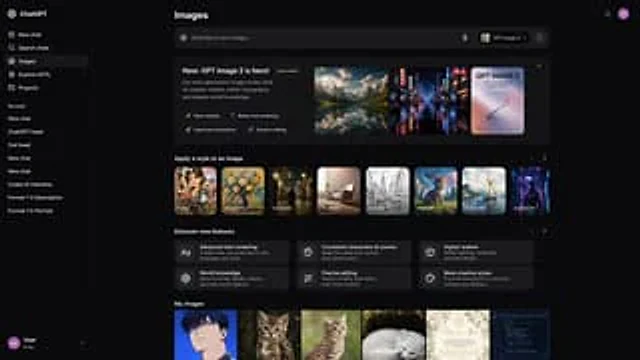
  "type": "UI/UX Web Application Prototype",
  "theme": "Dark mode",
  "sidebar": {
    "logo": "{argument name=\"app name\" default=\"ChatGPT\"}",
    "navigation_items": 5,
    "recent_chats_count": 8,
    "user_profile": "Users, Free Version"
  },
  "main_content": {
    "header": "image",
    "input_bar": {
      "placeholder": "{argument name=\"input placeholder\" default=\"Describe a new image...\"}",
      "model_selector": "{argument name=\"model name\" default=\"GPT Image 2\"}"
    },
    "sections": [
      {
        "title": "{argument name=\"hero title\" default=\"New feature: GPT Image 2 is now available!\"}",
        "description": "Our next-generation image models are designed to achieve greater realism, better typography, and deeper understanding of the world.",
        "feature_tags_count": 4,
        "hero_images_count": 3,
        "hero_images_descriptions": [
          "Mountain lake landscape",
          "Neon Cyberpunk Streets",
          "Poster layout"
        ]
      },
      {
        "title": "Apply styles to images",
        "style_thumbnails_count": 8,
        "style_labels": [
          "cartoon",
          "painting",
          "Cinematic",
          "3D rendering",
          "Line Art",
          "Pixel Art",
          "watercolor",
          "Cyberpunk"
        ]
      },
      {
        "title": "Explore new features",
        "feature_cards_count": 6,
        "feature_labels": [
          "Advanced text rendering",
          "Consistent roles and scenes",
          "Greater sense of realism",
          "World Knowledge",
          "Precise editing",
          "More creative styles"
        ]
      },
      {
        "title": "My Image",
        "recent_images_count": 6,
        "recent_images_descriptions": [
          "Anime boy portrait",
          "tabby kitten",
          "tabby kitten",
          "Sleeping Arctic fox",
          "Wedding Invitation",
          "Code editor terminal"
        ]
      }
    ]
  }
}
사용 방법
- 매개변수를 포함한 전체 원본 프롬프트를 복사하세요.
- 주제, 문구, 구도를 자신의 요구에 맞게 바꾸세요.
- 호환되는 외부 도구에서 사용하고 이용 조건과 결과를 확인하세요.
시작 전 확인
- 참조 이미지가 필요한지 확인하세요. 호환 표시는 해당 모델로 이 예시를 생성했다는 뜻이 아닙니다.
- 이름, 수치, 이미지 속 문구를 확인하세요. 모델 버전에 따라 결과가 다를 수 있습니다.