原文
GPT Image 2 · en
{
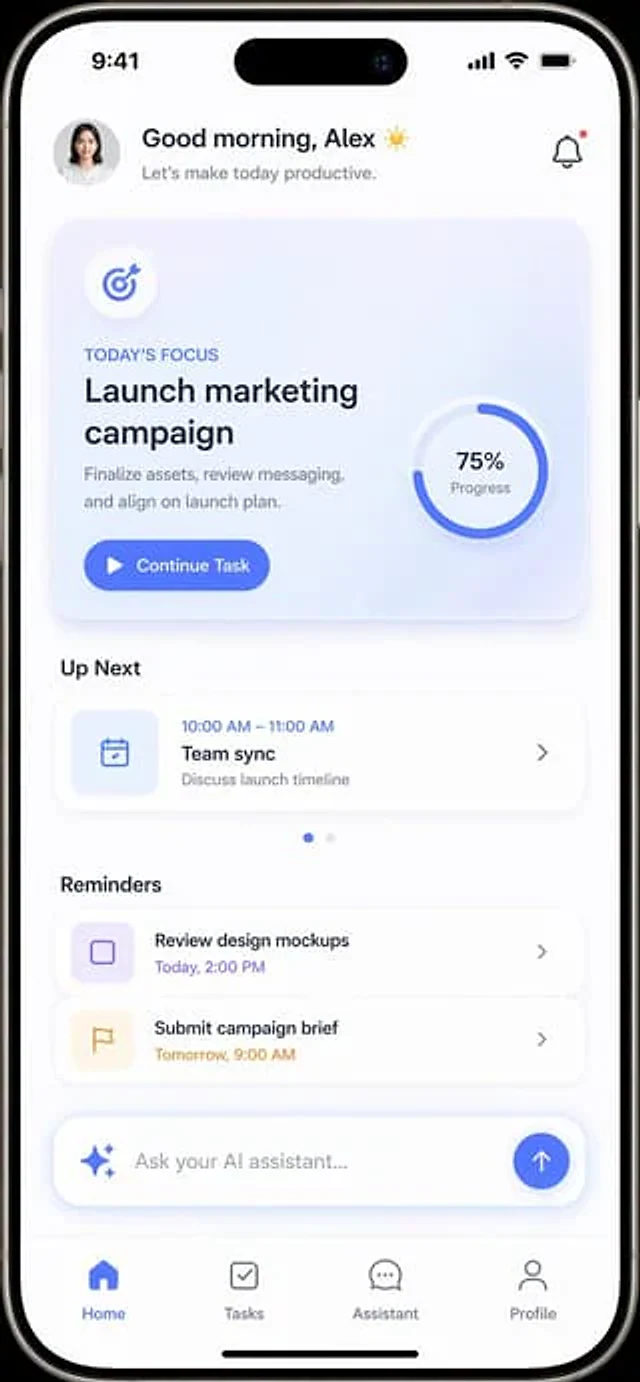
  "type": "Mobile application UI prototype",
  "device": "Modern smartphones with Lingdong Island",
  "theme": "Light mode, minimalism.{argument name=\"primary color\" default=\"Soft Blue\"} Embellishment, soft projection",
  "layout": {
    "header": {
      "profile": "Small round female head",
      "greeting": "Good morning,{argument name=\"user name\" default=\"Alex\"} ☀️",
      "subtitle": "Let's start a productive day.",
      "icon": "Notification bell with red dot"
    },
    "hero_card": {
      "title": "Today's Focus",
      "headline": "{argument name=\"focus task\" default=\"Launch marketing campaign\"}",
      "description": "Finalize the materials, review the copy, and align with the release plan.",
      "button": "Continue the mission",
      "graphic": "A circular progress ring indicating 75% progress."
    },
    "sections": [
      {
        "title": "Next",
        "count": 1,
        "items": [
          "Team Synchronous Meeting (10:00 AM - 11:00 AM)"
        ]
      },
      {
        "title": "Reminders",
        "count": 2,
        "items": [
          "Review the design prototype",
          "Submit an event briefing"
        ]
      }
    ],
    "bottom_elements": {
      "ai_input": "Capsule-shaped text box with flashing icon and placeholder{argument name=\"ai placeholder\" default=\"Ask your AI assistant...\"} '",
      "navigation_bar": {
        "count": 4,
        "tabs": [
          "front page",
          "Task",
          "assistant",
          "Personal information"
        ]
      }
    }
  }
}
使い方
- パラメータを含む元のプロンプト全体をコピーします。
- 被写体、文字、構図を自分の要件に置き換えます。
- 対応する外部ツールで使用し、利用条件と結果を確認します。
開始前の確認
- 参考画像の要否を確認してください。互換モデルの表示は、そのモデルでの生成実績を意味しません。
- 名前、数値、画像内の文字を確認します。モデルの版で結果は変わります。