원본 문서
GPT Image 2 · en
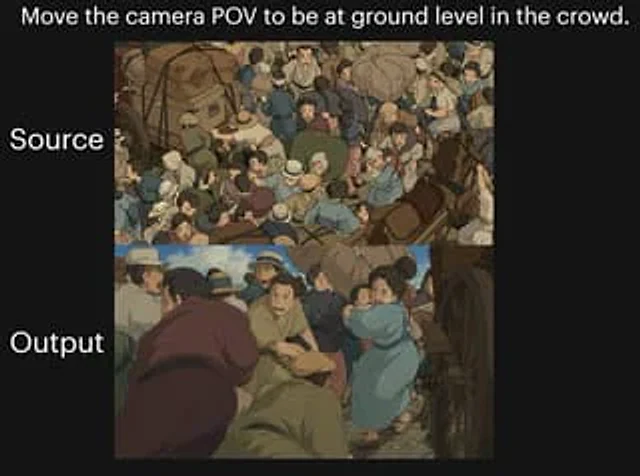
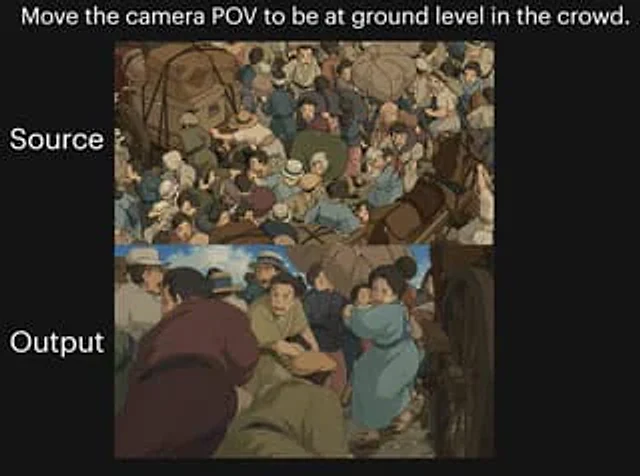
A two-image comparison against a black background showcases dramatic camera angle changes within a crowded, anime-style street scene. A striking white text line is placed at the top center:{argument name="headline text" default="Shift the camera's perspective to ground level within the crowd."} Add two large white labels aligned with the panels on the left: label the top panel "Source Image" and the bottom panel "Output Result". Create two vertically stacked rectangular image panels in the center of the canvas. The top panel displays a top-down view of a crowded historical street in a hand-drawn anime film style, with dozens of people huddled together, surrounded by carriages and wheels; including bundled luggage, hats, soft earth-toned clothing, blue and tan attire, a busy composition, and figures overlapping in various directions. The bottom panel reproduces a similar scene, but shifts the camera to a low ground view inside the crowd, passing through the bodies of the people, with a large wheel visible at the right edge. The foreground should have a sense of immersion and crowding, with several figures bending or crouching near the camera, and a figure in a soft purple robe in the left foreground. At the bottom center, a kneeling or hunched figure in brown clothing stands, while to the right center, a woman in a light blue dress or coat carries a small child through a crowd. The environment is maintained as a chaotic old-world market or traffic street, with horses, carriages, people wearing wide-brimmed hats and simple period clothing, dusty ground, and warm, soft color tones. Soft, cinematic anime lighting and painterly shadows are used, creating a visual feel reminiscent of classic Studio Ghibli crowd sequences. The overall image should present a "before and after" shot experiment, with the top panel showing the original overhead composition and the bottom panel showing the transformed low-angle perspective.사용 방법
- 매개변수를 포함한 전체 원본 프롬프트를 복사하세요.
- 주제, 문구, 구도를 자신의 요구에 맞게 바꾸세요.
- 호환되는 외부 도구에서 사용하고 이용 조건과 결과를 확인하세요.
시작 전 확인
- 참조 이미지가 필요한지 확인하세요. 호환 표시는 해당 모델로 이 예시를 생성했다는 뜻이 아닙니다.
- 이름, 수치, 이미지 속 문구를 확인하세요. 모델 버전에 따라 결과가 다를 수 있습니다.