原文
GPT Image 2 · en
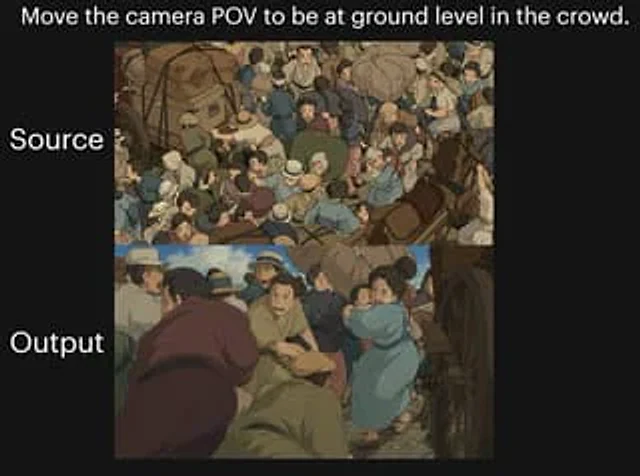
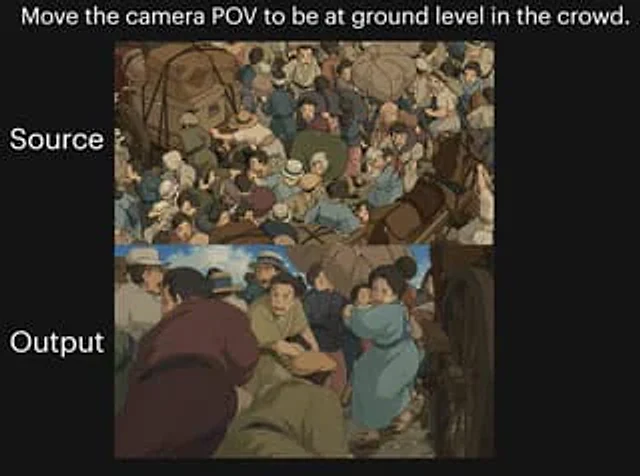
A two-image comparison against a black background showcases dramatic camera angle changes within a crowded, anime-style street scene. A striking white text line is placed at the top center:{argument name="headline text" default="Shift the camera's perspective to ground level within the crowd."} Add two large white labels aligned with the panels on the left: label the top panel "Source Image" and the bottom panel "Output Result". Create two vertically stacked rectangular image panels in the center of the canvas. The top panel displays a top-down view of a crowded historical street in a hand-drawn anime film style, with dozens of people huddled together, surrounded by carriages and wheels; including bundled luggage, hats, soft earth-toned clothing, blue and tan attire, a busy composition, and figures overlapping in various directions. The bottom panel reproduces a similar scene, but shifts the camera to a low ground view inside the crowd, passing through the bodies of the people, with a large wheel visible at the right edge. The foreground should have a sense of immersion and crowding, with several figures bending or crouching near the camera, and a figure in a soft purple robe in the left foreground. At the bottom center, a kneeling or hunched figure in brown clothing stands, while to the right center, a woman in a light blue dress or coat carries a small child through a crowd. The environment is maintained as a chaotic old-world market or traffic street, with horses, carriages, people wearing wide-brimmed hats and simple period clothing, dusty ground, and warm, soft color tones. Soft, cinematic anime lighting and painterly shadows are used, creating a visual feel reminiscent of classic Studio Ghibli crowd sequences. The overall image should present a "before and after" shot experiment, with the top panel showing the original overhead composition and the bottom panel showing the transformed low-angle perspective.使い方
- パラメータを含む元のプロンプト全体をコピーします。
- 被写体、文字、構図を自分の要件に置き換えます。
- 対応する外部ツールで使用し、利用条件と結果を確認します。
開始前の確認
- 参考画像の要否を確認してください。互換モデルの表示は、そのモデルでの生成実績を意味しません。
- 名前、数値、画像内の文字を確認します。モデルの版で結果は変わります。