원본 문서
GPT Image 2 · en
Scene:
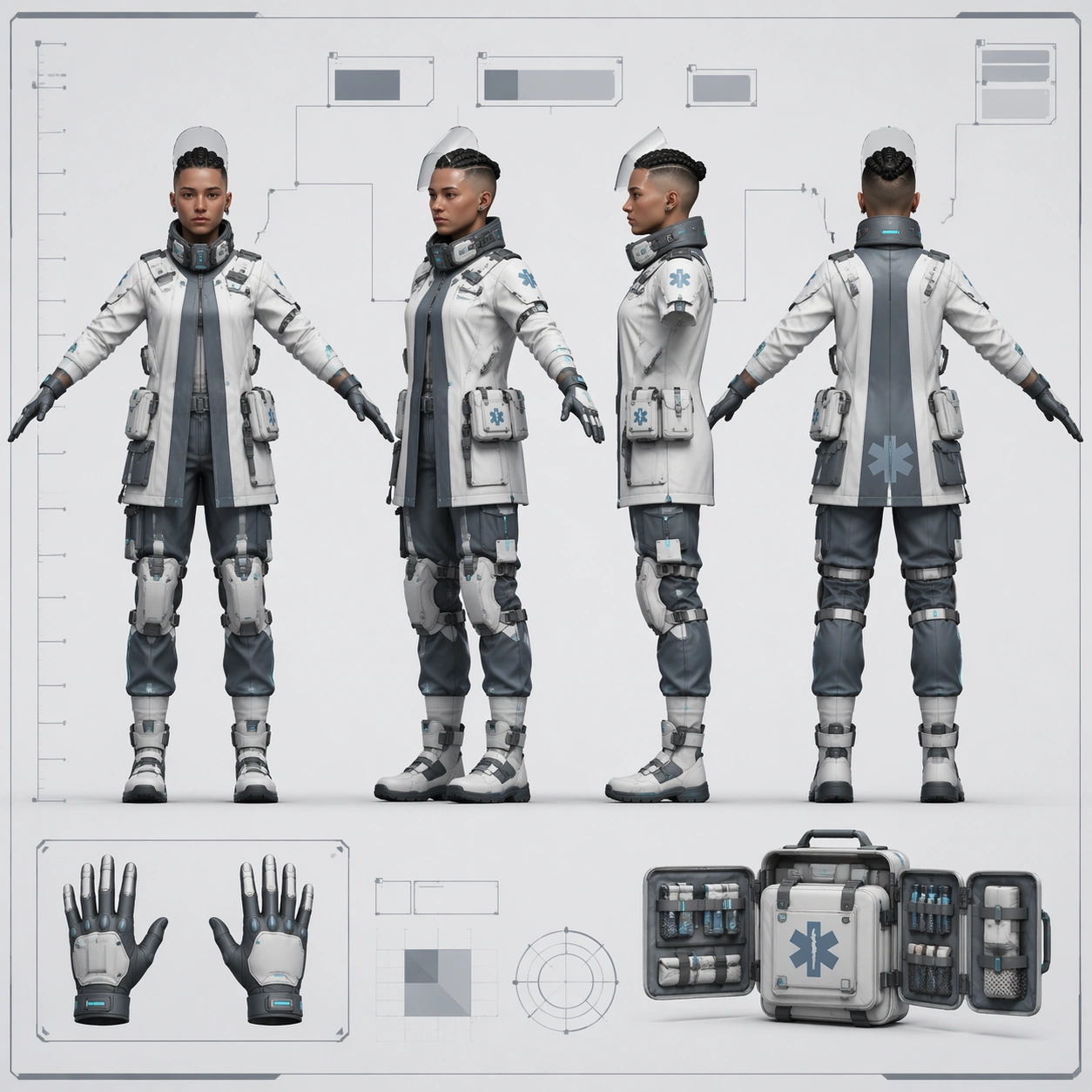
A square game-studio character turnaround sheet displayed as a pristine concept-art document on a pale clinical board. Lighting is even and cool, with crisp paper edges, faint guide lines, and clear negative space around the figures. The overall visual language is medical-industrial rather than cinematic, with quiet blue-gray tones and precise layout balance.

Subject:
Create one original arcology medic shown in four aligned full-body views on the same sheet: front, forty-five-degree, side, and back, all in a relaxed T-pose. The medic is a lean urban emergency specialist with shaved sides and a tightly braided crown, translucent face shield resting up, compact respirator collar, layered white and slate treatment jacket, soft cyan bio-monitor strips, articulated knee braces, and modular medical pouches distributed consistently around the waist. Include one or two secondary insets for gloved hands and a fold-out trauma kit, but keep the main four views dominant.

Important details:
This is a technical character sheet, so maintain exact identity and proportion consistency across all four views. Keep head size, shoulder width, coat seam placement, pouch count, brace geometry, and boot silhouette stable. Show believable material distinctions: wipe-clean fabric, translucent polymer visor, matte rubber seals, brushed clips, and reflective safety edging. Add a non-readable height ruler and abstract callout boxes with no letters. The sheet should feel ready for a production handoff, not like a poster or comic panel.

Use case:
Character Turnaround single study 5/8, testing a medical-industrial four-view sheet with strong technical-diagram discipline.

Constraints:
No readable text, no watermark, no logos, preserve exact 1:1 aspect ratio, no dramatic hospital background, no extra pose, no weapon, no floating hologram UI, no inconsistent pouch placement, no broken anatomy across views.
사용 방법
- 매개변수를 포함한 전체 원본 프롬프트를 복사하세요.
- 주제, 문구, 구도를 자신의 요구에 맞게 바꾸세요.
- 호환되는 외부 도구에서 사용하고 이용 조건과 결과를 확인하세요.
시작 전 확인
- 참조 이미지가 필요한지 확인하세요. 호환 표시는 해당 모델로 이 예시를 생성했다는 뜻이 아닙니다.
- 이름, 수치, 이미지 속 문구를 확인하세요. 모델 버전에 따라 결과가 다를 수 있습니다.