원본 문서
GPT Image 2 · en
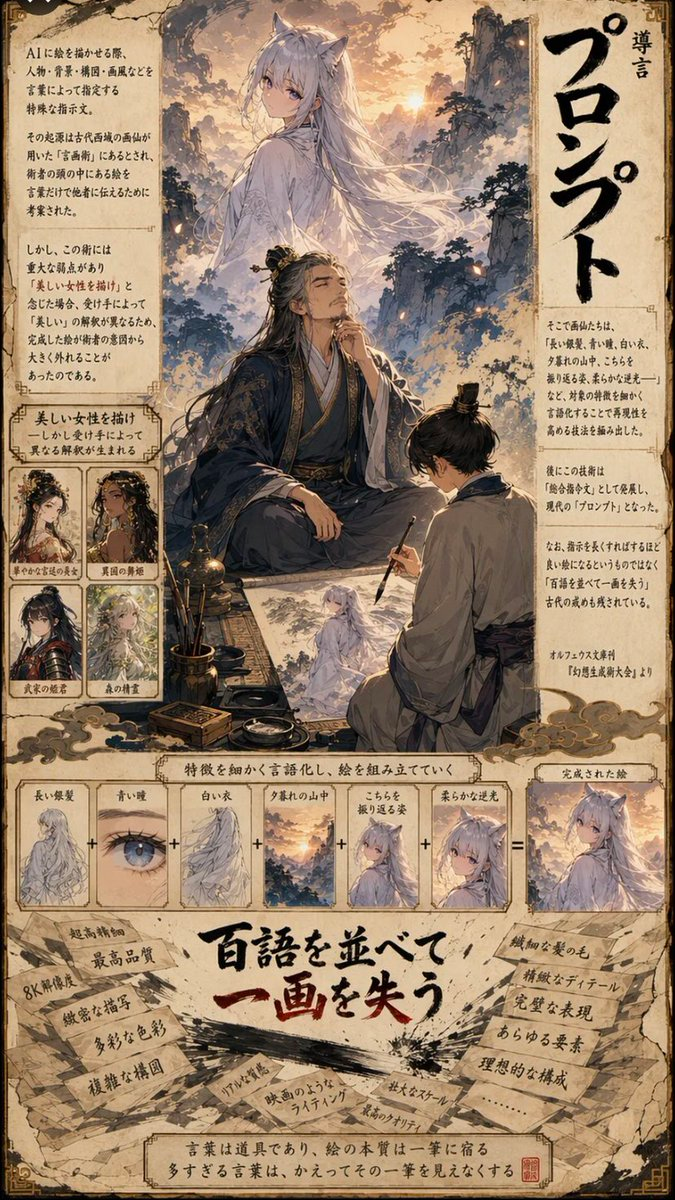
A vertical, highly detailed manga-style infographic page with a parchment-like background. The layout is divided into three main sections: a top illustration area, a middle diagrammatic breakdown, and a bottom text-heavy conclusion.

Top Section:
- A large, ethereal illustration of a woman with long white hair and fox ears (a kitsune) standing on a mountain peak at sunset. She wears flowing white robes.
- Below her, an elderly man with long black hair tied back, wearing dark blue traditional Chinese robes, sits cross-legged holding a calligraphy brush, looking up thoughtfully.
- To his right, a younger man in grey robes kneels, sketching the kitsune onto paper.
- Surrounding this scene are blocks of Japanese text explaining the concept of 'Prompt' (プロンプト).
- On the left side, there are four small square character portraits labeled with descriptions like 'Beautiful Woman', 'Dancer', etc., showing variations of female characters.
- Large vertical Japanese text on the right reads 'Introduction to Prompts'.

Middle Section:
- A horizontal flow diagram titled 'Verbalizing features to compose a picture'.
- It shows a sequence of six small square images connected by plus signs (+), leading to an equals sign (=) and a final result image.
- The sequence includes: 1. Long silver hair, 2. Blue eyes, 3. White clothes, 4. Mountain sunset, 5. Looking back pose, 6. Soft backlighting.
- The final result is the complete image of the kitsune from the top section.

Bottom Section:
- A large, bold Japanese headline in red and black ink style: "Listing hundreds of words loses one stroke" (百語を並べて一画を失う).
- Surrounding the headline are torn pieces of paper with handwritten notes listing negative effects of over-prompting, such as '8K resolution', 'ultra-high quality', 'complex composition', 'unnatural lighting', 'film-like lighting', 'large scale', 'highest quality'.
- At the very bottom, a concluding sentence in a box states that words are tools, but too many obscure the essence of the single stroke.
사용 방법
- 매개변수를 포함한 전체 원본 프롬프트를 복사하세요.
- 주제, 문구, 구도를 자신의 요구에 맞게 바꾸세요.
- 호환되는 외부 도구에서 사용하고 이용 조건과 결과를 확인하세요.
시작 전 확인
- 참조 이미지가 필요한지 확인하세요. 호환 표시는 해당 모델로 이 예시를 생성했다는 뜻이 아닙니다.
- 이름, 수치, 이미지 속 문구를 확인하세요. 모델 버전에 따라 결과가 다를 수 있습니다.