원본 문서
GPT Image 2 · zh
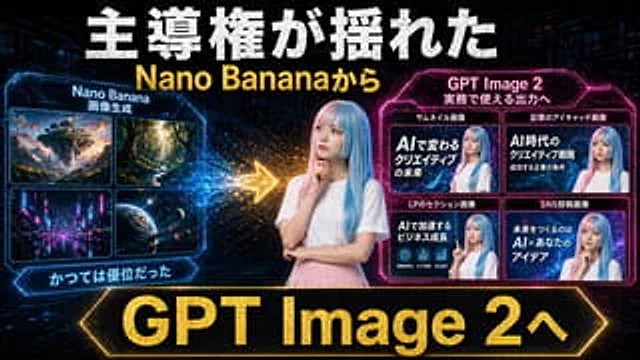
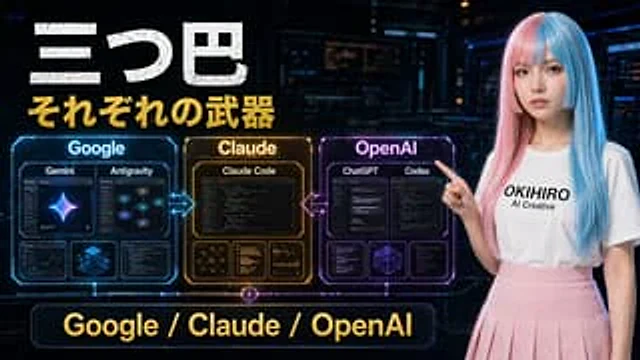
A futuristic Japanese-style tech comparison poster, set against a dark cyberpunk control room background, uses a 16:9 widescreen composition. The upper left corner features a striking, distressed white Japanese title, "三つ巴" (San Tsu Tomoe), followed immediately by a prominent gold subtitle, "それぞれの武器" (Sorezore no Weapon). On the left side of the image, three glowing holographic contrast panels are arranged horizontally and connected by neon arrows: a blue panel labeled "Google," an amber-gold panel labeled "Claude," and a magenta panel labeled "OpenAI." The Google panel contains four internal cards: the two larger cards at the top are labeled "Gemini" and "Antigravity," while the two smaller cards at the bottom display analytical/dashboard-style visuals and a blue isometric cube. The Claude panel contains four internal cards: the large card at the top is labeled "Claude Code," and the three smaller cards at the bottom display network diagrams, text/code lists, and chart analysis. The OpenAI panel contains five internal cards: the two larger cards at the top are labeled "ChatGPT" and "Codex" respectively, while the three smaller cards at the bottom display the interface/code window and a geometric wireframe cube. Glowing bidirectional arrows are added between Google and Claude, and between Claude and OpenAI. A large neon-bordered banner with the words "Google / Claude / OpenAI" in gold lettering is placed at the bottom center. A young woman with long, straight, pink and blue highlights stands on the right, pointing to the panel on the left, and wears a shirt with black lettering {argument name="shirt text" default="OKIHIRO AI Creative"} She wore a pure white T-shirt and a light pink pleated skirt. Her face was obscured by a smooth, rectangular blur. The design employed cinematic sci-fi lighting, glossy holographic UI details, high contrast, and a vibrant blue-gold-purple color scheme, presenting a refined YouTube thumbnail aesthetic.사용 방법
- 매개변수를 포함한 전체 원본 프롬프트를 복사하세요.
- 주제, 문구, 구도를 자신의 요구에 맞게 바꾸세요.
- 호환되는 외부 도구에서 사용하고 이용 조건과 결과를 확인하세요.
시작 전 확인
- 참조 이미지가 필요한지 확인하세요. 호환 표시는 해당 모델로 이 예시를 생성했다는 뜻이 아닙니다.
- 이름, 수치, 이미지 속 문구를 확인하세요. 모델 버전에 따라 결과가 다를 수 있습니다.