Oryginalny dokument
GPT Image 2 · zh
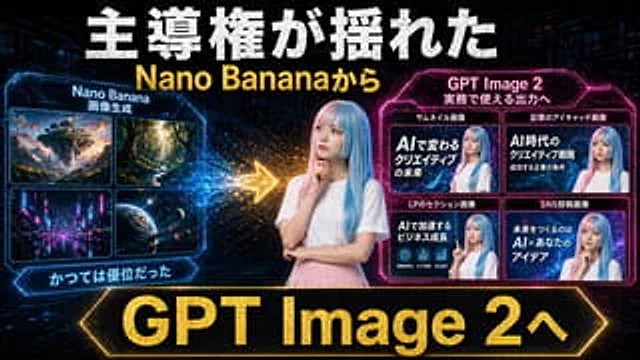
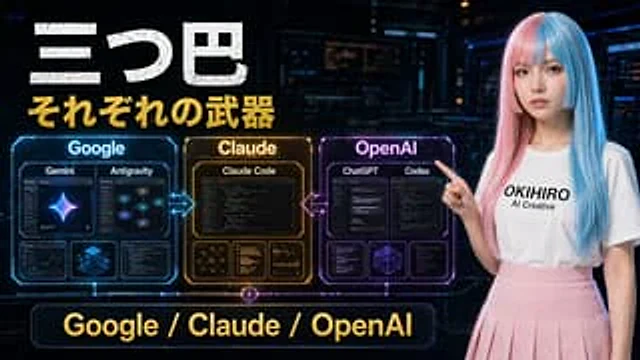
A futuristic Japanese-style tech comparison poster, set against a dark cyberpunk control room background, uses a 16:9 widescreen composition. The upper left corner features a striking, distressed white Japanese title, "三つ巴" (San Tsu Tomoe), followed immediately by a prominent gold subtitle, "それぞれの武器" (Sorezore no Weapon). On the left side of the image, three glowing holographic contrast panels are arranged horizontally and connected by neon arrows: a blue panel labeled "Google," an amber-gold panel labeled "Claude," and a magenta panel labeled "OpenAI." The Google panel contains four internal cards: the two larger cards at the top are labeled "Gemini" and "Antigravity," while the two smaller cards at the bottom display analytical/dashboard-style visuals and a blue isometric cube. The Claude panel contains four internal cards: the large card at the top is labeled "Claude Code," and the three smaller cards at the bottom display network diagrams, text/code lists, and chart analysis. The OpenAI panel contains five internal cards: the two larger cards at the top are labeled "ChatGPT" and "Codex" respectively, while the three smaller cards at the bottom display the interface/code window and a geometric wireframe cube. Glowing bidirectional arrows are added between Google and Claude, and between Claude and OpenAI. A large neon-bordered banner with the words "Google / Claude / OpenAI" in gold lettering is placed at the bottom center. A young woman with long, straight, pink and blue highlights stands on the right, pointing to the panel on the left, and wears a shirt with black lettering {argument name="shirt text" default="OKIHIRO AI Creative"} She wore a pure white T-shirt and a light pink pleated skirt. Her face was obscured by a smooth, rectangular blur. The design employed cinematic sci-fi lighting, glossy holographic UI details, high contrast, and a vibrant blue-gold-purple color scheme, presenting a refined YouTube thumbnail aesthetic.Jak używać
- Skopiuj cały oryginalny prompt wraz z parametrami.
- Dostosuj temat, tekst i kompozycję do swoich potrzeb.
- Użyj zgodnego narzędzia zewnętrznego; sprawdź warunki dostępu i wynik.
Przed rozpoczęciem
- Sprawdź, czy potrzebny jest obraz referencyjny. Zgodność nie potwierdza modelu użytego do przykładu.
- Sprawdź nazwy, liczby i napisy; wyniki zależą od wersji modelu.