원본 문서
GPT Image 2 · en
{
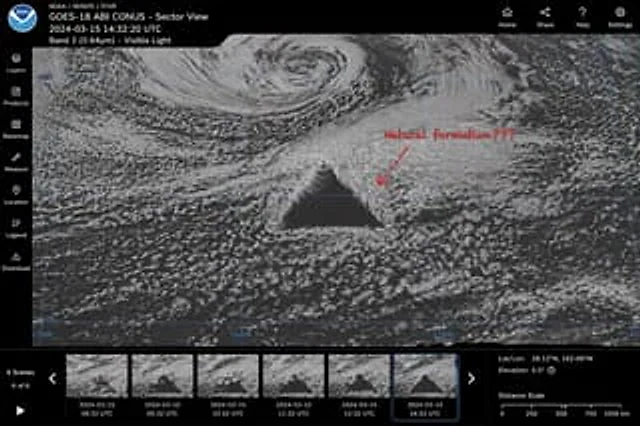
  "type": "Satellite image web interface model",
  "main_display": {
    "imagery": "A grayscale satellite view of ocean clouds, with a central point containing a{argument name=\"anomaly shape\" default=\"Huge, perfect geometric dark triangle\"}",
    "annotation": "The red handwritten text{argument name=\"annotation text\" default=\"Naturally formed?\"} The text is accompanied by a red arrow pointing to the anomaly.",
    "overlay": "The light blue latitude and longitude grid lines have coordinate labels such as 40N, 30N, and 160W."
  },
  "ui_layout": {
    "top_header": {
      "left_section": "The NOAA logo, with the words \"{argument name=\"satellite name\" default=\"GOES-18 ABI CONUS - Sector View\"} \"{argument name=\"timestamp\" default=\"2024-03-15 14:32:20 UTC\"} \"and \"Band 2 (0.64µm) - Visible light\"",
      "right_section": "The four navigation icons are labeled: Home, Share, Help, and Settings."
    },
    "left_sidebar": {
      "count": 7,
      "items": [
        "Layers",
        "product",
        "Base map",
        "Measurement",
        "Location",
        "legend",
        "download"
      ]
    },
    "bottom_panel": {
      "timeline": {
        "controls": "Play button, left and right arrows, text \"6 scenes\", \"6/6\"",
        "thumbnails": {
          "count": 6,
          "description": "Continuous satellite imagery showing the anomalous evolution, including hourly timestamps from 08:32 UTC to 14:32 UTC."
        }
      },
      "data_readout": {
        "coordinates": "{argument name=\"coordinate text\" default=\"Latitude and longitude: 28.12°N, 162.08°W\"}",
        "elevation": "Altitude: 0.5°",
        "scale": "Distance scale from 0 to 1000 km"
      }
    }
  }
}
사용 방법
- 매개변수를 포함한 전체 원본 프롬프트를 복사하세요.
- 주제, 문구, 구도를 자신의 요구에 맞게 바꾸세요.
- 호환되는 외부 도구에서 사용하고 이용 조건과 결과를 확인하세요.
시작 전 확인
- 참조 이미지가 필요한지 확인하세요. 호환 표시는 해당 모델로 이 예시를 생성했다는 뜻이 아닙니다.
- 이름, 수치, 이미지 속 문구를 확인하세요. 모델 버전에 따라 결과가 다를 수 있습니다.