
원본 문서
GPT Image 2 · en
Scene:
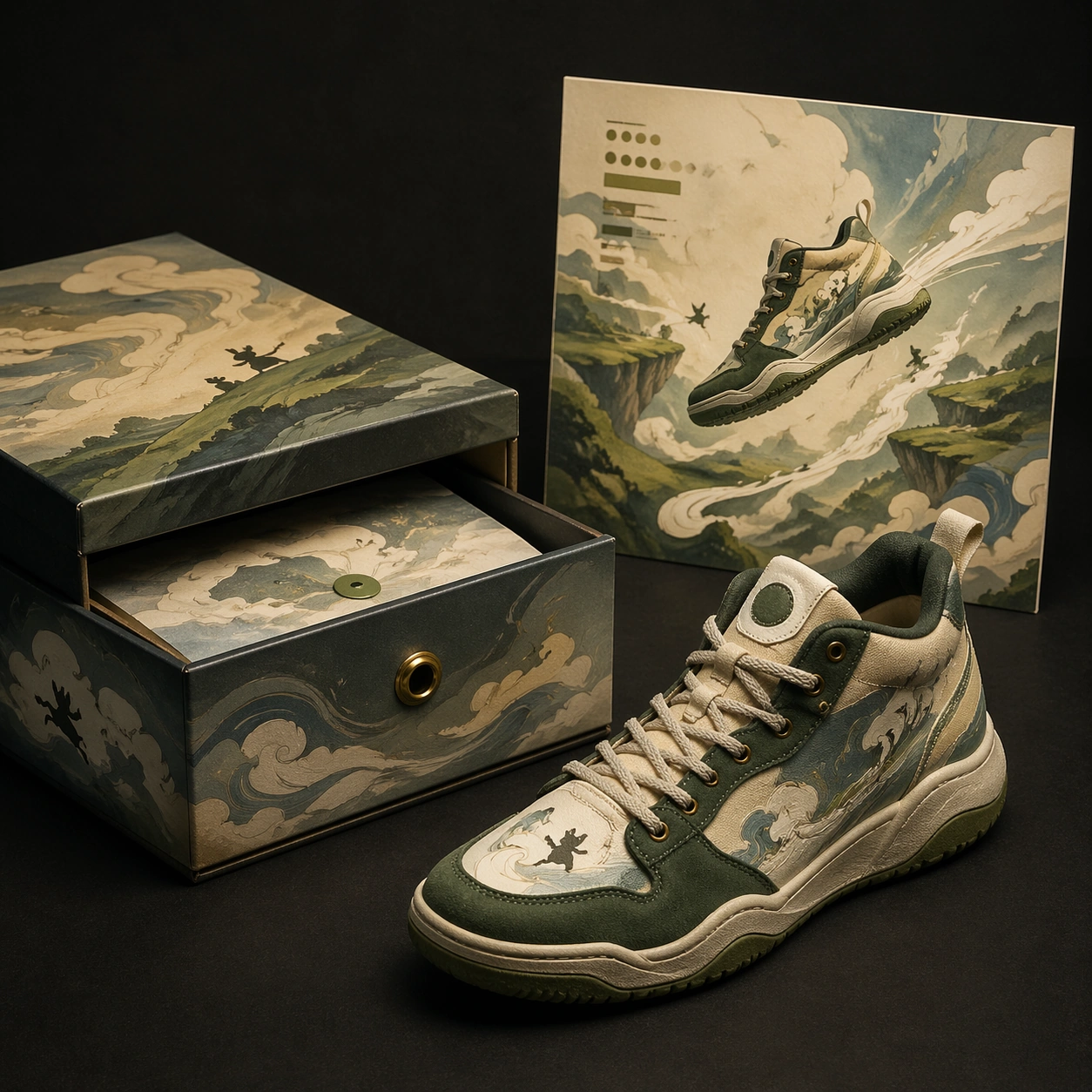
A square collector release mockup on a matte black table with warm cinematic overhead lighting. The frame is organized like a high-end footwear campaign board: one sneaker at a three-quarter angle, a rigid drawer box opened beside it, and a square poster card standing upright in the rear. The scene should feel like a studio photograph prepared for a licensing pitch, with controlled shadows and no environmental clutter.

Subject:
A fictional basketball sneaker collaboration with a hand-painted animation background language. The sneaker combines cream canvas, forest-green suede, weathered brass eyelets, and painted wind-swirl panels that feel like moving storybook air. The drawer box has illustrated cloud bands, tiny creature silhouettes, and layered paper texture. The poster card shows the sneaker crossing a floating landscape of hills and sky paths, with a quiet cinematic composition and abstract subtitle-like blocks that remain non-readable.

Important details:
Keep the artwork influence broad and original: soft gouache landscapes, rounded hand-painted forms, and gentle motion lines, not a copy of any known film. Product realism is critical: laces thread through eyelets correctly, sole tread wraps around the shoe, box lid thickness is visible, and the poster card casts a real shadow. The three objects must share one palette of cream, moss, sky blue, charcoal, and brass. Use clean commercial hierarchy without legible copy.

Use case:
Brand Artist Collab Mockup single study 4/8, focused on a cinematic animated-language sneaker release board.

Constraints:
No readable text, no watermark, no logos, preserve exact 1:1 aspect ratio, no existing team marks, no known animation characters, no real studio references, no extra shoes, no impossible lacing, no poster floating without support.
사용 방법
- 매개변수를 포함한 전체 원본 프롬프트를 복사하세요.
- 주제, 문구, 구도를 자신의 요구에 맞게 바꾸세요.
- 호환되는 외부 도구에서 사용하고 이용 조건과 결과를 확인하세요.
시작 전 확인
- 참조 이미지가 필요한지 확인하세요. 호환 표시는 해당 모델로 이 예시를 생성했다는 뜻이 아닙니다.
- 이름, 수치, 이미지 속 문구를 확인하세요. 모델 버전에 따라 결과가 다를 수 있습니다.