Oryginalny dokument
GPT Image 2 · en
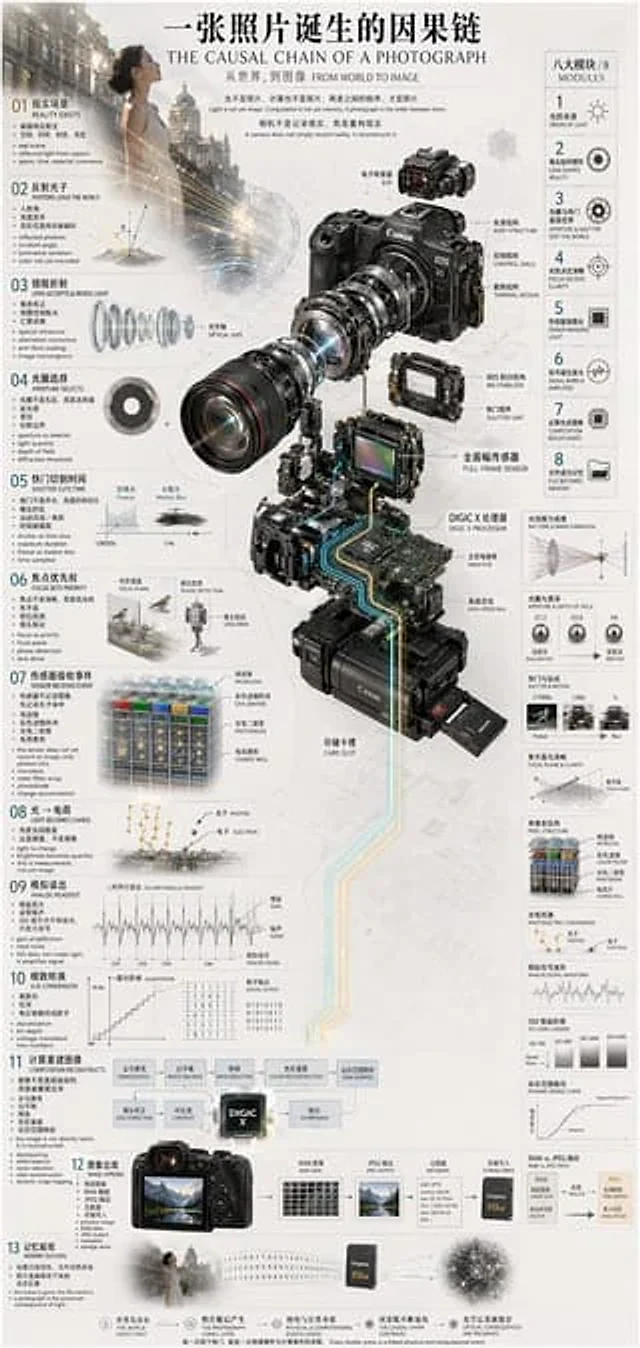
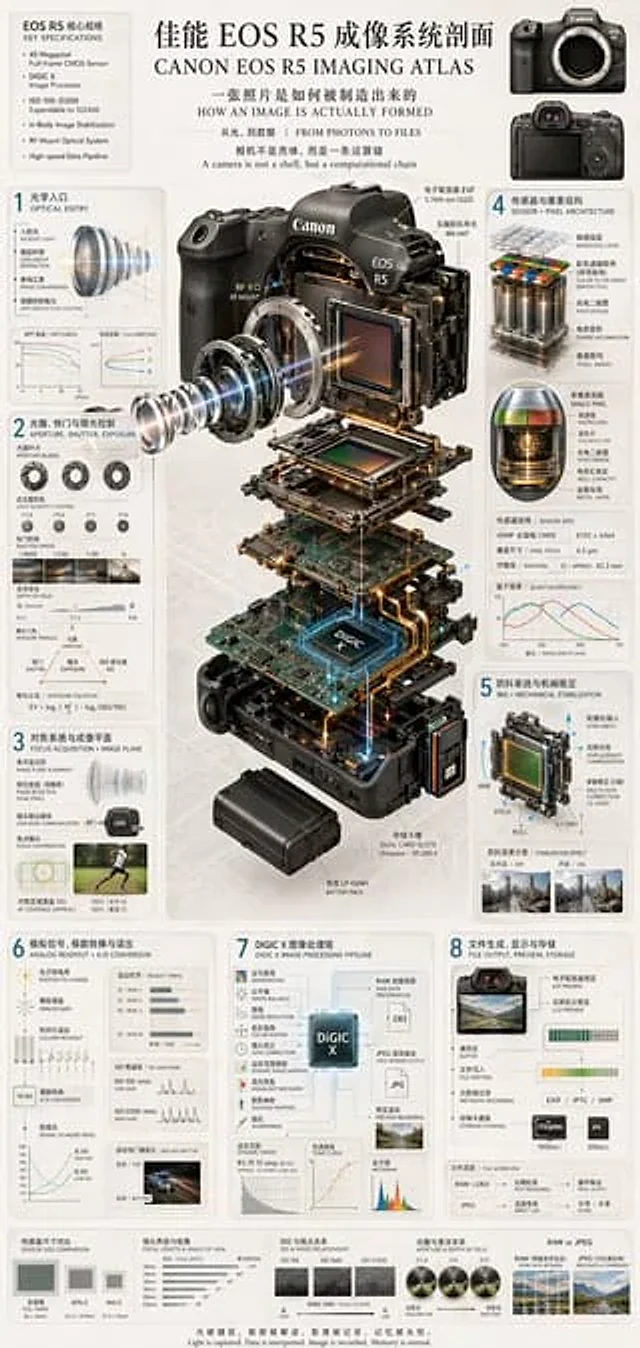
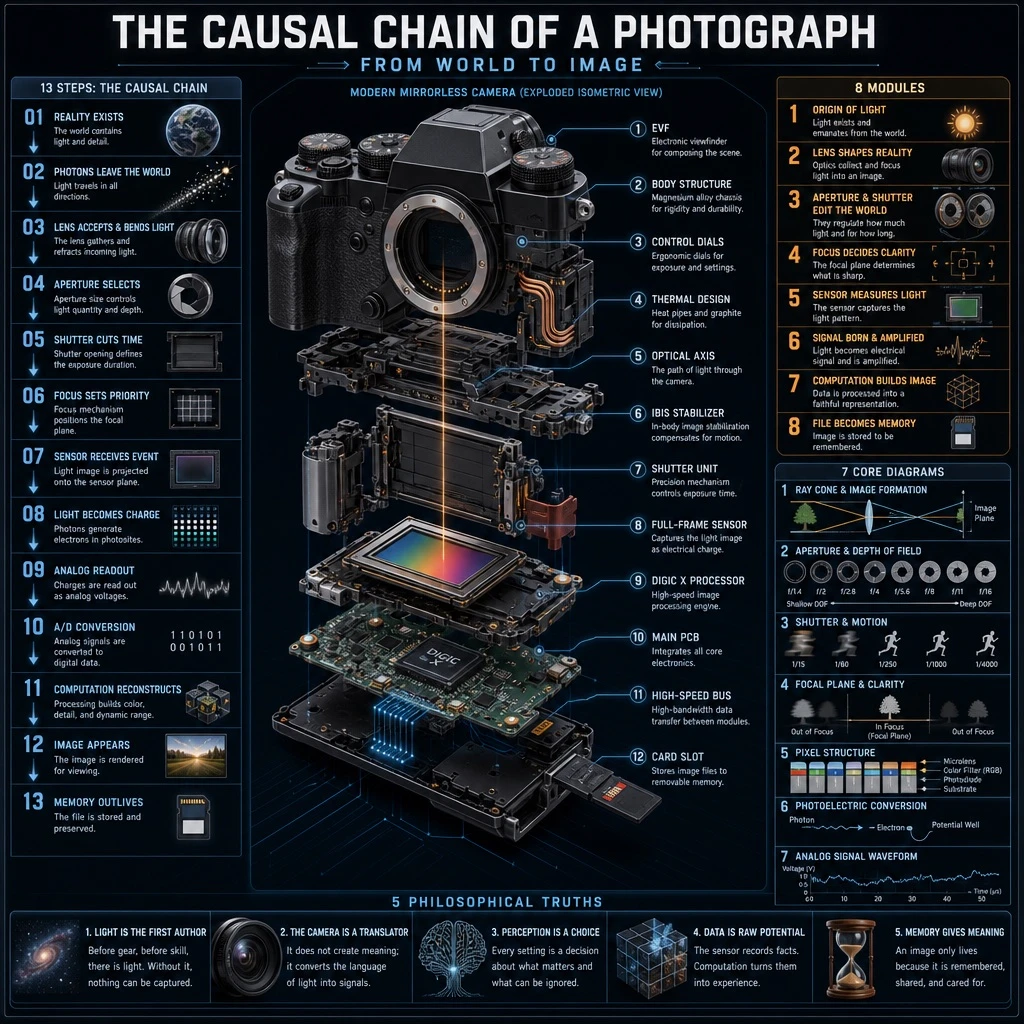
Create a highly detailed technical infographic poster about [SUBJECT], designed as an educational chart in a technical, precise style with wireframe elements, glowing data lines, photorealistic camera components, and clean typography.

At the top, include a header with the main title '[MAIN_TITLE]' and a subtitle reading 'FROM WORLD TO IMAGE'.

The centerpiece is an exploded isometric view of a modern mirrorless camera, styled after a [CAMERA_MODEL]-type body, with 12 labeled parts: EVF, Body Structure, Control Dials, Thermal Design, Optical Axis, IBIS Stabilizer, Shutter Unit, Full-Frame Sensor, [PROCESSOR_NAME], Main PCB, High-Speed Bus, and Card Slot.

On the left column, show a chronological causal chain of 13 steps: 01 REALITY EXISTS, 02 PHOTONS LEAVE THE WORLD, 03 LENS ACCEPTS & BENDS LIGHT, 04 APERTURE SELECTS, 05 SHUTTER CUTS TIME, 06 FOCUS SETS PRIORITY, 07 SENSOR RECEIVES EVENT, 08 LIGHT BECOMES CHARGE, 09 ANALOG READOUT, 10 A/D CONVERSION, 11 COMPUTATION RECONSTRUCTS, 12 IMAGE APPEARS, 13 MEMORY OUTLIVES.

On the right column, include a section titled '8 MODULES' listing 8 modules: 1 ORIGIN OF LIGHT, 2 LENS SHAPES REALITY, 3 APERTURE & SHUTTER EDIT THE WORLD, 4 FOCUS DECIDES CLARITY, 5 SENSOR MEASURES LIGHT, 6 SIGNAL BORN & AMPLIFIED, 7 COMPUTATION BUILDS IMAGE, 8 FILE BECOMES MEMORY.

Add 7 side diagrams illustrating: ray cone & image formation, aperture & depth of field, shutter & motion, focal plane & clarity, pixel structure, photoelectric conversion, and analog signal waveform.

At the bottom, include a footer section with 5 philosophical summary points related to the theme.

Render the overall visual style as technical and precise, featuring wireframe elements, glowing data lines, photorealistic camera components, and clean typography throughout the composition.
Jak używać
- Skopiuj cały oryginalny prompt wraz z parametrami.
- Dostosuj temat, tekst i kompozycję do swoich potrzeb.
- Użyj zgodnego narzędzia zewnętrznego; sprawdź warunki dostępu i wynik.
Przed rozpoczęciem
- Sprawdź, czy potrzebny jest obraz referencyjny. Zgodność nie potwierdza modelu użytego do przykładu.
- Sprawdź nazwy, liczby i napisy; wyniki zależą od wersji modelu.