

Zobacz w działaniu
File Organizer: preview a project-folder restructuring proposal
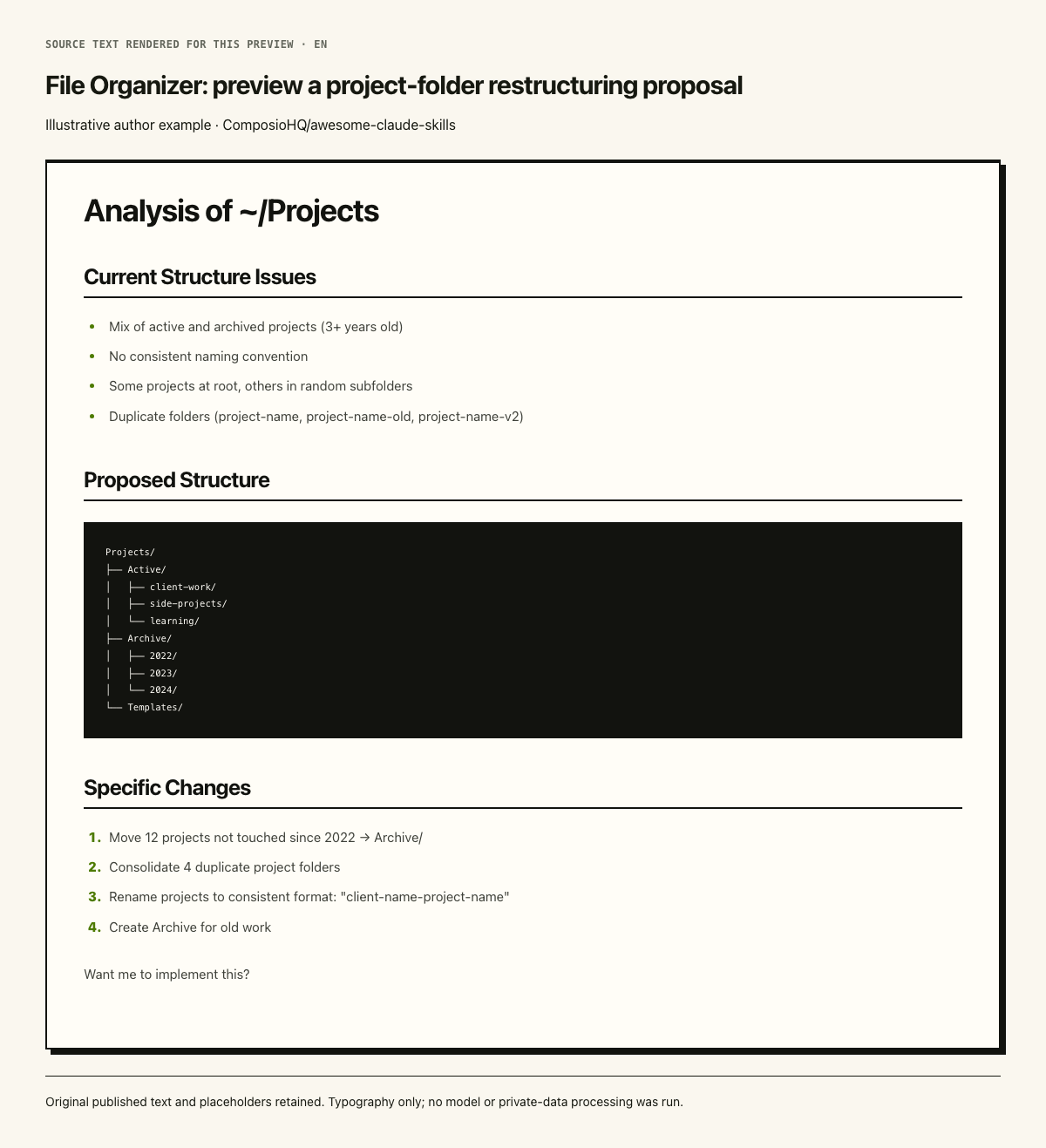
The original example pairs a full request with a filled folder proposal, archive structure and confirmation question. Its project counts are author-provided illustration; no local folders were scanned, moved or deleted. All nested directory formatting in the published output block is retained. The preview image renders this same original text for reading; it is not an upstream screenshot or a newly generated result.
Przykładowe dane
Review my ~/Projects directory and suggest improvements.Przykładowy wynik
# Analysis of ~/Projects

## Current Structure Issues
- Mix of active and archived projects (3+ years old)
- No consistent naming convention
- Some projects at root, others in random subfolders
- Duplicate folders (project-name, project-name-old, project-name-v2)

## Proposed Structure

```
Projects/
├── Active/
│   ├── client-work/
│   ├── side-projects/
│   └── learning/
├── Archive/
│   ├── 2022/
│   ├── 2023/
│   └── 2024/
└── Templates/
```

## Specific Changes
1. Move 12 projects not touched since 2022 → Archive/
2. Consolidate 4 duplicate project folders
3. Rename projects to consistent format: "client-name-project-name"
4. Create Archive for old work

Want me to implement this?Licencja
Complete selected source blocks retained verbatim; boundaries and omitted wider context are described in the summary. Original Skill documents remain unchanged below. Author-provided illustrative numbers, placeholders and labels are not site measurements. No source instructions, scripts, model inference, file operations, company tools or API requests were executed. The pinned root README explicitly grants Apache-2.0 by default; each selected folder contains only SKILL.md and no override/NOTICE. The complete official license text is retained with whitespace/Markdown escaping normalized. Preview derivative: the exact published output excerpt is rendered with this site’s existing Markdown renderer and reading styles, with an added source-text/illustrative-example label. PNG to WebP is lossless with identical decoded RGBA pixels. No original text changed, no cropping, retouching or upscaling. Original media URL identifies the source Markdown document, not an upstream image.
Pinned README default license scope (selected folders contain no license override or NOTICE):

This repository is licensed under the Apache License 2.0.

Individual skills may have different licenses - please check each skill's folder for specific licensing information.

Full Apache License 2.0 from https://www.apache.org/licenses/LICENSE-2.0.txt (Markdown escapes and whitespace normalized):

Apache License Version 2.0, January 2004 http://www.apache.org/licenses/ TERMS AND CONDITIONS FOR USE, REPRODUCTION, AND DISTRIBUTION

1. Definitions. "License" shall mean the terms and conditions for use, reproduction, and distribution as defined by Sections 1 through 9 of this document. "Licensor" shall mean the copyright owner or entity authorized by the copyright owner that is granting the License. "Legal Entity" shall mean the union of the acting entity and all other entities that control, are controlled by, or are under common control with that entity. For the purposes of this definition, "control" means (i) the power, direct or indirect, to cause the direction or management of such entity, whether by contract or otherwise, or (ii) ownership of fifty percent (50%) or more of the outstanding shares, or (iii) beneficial ownership of such entity. "You" (or "Your") shall mean an individual or Legal Entity exercising permissions granted by this License. "Source" form shall mean the preferred form for making modifications, including but not limited to software source code, documentation source, and configuration files. "Object" form shall mean any form resulting from mechanical transformation or translation of a Source form, including but not limited to compiled object code, generated documentation, and conversions to other media types. "Work" shall mean the work of authorship, whether in Source or Object form, made available under the License, as indicated by a copyright notice that is included in or attached to the work (an example is provided in the Appendix below). "Derivative Works" shall mean any work, whether in Source or Object form, that is based on (or derived from) the Work and for which the editorial revisions, annotations, elaborations, or other modifications represent, as a whole, an original work of authorship. For the purposes of this License, Derivative Works shall not include works that remain separable from, or merely link (or bind by name) to the interfaces of, the Work and Derivative Works thereof. "Contribution" shall mean any work of authorship, including the original version of the Work and any modifications or additions to that Work or Derivative Works thereof, that is intentionally submitted to Licensor for inclusion in the Work by the copyright owner or by an individual or Legal Entity authorized to submit on behalf of the copyright owner. For the purposes of this definition, "submitted" means any form of electronic, verbal, or written communication sent to the Licensor or its representatives, including but not limited to communication on electronic mailing lists, source code control systems, and issue tracking systems that are managed by, or on behalf of, the Licensor for the purpose of discussing and improving the Work, but excluding communication that is conspicuously marked or otherwise designated in writing by the copyright owner as "Not a Contribution." "Contributor" shall mean Licensor and any individual or Legal Entity on behalf of whom a Contribution has been received by Licensor and subsequently incorporated within the Work.

2. Grant of Copyright License. Subject to the terms and conditions of this License, each Contributor hereby grants to You a perpetual, worldwide, non-exclusive, no-charge, royalty-free, irrevocable copyright license to reproduce, prepare Derivative Works of, publicly display, publicly perform, sublicense, and distribute the Work and such Derivative Works in Source or Object form.

3. Grant of Patent License. Subject to the terms and conditions of this License, each Contributor hereby grants to You a perpetual, worldwide, non-exclusive, no-charge, royalty-free, irrevocable (except as stated in this section) patent license to make, have made, use, offer to sell, sell, import, and otherwise transfer the Work, where such license applies only to those patent claims licensable by such Contributor that are necessarily infringed by their Contribution(s) alone or by combination of their Contribution(s) with the Work to which such Contribution(s) was submitted. If You institute patent litigation against any entity (including a cross-claim or counterclaim in a lawsuit) alleging that the Work or a Contribution incorporated within the Work constitutes direct or contributory patent infringement, then any patent licenses granted to You under this License for that Work shall terminate as of the date such litigation is filed.

4. Redistribution. You may reproduce and distribute copies of the Work or Derivative Works thereof in any medium, with or without modifications, and in Source or Object form, provided that You meet the following conditions: (a) You must give any other recipients of the Work or Derivative Works a copy of this License; and (b) You must cause any modified files to carry prominent notices stating that You changed the files; and (c) You must retain, in the Source form of any Derivative Works that You distribute, all copyright, patent, trademark, and attribution notices from the Source form of the Work, excluding those notices that do not pertain to any part of the Derivative Works; and (d) If the Work includes a "NOTICE" text file as part of its distribution, then any Derivative Works that You distribute must include a readable copy of the attribution notices contained within such NOTICE file, excluding those notices that do not pertain to any part of the Derivative Works, in at least one of the following places: within a NOTICE text file distributed as part of the Derivative Works; within the Source form or documentation, if provided along with the Derivative Works; or, within a display generated by the Derivative Works, if and wherever such third-party notices normally appear. The contents of the NOTICE file are for informational purposes only and do not modify the License. You may add Your own attribution notices within Derivative Works that You distribute, alongside or as an addendum to the NOTICE text from the Work, provided that such additional attribution notices cannot be construed as modifying the License. You may add Your own copyright statement to Your modifications and may provide additional or different license terms and conditions for use, reproduction, or distribution of Your modifications, or for any such Derivative Works as a whole, provided Your use, reproduction, and distribution of the Work otherwise complies with the conditions stated in this License.

5. Submission of Contributions. Unless You explicitly state otherwise, any Contribution intentionally submitted for inclusion in the Work by You to the Licensor shall be under the terms and conditions of this License, without any additional terms or conditions. Notwithstanding the above, nothing herein shall supersede or modify the terms of any separate license agreement you may have executed with Licensor regarding such Contributions.

6. Trademarks. This License does not grant permission to use the trade names, trademarks, service marks, or product names of the Licensor, except as required for reasonable and customary use in describing the origin of the Work and reproducing the content of the NOTICE file.

7. Disclaimer of Warranty. Unless required by applicable law or agreed to in writing, Licensor provides the Work (and each Contributor provides its Contributions) on an "AS IS" BASIS, WITHOUT WARRANTIES OR CONDITIONS OF ANY KIND, either express or implied, including, without limitation, any warranties or conditions of TITLE, NON-INFRINGEMENT, MERCHANTABILITY, or FITNESS FOR A PARTICULAR PURPOSE. You are solely responsible for determining the appropriateness of using or redistributing the Work and assume any risks associated with Your exercise of permissions under this License.

8. Limitation of Liability. In no event and under no legal theory, whether in tort (including negligence), contract, or otherwise, unless required by applicable law (such as deliberate and grossly negligent acts) or agreed to in writing, shall any Contributor be liable to You for damages, including any direct, indirect, special, incidental, or consequential damages of any character arising as a result of this License or out of the use or inability to use the Work (including but not limited to damages for loss of goodwill, work stoppage, computer failure or malfunction, or any and all other commercial damages or losses), even if such Contributor has been advised of the possibility of such damages.

9. Accepting Warranty or Additional Liability. While redistributing the Work or Derivative Works thereof, You may choose to offer, and charge a fee for, acceptance of support, warranty, indemnity, or other liability obligations and/or rights consistent with this License. However, in accepting such obligations, You may act only on Your own behalf and on Your sole responsibility, not on behalf of any other Contributor, and only if You agree to indemnify, defend, and hold each Contributor harmless for any liability incurred by, or claims asserted against, such Contributor by reason of your accepting any such warranty or additional liability.

END OF TERMS AND CONDITIONS

APPENDIX: How to apply the Apache License to your work. To apply the Apache License to your work, attach the following boilerplate notice, with the fields enclosed by brackets "[]" replaced with your own identifying information. (Don't include the brackets!) The text should be enclosed in the appropriate comment syntax for the file format. We also recommend that a file or class name and description of purpose be included on the same "printed page" as the copyright notice for easier identification within third-party archives. Copyright [yyyy] [name of copyright owner] Licensed under the Apache License, Version 2.0 (the "License"); you may not use this file except in compliance with the License. You may obtain a copy of the License at http://www.apache.org/licenses/LICENSE-2.0 Unless required by applicable law or agreed to in writing, software distributed under the License is distributed on an "AS IS" BASIS, WITHOUT WARRANTIES OR CONDITIONS OF ANY KIND, either express or implied. See the License for the specific language governing permissions and limitations under the License.
Jak używać
- Skopiuj polecenie instalacji i sprawdź źródła przed instalacją we własnym środowisku agenta.
- W oryginale sprawdź wymagane narzędzia, dane dostępowe i obsługiwane środowiska.
- Opisz dane wejściowe i oczekiwany rezultat; porównaj wynik ze źródłami.
npx skills add https://github.com/composiohq/awesome-claude-skills --skill file-organizerPrzed rozpoczęciem
- Instalacja nie obejmuje subskrypcji modelu, limitu API ani uprawnień do plików.
- Gwiazdki i instalacje pokazują aktywność, a nie niezależny test jakości lub bezpieczeństwa.
Treść z repozytorium z zachowaniem nagłówków, przykładów, kodu, tabel, linków i obrazów.
File Organizer
This skill acts as your personal organization assistant, helping you maintain a clean, logical file structure across your computer without the mental overhead of constant manual organization.
When to Use This Skill
- Your Downloads folder is a chaotic mess
- You can't find files because they're scattered everywhere
- You have duplicate files taking up space
- Your folder structure doesn't make sense anymore
- You want to establish better organization habits
- You're starting a new project and need a good structure
- You're cleaning up before archiving old projects
What This Skill Does
- Analyzes Current Structure: Reviews your folders and files to understand what you have
- Finds Duplicates: Identifies duplicate files across your system
- Suggests Organization: Proposes logical folder structures based on your content
- Automates Cleanup: Moves, renames, and organizes files with your approval
- Maintains Context: Makes smart decisions based on file types, dates, and content
- Reduces Clutter: Identifies old files you probably don't need anymore
How to Use
From Your Home Directory
cd ~Then run Claude Code and ask for help:
Help me organize my Downloads folderFind duplicate files in my Documents folderReview my project directories and suggest improvementsSpecific Organization Tasks
Organize these downloads into proper folders based on what they areFind duplicate files and help me decide which to keepClean up old files I haven't touched in 6+ monthsCreate a better folder structure for my [work/projects/photos/etc]Instructions
When a user requests file organization help:
- Understand the Scope
Ask clarifying questions:
- Which directory needs organization? (Downloads, Documents, entire home folder?)
- What's the main problem? (Can't find things, duplicates, too messy, no structure?)
- Any files or folders to avoid? (Current projects, sensitive data?)
- How aggressively to organize? (Conservative vs. comprehensive cleanup)
- Analyze Current State
Review the target directory:
   # Get overview of current structure
   ls -la [target_directory]

   # Check file types and sizes
   find [target_directory] -type f -exec file {} \; | head -20

   # Identify largest files
   du -sh [target_directory]/* | sort -rh | head -20

   # Count file types
   find [target_directory] -type f | sed 's/.*\.//' | sort | uniq -c | sort -rn
Summarize findings:
- Total files and folders
- File type breakdown
- Size distribution
- Date ranges
- Obvious organization issues
- Identify Organization Patterns
Based on the files, determine logical groupings:
By Type:
- Documents (PDFs, DOCX, TXT)
- Images (JPG, PNG, SVG)
- Videos (MP4, MOV)
- Archives (ZIP, TAR, DMG)
- Code/Projects (directories with code)
- Spreadsheets (XLSX, CSV)
- Presentations (PPTX, KEY)
By Purpose:
- Work vs. Personal
- Active vs. Archive
- Project-specific
- Reference materials
- Temporary/scratch files
By Date:
- Current year/month
- Previous years
- Very old (archive candidates)
- Find Duplicates
When requested, search for duplicates:
   # Find exact duplicates by hash
   find [directory] -type f -exec md5 {} \; | sort | uniq -d

   # Find files with same name
   find [directory] -type f -printf '%f\n' | sort | uniq -d

   # Find similar-sized files
   find [directory] -type f -printf '%s %p\n' | sort -n
For each set of duplicates:
- Show all file paths
- Display sizes and modification dates
- Recommend which to keep (usually newest or best-named)
- Important: Always ask for confirmation before deleting
- Propose Organization Plan
Present a clear plan before making changes:
   # Organization Plan for [Directory]

   ## Current State
   - X files across Y folders
   - [Size] total
   - File types: [breakdown]
   - Issues: [list problems]

   ## Proposed Structure
[Directory]/ ├── Work/ │ ├── Projects/ │ ├── Documents/ │ └── Archive/ ├── Personal/ │ ├── Photos/ │ ├── Documents/ │ └── Media/ └── Downloads/ ├── To-Sort/ └── Archive/
   ## Changes I'll Make

   1. **Create new folders**: [list]
   2. **Move files**:
      - X PDFs → Work/Documents/
      - Y images → Personal/Photos/
      - Z old files → Archive/
   3. **Rename files**: [any renaming patterns]
   4. **Delete**: [duplicates or trash files]

   ## Files Needing Your Decision

   - [List any files you're unsure about]

Ready to proceed? (yes/no/modify)- Execute Organization
After approval, organize systematically:
   # Create folder structure
   mkdir -p "path/to/new/folders"

   # Move files with clear logging
   mv "old/path/file.pdf" "new/path/file.pdf"

   # Rename files with consistent patterns
   # Example: "YYYY-MM-DD - Description.ext"
Important Rules:
- Always confirm before deleting anything
- Log all moves for potential undo
- Preserve original modification dates
- Handle filename conflicts gracefully
- Stop and ask if you encounter unexpected situations
- Provide Summary and Maintenance Tips
After organizing:
   # Organization Complete! ✨

   ## What Changed

   - Created [X] new folders
   - Organized [Y] files
   - Freed [Z] GB by removing duplicates
   - Archived [W] old files

   ## New Structure

   [Show the new folder tree]

   ## Maintenance Tips

   To keep this organized:

   1. **Weekly**: Sort new downloads
   2. **Monthly**: Review and archive completed projects
   3. **Quarterly**: Check for new duplicates
   4. **Yearly**: Archive old files

   ## Quick Commands for You
Find files modified this week
find . -type f -mtime -7
Sort downloads by type
[custom command for their setup]
Find duplicates
[custom command]
Want to organize another folder?Examples
Example 1: Organizing Downloads (From Justin Dielmann)
User: "My Downloads folder is a mess with 500+ files. Help me organize it."
Process:
- Analyzes Downloads folder
- Finds patterns: work docs, personal photos, installers, random PDFs
- Proposes structure:
- Downloads/
- Work/
- Personal/
- Installers/ (DMG, PKG files)
- Archive/
- ToSort/ (things needing decisions)
- Asks for confirmation
- Moves files intelligently based on content and names
- Results: 500 files → 5 organized folders
Example 2: Finding and Removing Duplicates
User: "Find duplicate files in my Documents and help me decide which to keep."
Output:
# Found 23 Sets of Duplicates (156 MB total)

## Duplicate Set 1: "proposal.pdf"
- `/Documents/proposal.pdf` (2.3 MB, modified: 2024-03-15)
- `/Documents/old/proposal.pdf` (2.3 MB, modified: 2024-03-15)
- `/Desktop/proposal.pdf` (2.3 MB, modified: 2024-03-10)

**Recommendation**: Keep `/Documents/proposal.pdf` (most recent in correct location)
Delete the other 2 copies?

[Continue for all duplicates...]
Example 3: Restructuring Projects Folder
User: "Review my ~/Projects directory and suggest improvements."
Output:
# Analysis of ~/Projects

## Current Structure Issues
- Mix of active and archived projects (3+ years old)
- No consistent naming convention
- Some projects at root, others in random subfolders
- Duplicate folders (project-name, project-name-old, project-name-v2)

## Proposed Structure
Projects/ ├── Active/ │ ├── client-work/ │ ├── side-projects/ │ └── learning/ ├── Archive/ │ ├── 2022/ │ ├── 2023/ │ └── 2024/ └── Templates/
## Specific Changes
1. Move 12 projects not touched since 2022 → Archive/
2. Consolidate 4 duplicate project folders
3. Rename projects to consistent format: "client-name-project-name"
4. Create Archive for old work

Want me to implement this?
Example 4: Organizing Photos by Date
User: "Organize my photo folders by year and month."
Output: Creates structure like:
Photos/
├── 2023/
│   ├── 01-January/
│   ├── 02-February/
│   └── ...
├── 2024/
│   ├── 01-January/
│   └── ...
└── Unsorted/
Then moves photos based on EXIF data or file modification dates.
Common Organization Tasks
Downloads Cleanup
Organize my Downloads folder - move documents to Documents,
images to Pictures, keep installers separate, and archive files
older than 3 months.
Project Organization
Review my Projects folder structure and help me separate active
projects from old ones I should archive.
Duplicate Removal
Find all duplicate files in my Documents folder and help me
decide which ones to keep.
Desktop Cleanup
My Desktop is covered in files. Help me organize everything into
my Documents folder properly.
Photo Organization
Organize all photos in this folder by date (year/month) based
on when they were taken.
Work/Personal Separation
Help me separate my work files from personal files across my
Documents folder.
Pro Tips
- Start Small: Begin with one messy folder (like Downloads) to build trust
- Regular Maintenance: Run weekly cleanup on Downloads
- Consistent Naming: Use "YYYY-MM-DD - Description" format for important files
- Archive Aggressively: Move old projects to Archive instead of deleting
- Keep Active Separate: Maintain clear boundaries between active and archived work
- Trust the Process: Let Claude handle the cognitive load of where things go
Best Practices
Folder Naming
- Use clear, descriptive names
- Avoid spaces (use hyphens or underscores)
- Be specific: "client-proposals" not "docs"
- Use prefixes for ordering: "01-current", "02-archive"
File Naming
- Include dates: "2024-10-17-meeting-notes.md"
- Be descriptive: "q3-financial-report.xlsx"
- Avoid version numbers in names (use version control instead)
- Remove download artifacts: "document-final-v2 (1).pdf" → "document.pdf"
When to Archive
- Projects not touched in 6+ months
- Completed work that might be referenced later
- Old versions after migration to new systems
- Files you're hesitant to delete (archive first)
Related Use Cases
- Setting up organization for a new computer
- Preparing files for backup/archiving
- Cleaning up before storage cleanup
- Organizing shared team folders
- Structuring new project directories


