原始文档
GPT Image 2 · en
Scene:
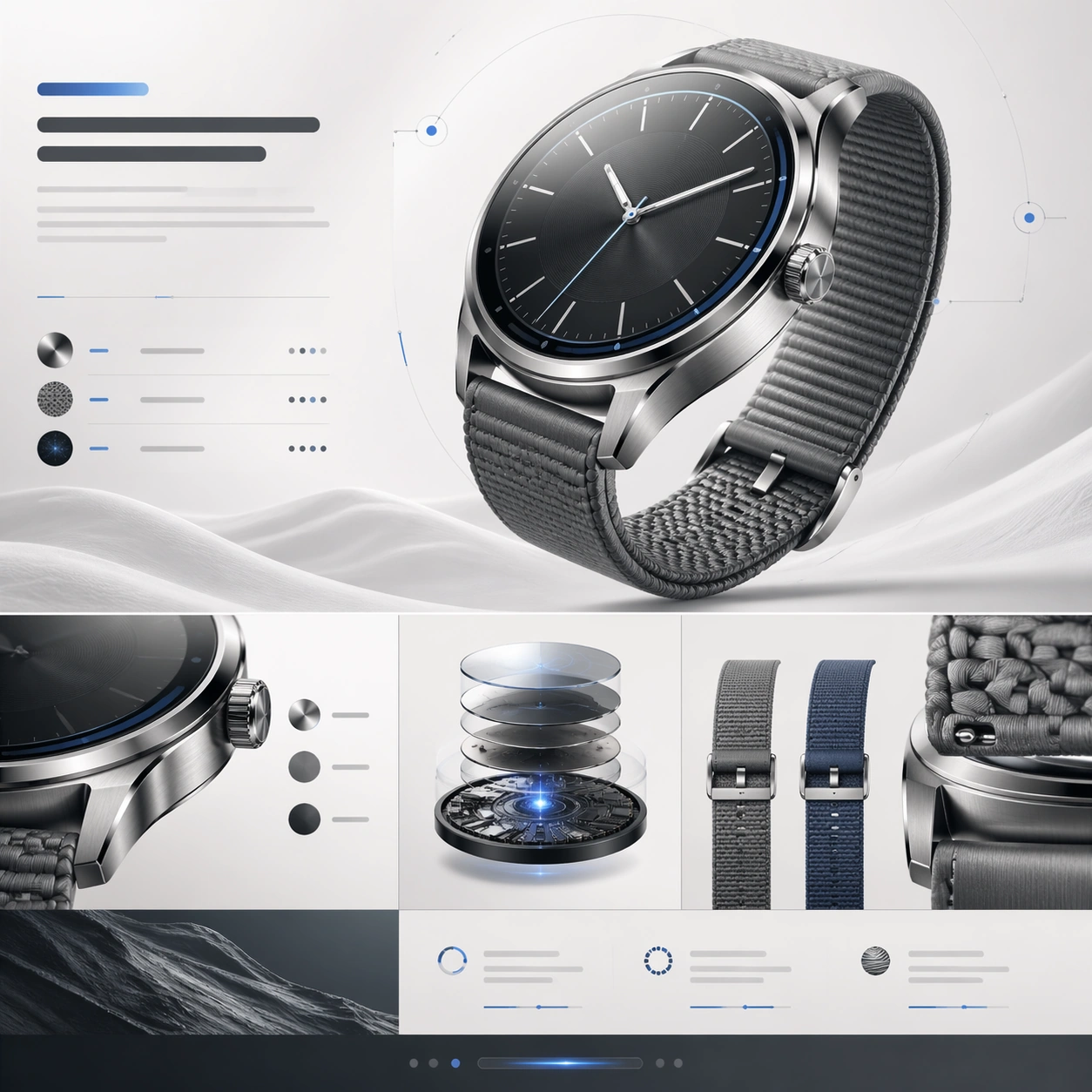
A square premium landing-page still for a luxury smartwatch, designed as an immaculate product website section stack. The palette uses silver steel, off-white, soft graphite, and a restrained cool-blue highlight. Lighting is bright, clean, and luxurious, with a catalog-photography feel that transitions into elegant webpage blocks and module separators. The top half should read like a hero section, while the lower half transitions into material story, internal engineering, and strap-system segments.

Subject:
Show a brushed-steel smartwatch with a sculpted case, subtle crown, precision chamfers, and a premium woven strap. The main watch render floats in front of delicate abstract page elements. Around it, build landing-page modules from abstract headline bars, slim comparison rows, circular callout markers, and one cutaway-style detail panel hinting at layered materials or sensor architecture. Include a secondary strap color variation and a close crop of the case edge to emphasize finish quality, but preserve the watch face and body as the dominant focus.

Important details:
The composition should sell luxury engineering and refinement. Case thickness, lugs, strap attachment, glass curvature, and brushed metal finish must feel believable. The page hierarchy needs to communicate hero, material story, engineering depth, and CTA in a single frame without becoming cluttered. Use premium spacing, gentle contrast, and polished alignment. The design language should feel closer to a launch keynote website than a generic watch-store page.

Use case:
Premium Product Landing Page single study 6/9, testing luxury wearable presentation with material storytelling and cutaway-inspired page modules.

Constraints:
No readable text, no watermark, no logos, preserve exact 1:1 aspect ratio, no browser chrome, no wrist on human skin, no fake app screenshots, no oversized fitness icons, no jewelry clutter, no distorted watch anatomy, no cheap sport-watch styling.
使用方法
- 复制完整原始提示词,并保留其中的参数。
- 按需求替换主体、文字和构图要求。
- 在兼容的外部工具中使用,核对当前使用条件并检查结果。
开始前需了解
- 先确认是否需要参考图。标注兼容模型,不代表该示例由这个模型生成。
- 核对名称、数字与画面文字;不同模型版本的结果可能不同。