原始文档
GPT Image 2 · en
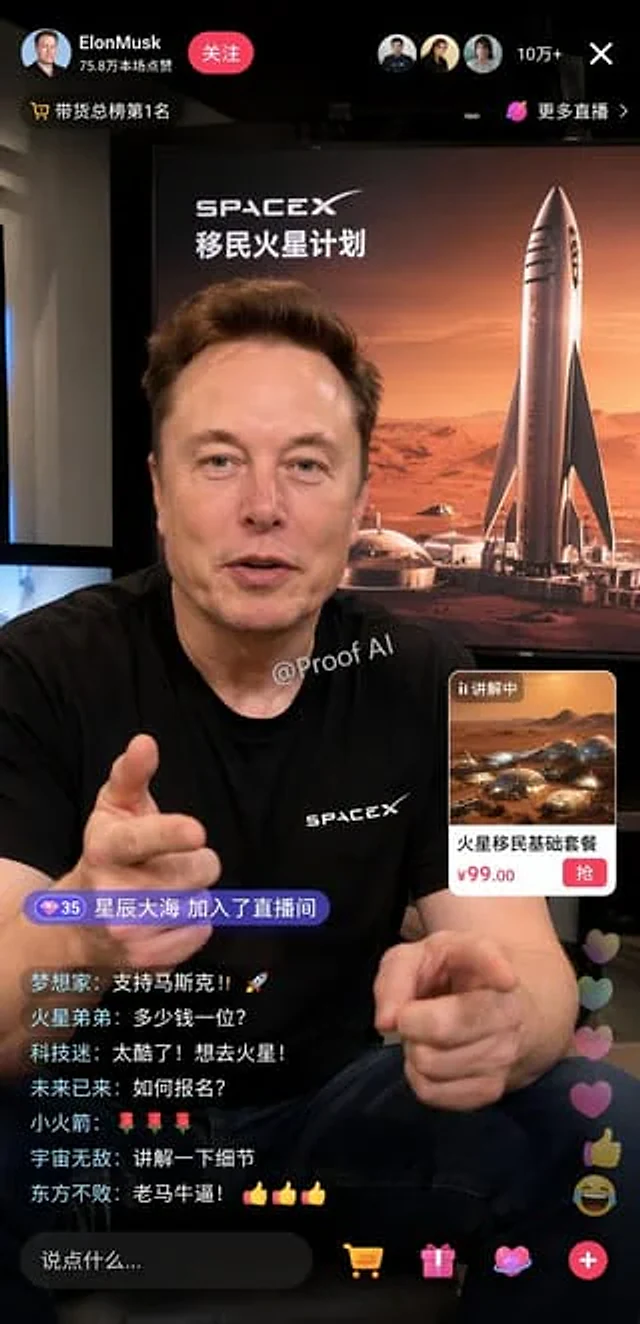
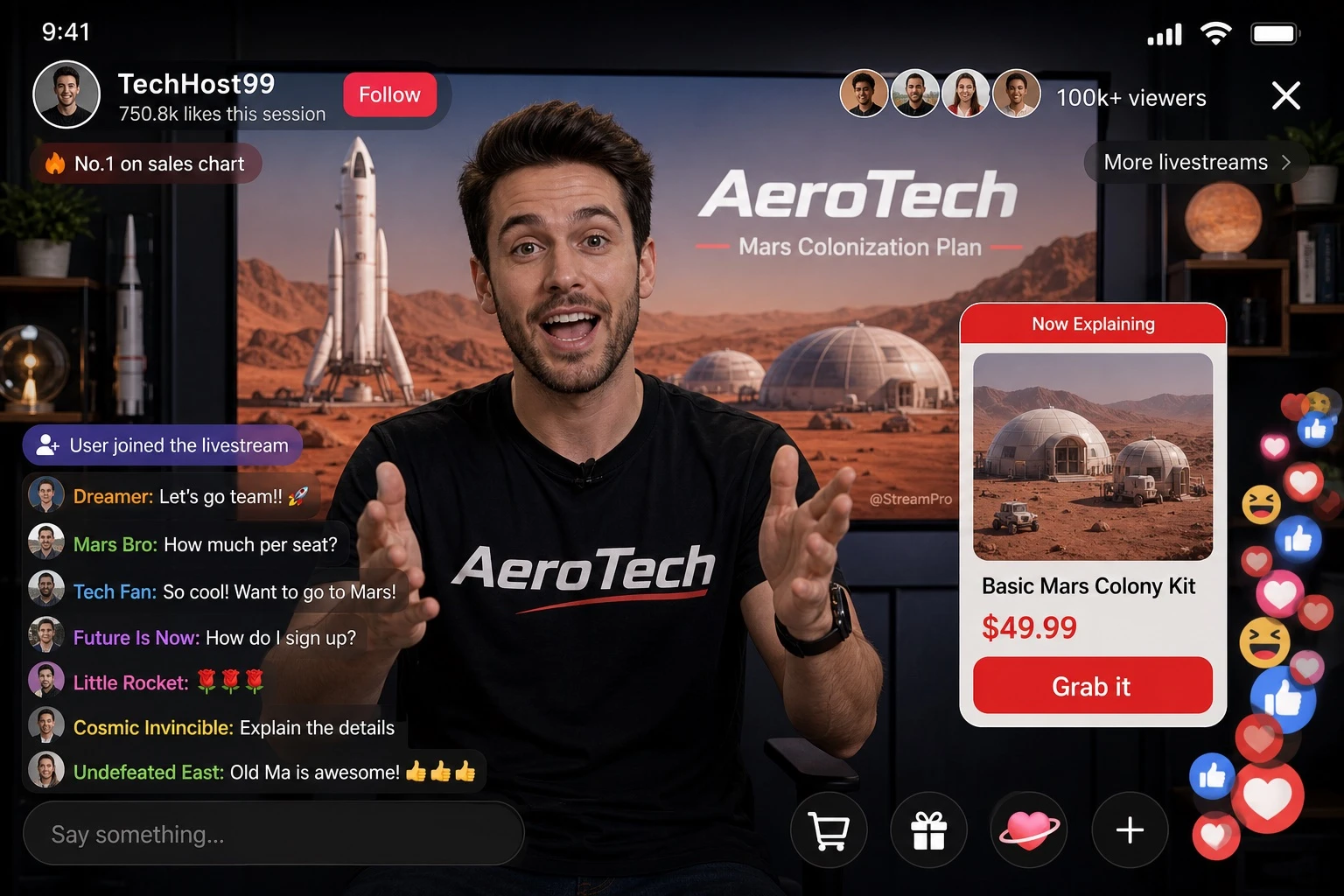
Design a realistic mobile livestream e-commerce interface mockup. The main subject is [PERSON], wearing a black t-shirt printed with the [BRAND] logo, gesturing enthusiastically toward the camera with both hands as if explaining a product. A small watermark reading '[WATERMARK_TEXT]' appears subtly on the screen. Behind the host, a large display screen shows a Mars landscape featuring a rocket and dome habitats, with the word '[BRAND]' and a secondary title '[BACKGROUND_TITLE]' rendered in [LANGUAGE] text overlaying the scene. The UI layout should include: a header showing the broadcaster's name '[BROADCASTER_NAME]', a stat line '750.8k likes this session', a 'Follow' button, viewer avatars with the text '100k+ viewers', a close 'X' icon, and tags reading 'No.1 on sales chart' and 'More livestreams >'. Include a mid-right product card labeled 'Now Explaining' showing an image of Mars dome habitats, with product title '[PRODUCT_TITLE]', price '[PRICE]', and a red action button reading 'Grab it'. On the bottom-left, add a chat overlay showing a join alert 'User joined the livestream' and seven scrolling chat messages, the top one being '[TOP_CHAT_MESSAGE]', followed by messages such as 'Mars Bro: How much per seat?', 'Tech Fan: So cool! Want to go to Mars!', 'Future Is Now: How do I sign up?', 'Little Rocket: 🌹🌹🌹', 'Cosmic Invincible: Explain the details', and 'Undefeated East: Old Ma is awesome! 👍👍👍'. At the bottom, include an input bar with placeholder text 'Say something...' and four icons: shopping cart, gift box, heart-shaped planet, and a plus sign. In the bottom-right corner, show floating reaction animations with a stack of hearts, thumbs-up, and laughing emojis rising upward. The overall style should look like a realistic, polished UI screenshot of a livestream shopping app interface, sharp typography, vibrant colors, and authentic app layout proportions, in portrait mobile aspect ratio.使用方法
- 复制完整原始提示词,并保留其中的参数。
- 按需求替换主体、文字和构图要求。
- 在兼容的外部工具中使用,核对当前使用条件并检查结果。
开始前需了解
- 先确认是否需要参考图。标注兼容模型,不代表该示例由这个模型生成。
- 核对名称、数字与画面文字;不同模型版本的结果可能不同。