원본 문서
GPT Image 2 · en
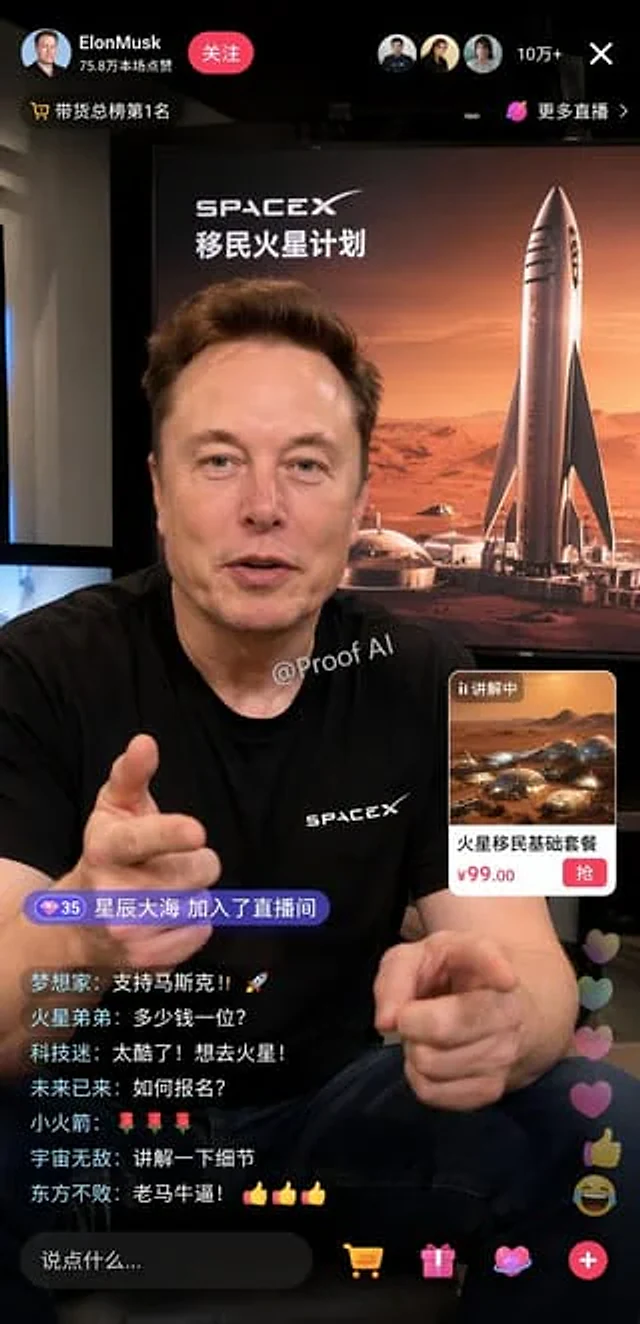
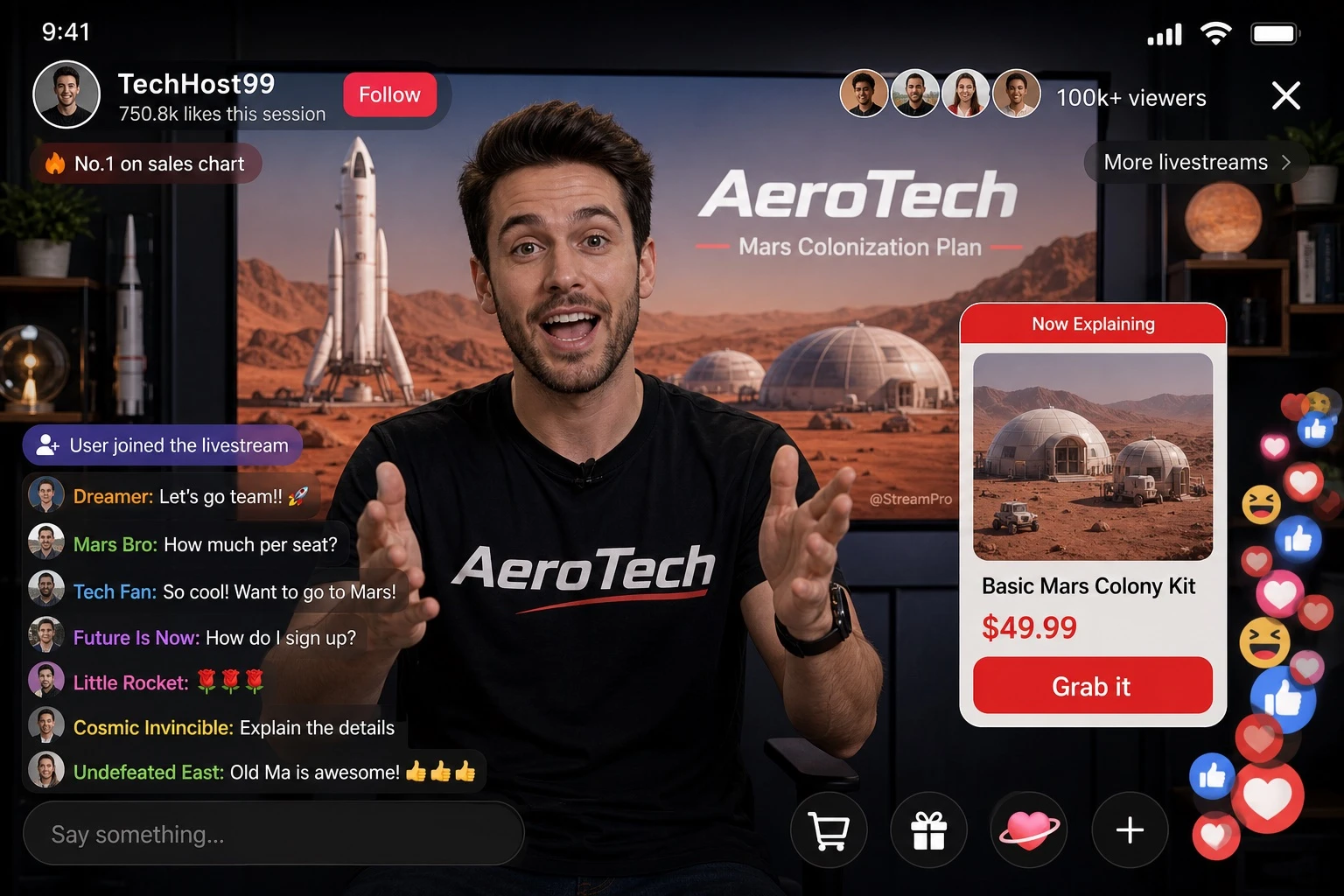
Design a realistic mobile livestream e-commerce interface mockup. The main subject is [PERSON], wearing a black t-shirt printed with the [BRAND] logo, gesturing enthusiastically toward the camera with both hands as if explaining a product. A small watermark reading '[WATERMARK_TEXT]' appears subtly on the screen. Behind the host, a large display screen shows a Mars landscape featuring a rocket and dome habitats, with the word '[BRAND]' and a secondary title '[BACKGROUND_TITLE]' rendered in [LANGUAGE] text overlaying the scene. The UI layout should include: a header showing the broadcaster's name '[BROADCASTER_NAME]', a stat line '750.8k likes this session', a 'Follow' button, viewer avatars with the text '100k+ viewers', a close 'X' icon, and tags reading 'No.1 on sales chart' and 'More livestreams >'. Include a mid-right product card labeled 'Now Explaining' showing an image of Mars dome habitats, with product title '[PRODUCT_TITLE]', price '[PRICE]', and a red action button reading 'Grab it'. On the bottom-left, add a chat overlay showing a join alert 'User joined the livestream' and seven scrolling chat messages, the top one being '[TOP_CHAT_MESSAGE]', followed by messages such as 'Mars Bro: How much per seat?', 'Tech Fan: So cool! Want to go to Mars!', 'Future Is Now: How do I sign up?', 'Little Rocket: 🌹🌹🌹', 'Cosmic Invincible: Explain the details', and 'Undefeated East: Old Ma is awesome! 👍👍👍'. At the bottom, include an input bar with placeholder text 'Say something...' and four icons: shopping cart, gift box, heart-shaped planet, and a plus sign. In the bottom-right corner, show floating reaction animations with a stack of hearts, thumbs-up, and laughing emojis rising upward. The overall style should look like a realistic, polished UI screenshot of a livestream shopping app interface, sharp typography, vibrant colors, and authentic app layout proportions, in portrait mobile aspect ratio.사용 방법
- 매개변수를 포함한 전체 원본 프롬프트를 복사하세요.
- 주제, 문구, 구도를 자신의 요구에 맞게 바꾸세요.
- 호환되는 외부 도구에서 사용하고 이용 조건과 결과를 확인하세요.
시작 전 확인
- 참조 이미지가 필요한지 확인하세요. 호환 표시는 해당 모델로 이 예시를 생성했다는 뜻이 아닙니다.
- 이름, 수치, 이미지 속 문구를 확인하세요. 모델 버전에 따라 결과가 다를 수 있습니다.