

使用方法
- 复制安装命令,在自己的智能体环境安装前先检查源码包。
- 从原始文档核对所需工具、凭据和支持的宿主。
- 说明输入材料与期望交付物,并对照来源检查输出。
npx skills add https://github.com/freestylefly/awesome-gpt-image-2 --skill gpt-image-2-style-library开始前需了解
- 安装不包含模型订阅、API 额度或访问文件的权限。
- 仓库星数和安装量反映活跃情况,不等于独立质量或安全测试。
仓库原始内容
按源仓库内容呈现,保留标题、案例、代码、表格、链接以及原文引用的演示图片。
GPT-Image2 Style Library
Use this skill to turn a user's image-generation intent into a production-ready GPT-Image2 prompt using the awesome-gpt-image-2 style library.
Example Output
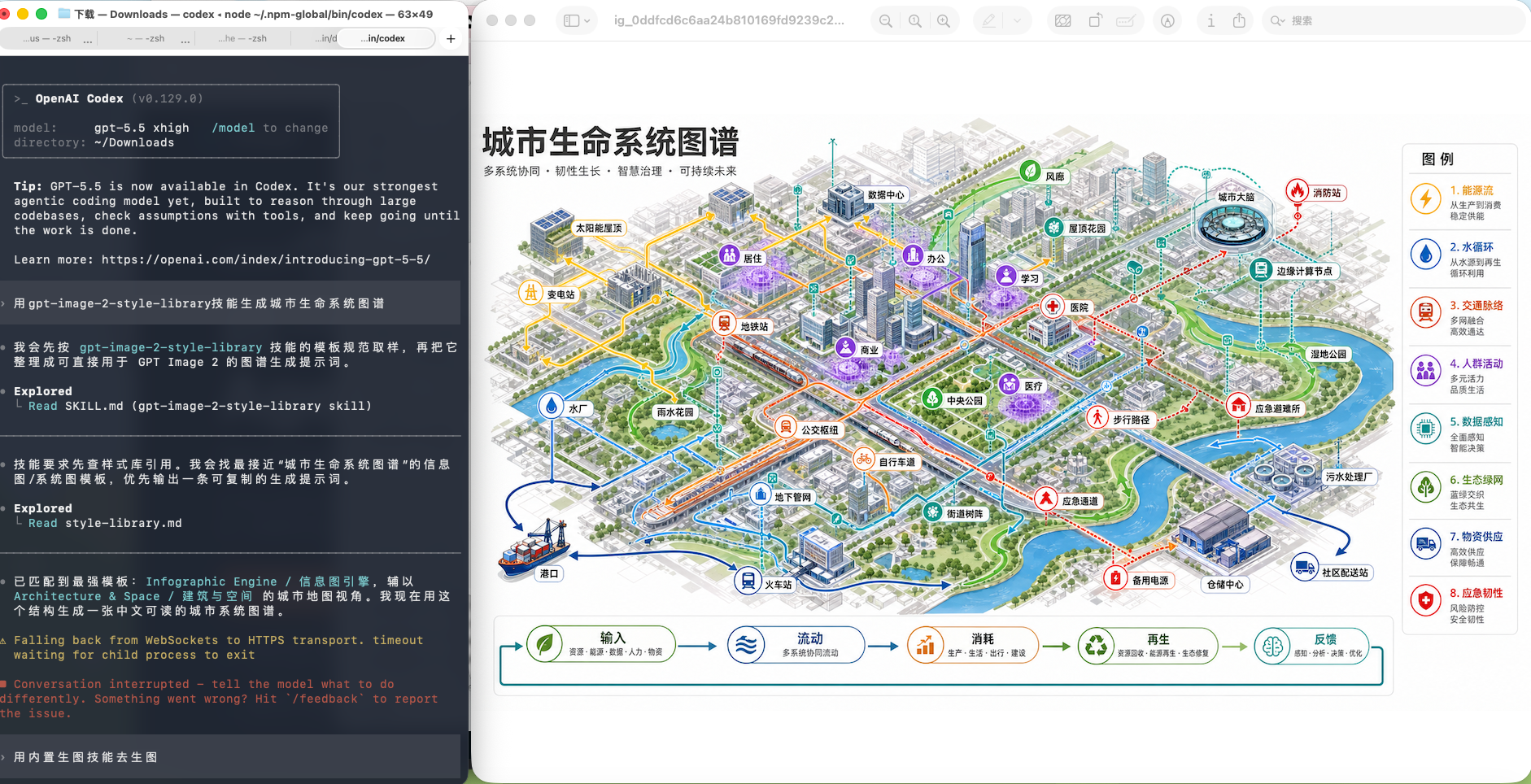
Example request: 用 gpt-image-2-style-library 技能生成城市生命系统图谱
Reference
- Read
references/style-library.mdbefore choosing a template or style. - The reference is generated from
data/style-library.jsonin the repository. - Prefer the reference over memory when template names, categories, covers, or style tags matter.
Workflow
- Detect the user's language and answer in that language.
- Identify the user's target output: product, poster, UI, infographic, brand, photo, illustration, character, scene, history, document, or special task.
- Match the request in this order: template category, visual style tag, scene tag, then nearest example cases.
- If one template is clearly strongest, use it directly. If several are plausible, present 2-3 options with short reasons and ask the user to choose.
- Build the final prompt with these blocks:
- subject and task
- composition and layout
- visual style and materials
- text and label requirements
- aspect ratio and output format
- constraints and negative details
- Include the selected template name and any useful example case IDs.
Output Defaults
- Provide a copyable prompt first.
- Keep constraints concrete: exact text, aspect ratio, readable labels, layout hierarchy, and avoided artifacts.
- For Chinese requests, write the final prompt in Chinese unless the user asks for English.
- For English requests, write the final prompt in English unless the user asks for Chinese.
- When the user asks for multiple concepts, reuse one template and vary subject, composition, palette, and scene.
Maintenance
When the source repository changes, run:
bash
npm run generate:style-skillTo install the skill into the local Codex skill folder, run:
bash
npm run install:skill


