
Overview
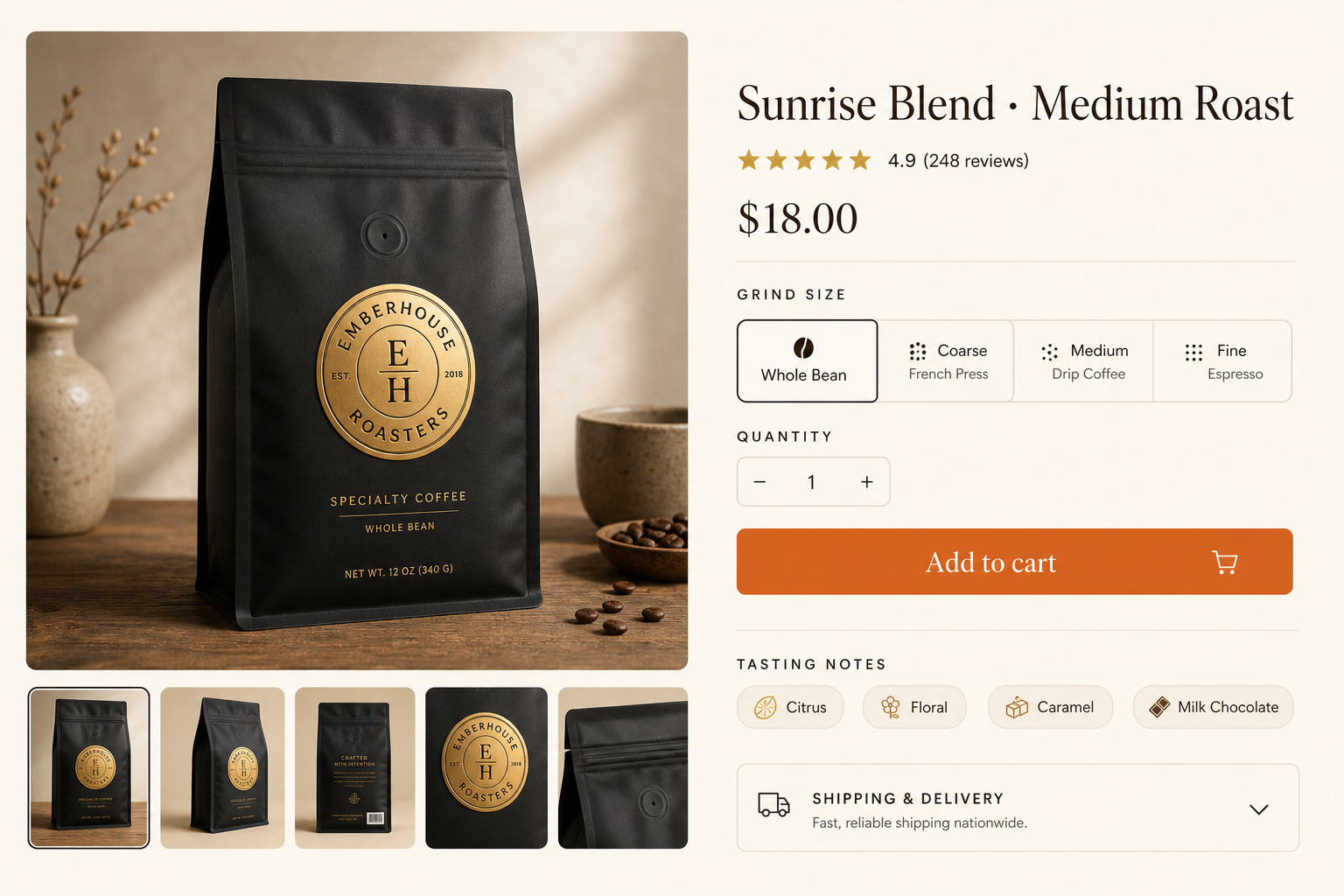
This prompt defines a product-page image with two clear jobs: show the coffee packaging on the left and organize buying decisions on the right. It names a fictional brand, a roast, a price, a grind selector, quantity controls and a warm orange purchase action. These concrete objects give the model a stronger layout brief than a request for a generic beautiful store. The result is a visual concept, not HTML, a payment flow or an inventory system.
In the published preview, the black bag and gold seal dominate the gallery, while the product title, rating, price, grind options and orange button create a readable purchase hierarchy. The image also contains additional review counts and packaging details. Treat those as generated design content. When adapting the prompt for a real product, replace brand and commercial facts deliberately, and rebuild functional controls and text in the actual storefront.
What to prepare
- Replacement product, packaging, brand name, price and selectable product options.
- A decision about which details must be accurate text and which are only layout references.
What you get
- A source-published image illustrating a coffee product-detail layout.
- A compositional reference for a storefront design brief, rather than executable interface code.
Suggested workflow
- Copy the complete original prompt and replace the fictional product and brand details together.
- Keep the gallery and purchase-panel roles explicit while changing color or category.
- Inspect text, review claims, repeated thumbnails and option labels in the generated concept.
- Recreate approved elements as real interface components using verified product data.
Limits and checks
- The displayed rating, review count and price are illustrative; they are not evidence of a real offer.
- The source labels the image GPT Image 2, but does not supply an independently verified backend, seed or full generation request.
- A drawn Add to cart button does not implement a cart, checkout, stock or accessibility behavior.
Common questions
Can I use the preview directly as an online store?
It is a raster design reference. Build actual controls, product data and checkout in your storefront before users can purchase anything.
What should change when adapting it to another product?
Change the packaging description, brand, title, price, option names and supporting facts as one consistent set. Preserve the layout roles only if they suit that product.
Original document
GPT Image 2 · en
An e-commerce product page mockup for a specialty coffee brand 'Emberhouse Roasters'. Left side shows a large product photo of a matte-black coffee bag with a gold seal, plus small thumbnail images below. Right side has the product title 'Sunrise Blend · Medium Roast', a star rating, price '$18.00', a grind-size selector, a quantity stepper, and a warm-orange 'Add to cart' button. Below, tasting-notes chips and a shipping accordion. Warm cream background, elegant serif headings, minimal clean layout, 3:2.