Original document
GPT Image 2 · en
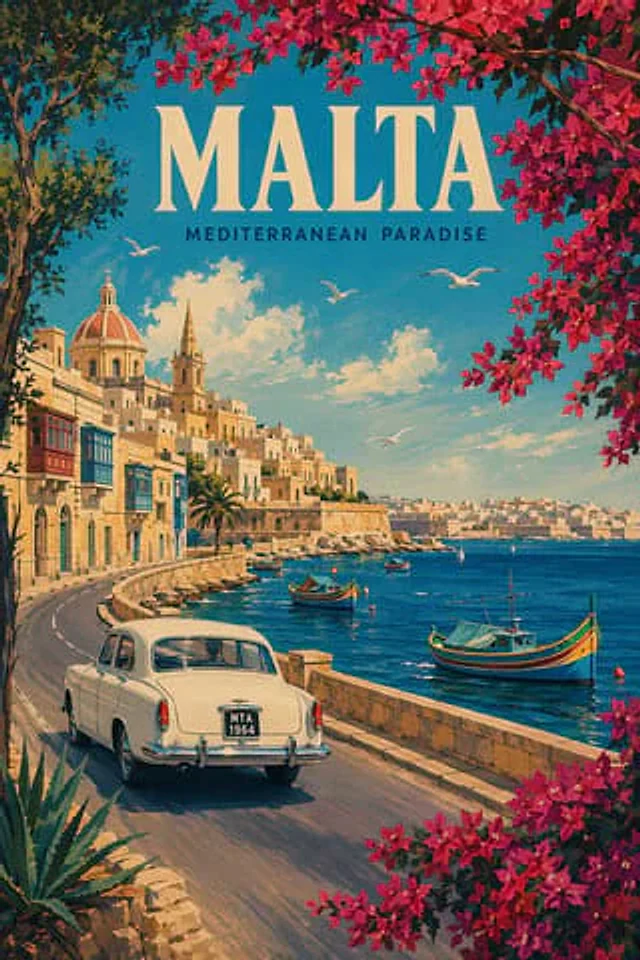
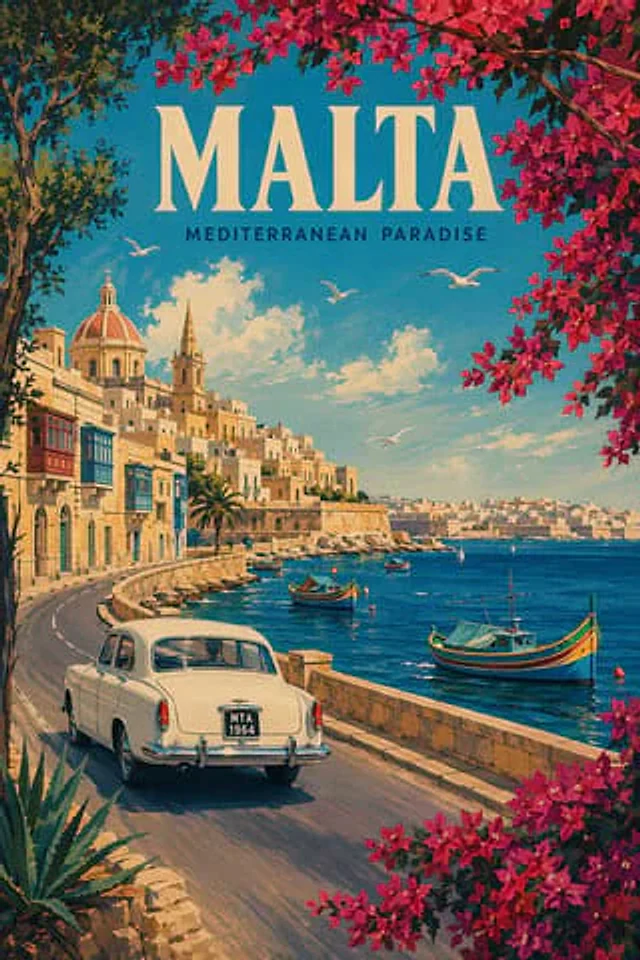
A retro travel poster illustration, with the theme of{argument name="destination" default="malta"} The design style references mid-20th-century Mediterranean travel advertisements, featuring an elegant painterly realism and a slightly grainy, printed poster texture. A large headline is placed at the top center.{argument name="headline text" default="MALTA"} Use oversized cream-colored serif capital letters; immediately below is the subtitle.{argument name="subtitle text" default="MEDITERRANEAN PARADISE"} The image uses smaller, dark navy blue sans-serif capital letters. It shows Valletta's sunny coastal road winding along the rocky waterfront, positioned slightly above and behind a classic 1960s white sedan driving out of the frame in the lower left foreground; the license plate is displayed as {argument name="license plate" default="MTA 1964"} Across the harbor, warm honey-colored limestone buildings climb the hillside, including a large domed church, a soaring, narrow church spire, rows of historic townhouses (with multiple brightly colored enclosed wooden balconies), and distant city walls extending to the opposite shore. In the bay, three brightly colored (blue, yellow, red, green) traditional Maltese fishing boats are included, along with two small white sailboats in the distance. Four white seagulls soar against a bright turquoise sky, dotted with soft white clouds. The entire composition is framed by dark, lush trees and abundant bright magenta bougainvillea arching from the top and right edge, with more flowers in the lower right corner, forming a verdant border around the scene. A palm tree is added to the seaside buildings, and a spiky agave plant is placed in the lower left foreground. The use of warm golden sunlight, saturated coastal colors, a romantic holiday poster composition, and clear, legible typography creates a nostalgic and idealized Mediterranean atmosphere.How to use
- Copy the complete original prompt, including any parameters.
- Replace the subject, text and composition with your own requirements.
- Use a compatible external tool; check its current access conditions and review the result.
Before you start
- Check whether a reference image is required. A compatible model label does not mean this example was generated with that model.
- Keep names, figures and visible text accurate; results can vary between model versions.