Original document
GPT Image 2 · en
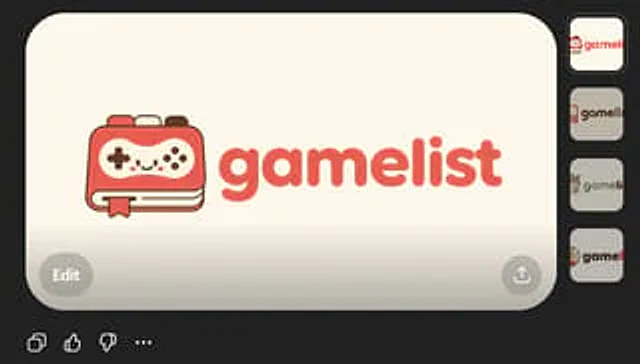
Create a clean, flat vector app logo display against a dark UI background. Place a warm beige rounded rectangle preview card in the center. Inside the card is a cute, minimalist game logo: on the left is a stylized handheld device icon, drawn as a rounded rectangle, with two visible offset layers (similar to pages or cards) stacked below, and a small ribbon bookmark hanging from the bottom edge. The device is coral red with cream screen details, a dark brown fine outline, and a small dark brown controller symbol: a cross-shaped directional pad on the left, four small round buttons on the right, and four tiny decorative dots in the center, forming a playful smiley face impression. To the right of the icon is a lowercase brand name.{argument name="brand name" default="gamelist"} The logo uses a bold, rounded geometric sans-serif font, with the same coral red color as the icon. Balanced spacing is maintained, making the icon and text look like a cohesive, modern startup logo. It adopts a soft, friendly, pure vector aesthetic, without gradients, realism, or textures, exhibiting high SVG-friendly simplicity. The color palette is limited to four colors.{argument name="primary color" default="coral red"} Cream, dark brown, and warm beige are the color scheme. Four small vertical thumbnail variations are displayed aligned to the right of the dark interface, each showcasing the same logo on a slightly different light neutral background. Only subtle UI framing is added: a circular gray edit button in the lower left corner of the large preview card, a circular gray share/upload button in the lower right corner, and small monochrome action icons on a dark background below the card. The overall composition should resemble a screenshot of an AI-generated image showcasing the app's logo concept.How to use
- Copy the complete original prompt, including any parameters.
- Replace the subject, text and composition with your own requirements.
- Use a compatible external tool; check its current access conditions and review the result.
Before you start
- Check whether a reference image is required. A compatible model label does not mean this example was generated with that model.
- Keep names, figures and visible text accurate; results can vary between model versions.