
Original document
GPT Image 2 · en
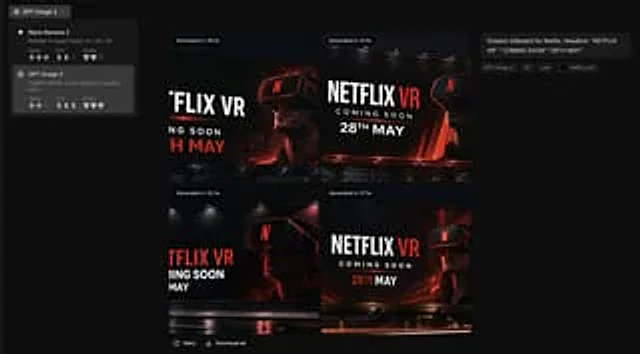
Using the provided reference images as a brand style guide, generate a dark-toned creative application interface, displayed in a 2x2 grid format.{argument name="brand name" default="Netflix"} Four billboard concepts were generated. The precise brand color palette and overall visual identity system from the reference images were applied: a deep black background, red accents, white typography, charcoal gray overlays, and a clean, modern sans-serif font style. The reference images were transformed from a static brand setup page into an image generation results screen. The left sidebar contained a model selector with two model cards, and the main canvas displayed four generated concept thumbnails. Each thumbnail should be a cinematic nighttime outdoor billboard model with dramatic lighting, glossy reflections, and a person wearing a VR headset. Eye-catching billboard copy was used, with the content {argument name="headline text" default="NETFLIX VR"} ,{argument name="subheadline text" default="COMING SOON"} as well as{argument name="date text" default="28TH MAY"} Add small UI labels and descriptions on the right to summarize the prompts, and add generation time badges above the four images. Ensure the final result has the quality of a screenshot from a high-end creative tool used for brand ad brainstorming.How to use
- Copy the complete original prompt, including any parameters.
- Replace the subject, text and composition with your own requirements.
- Use a compatible external tool; check its current access conditions and review the result.
Before you start
- Check whether a reference image is required. A compatible model label does not mean this example was generated with that model.
- Keep names, figures and visible text accurate; results can vary between model versions.