
Original document
Nano Banana · en
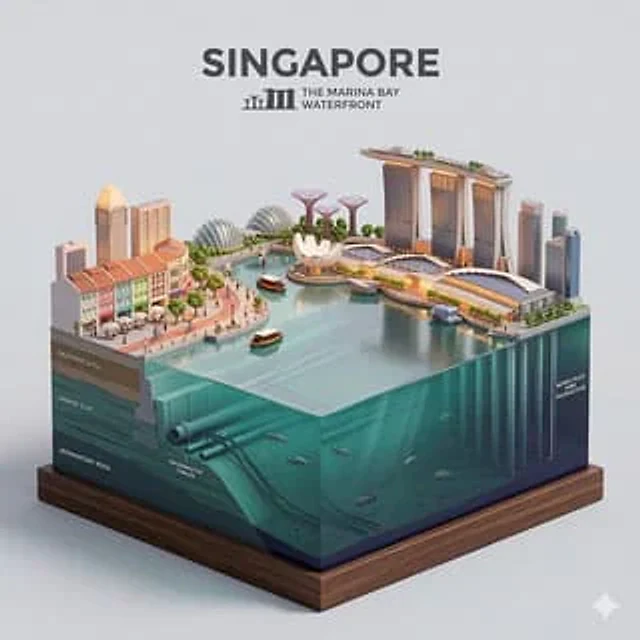
Present a clear, side-facing isometric miniature 3D cartoon diorama of [CITY] along the [WATERFRONT]. The scene is a clean vertical cross-section slice — the city is cut open like a museum specimen, mounted on a small raised diorama-style base that exposes the full stratigraphy from rooftop to riverbed.

Above the waterline: a curated selection of [CITY]'s most iconic waterfront elements — layered building facades in local architectural style, embankment promenade, bridges, trams or cyclists, warm soft ambient lighting. Tiny stylized figures of residents in casual attire — walking, cycling, sitting at waterfront cafés (no facial details).

The water surface is a clean glassy horizontal band — cartoon-stylized, slightly transparent, acting as the visual threshold between the two worlds.

Below the waterline: the geographically honest submerged anatomy of [CITY]'s [WATERFRONT] — accurate foundation and piling types, real underwater infrastructure, sediment and substrate layers appropriate to this specific body of water, local aquatic life rendered in the same soft cartoon style. Tiny stylized fish, slow-drifting particulate, refracted light shafts filtering down from the surface.

The cross-section cut edge is razor-clean — pavement strata, foundations, soil layers, and underwater geology all simultaneously visible in the base wall, like a natural history diorama exhibit.

Style: soft refined textures, realistic PBR materials, immersive ambient lighting. Color language: warm amber and golden tones above the waterline, cold teal-green and deep indigo below, blending at the water threshold. Ultra-clean, high-clarity 3D cartoon diorama aesthetic.

Use a clean solid [BACKGROUND COLOR] background. At the top-center, display "[CITY]" in large bold text, and place the waterfront name or a city landmark silhouette emblem below the text. All text must automatically match background contrast.

Composition: perfectly centered layout, square 1080x1080.
How to use
- Copy the complete original prompt, including any parameters.
- Replace the subject, text and composition with your own requirements.
- Use a compatible external tool; check its current access conditions and review the result.
Before you start
- Check whether a reference image is required. A compatible model label does not mean this example was generated with that model.
- Keep names, figures and visible text accurate; results can vary between model versions.