
Original document
GPT Image 2 · en
Scene:
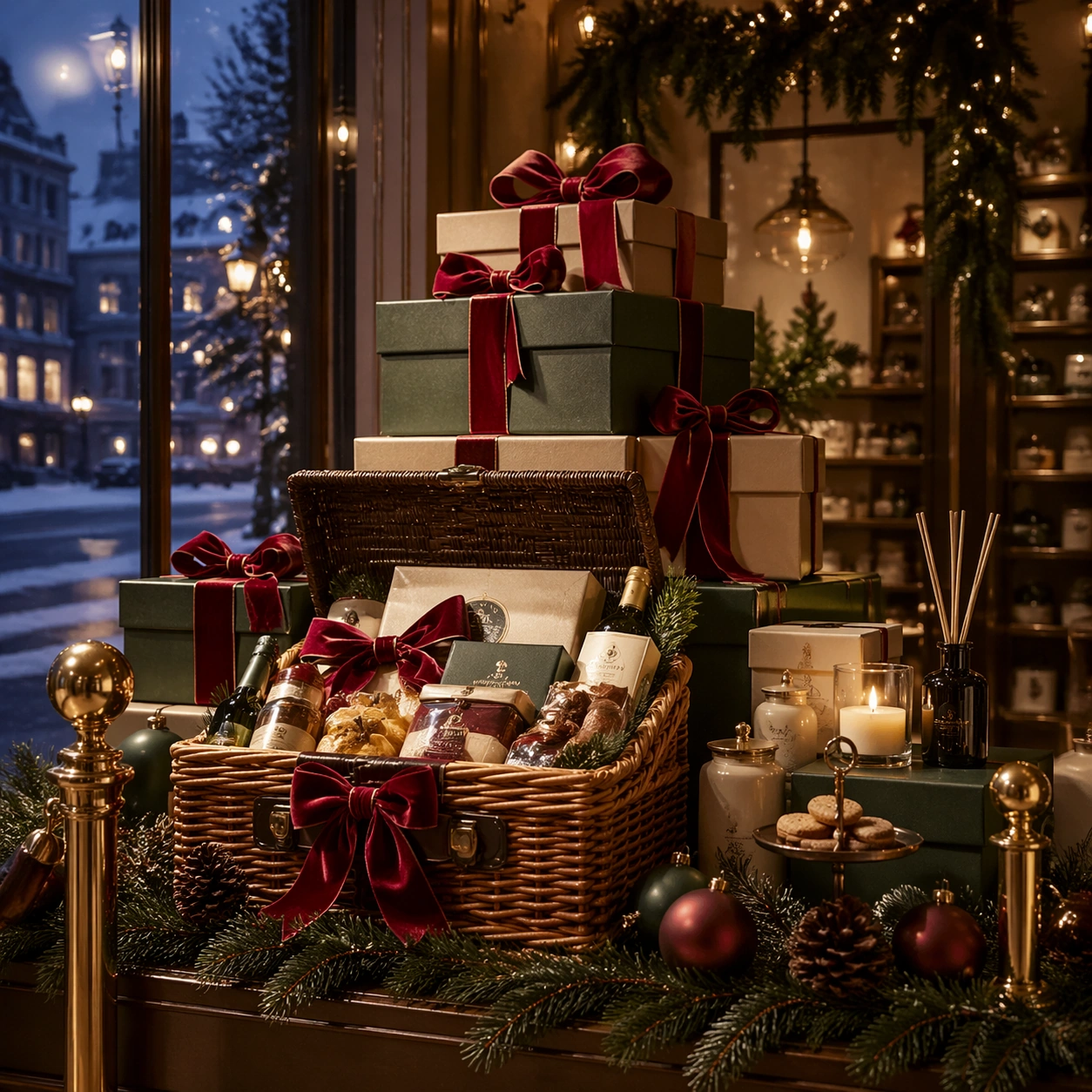
Create a square luxury retail campaign image staged like a flagship holiday window at blue hour. Use warm amber bulbs, soft snow haze outside the glass, deep spruce green, ribbon red, and brushed brass reflections. The camera should sit at a natural shopper eye level, with enough depth to feel like a real storefront but enough order that the frame reads as a polished hero asset for premium merchandising and gifting communication.

Subject:
Center stacked gift boxes, a hero hamper, evergreen garlands, velvet ribbons, matte ceramic ornaments, and a small amount of bakery or fragrance gifting cues arranged into one coherent Christmas retail composition. The objects should feel premium and tactile rather than toy-like. Build clear foreground, midground, and background layers so the viewer immediately reads wrapping quality, bundle hierarchy, and a believable in-store campaign language.

Important details:
Lock the campaign grammar here: pine texture, ribbon thickness, brass hardware, cream paper stock, amber lighting direction, and a refined balance between abundance and breathing room. Keep the gift architecture elegant and commercially usable, with no cluttered department-store chaos. Surfaces should feel physically real, gift-ready, and suitable for a reusable retail toolkit that could expand into web banners, window displays, and catalog covers.

Use case:
Christmas Retail series study 1/9.

Constraints:
No readable text, no watermark, no logos, preserve exact 1:1 aspect ratio, no character mascots, no cartoon sleigh clichés, no busy crowd, no branded packaging, no readable price cards, no excessive snowfall blocking the products, no cheap glitter explosion.
How to use
- Copy the complete original prompt, including any parameters.
- Replace the subject, text and composition with your own requirements.
- Use a compatible external tool; check its current access conditions and review the result.
Before you start
- Check whether a reference image is required. A compatible model label does not mean this example was generated with that model.
- Keep names, figures and visible text accurate; results can vary between model versions.