Original document
GPT Image 2 · en
Scene:
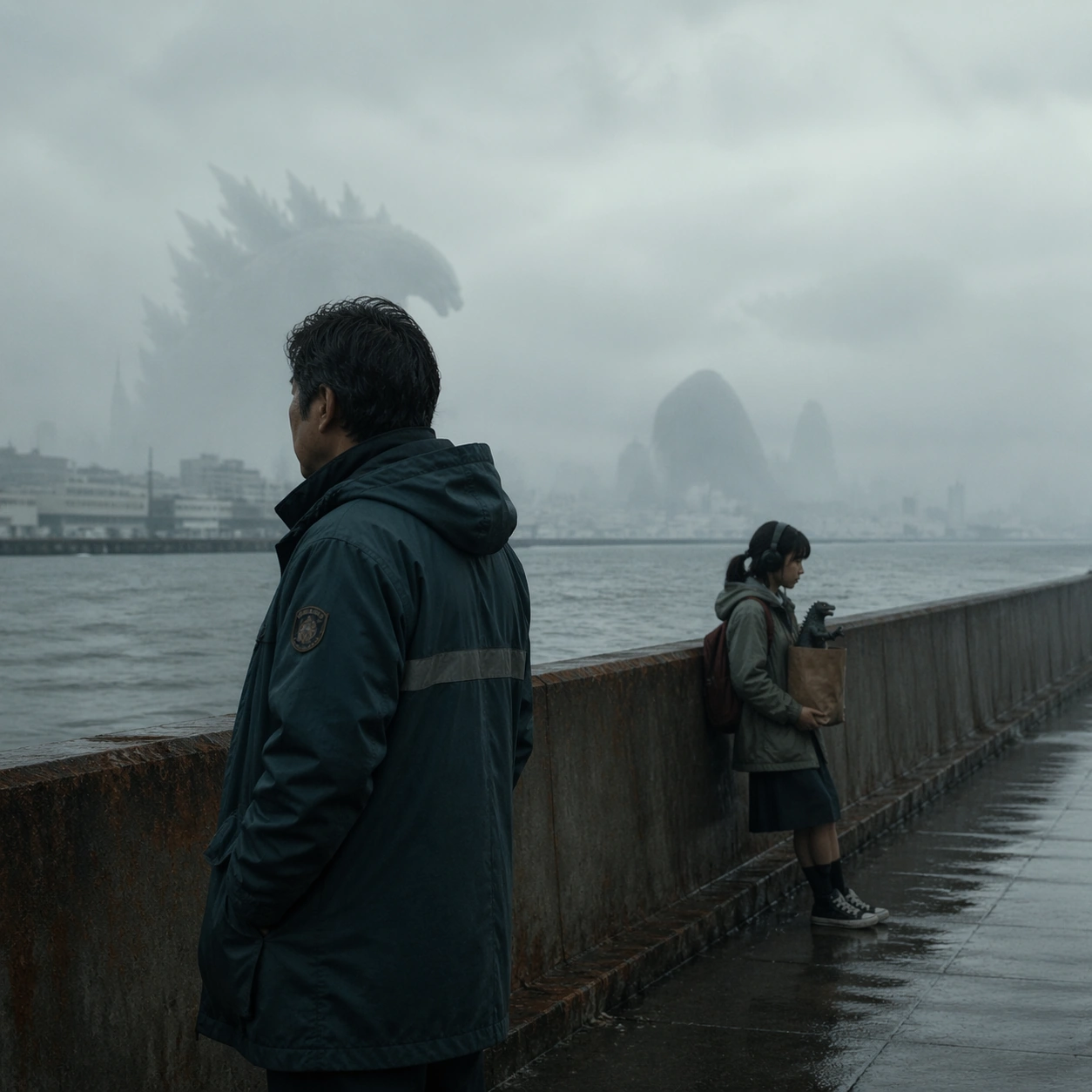
A square program-cover-style poster set on a quiet harbor seawall under overcast afternoon light, with enormous fog-softened silhouettes in the distance, wet concrete textures, gull-gray skies, and a refined palette of slate, rust, pearl, and sea green. The composition should feel like a printed festival program cover for a melancholy family drama, not like a disaster blockbuster. Reserve clean negative space and calm geometry suitable for invisible design treatment without readable text.

Subject:
Create an original poster centered on a father and daughter from a giant-creature franchise world. The father, in a weatherproof municipal coat, stands near the seawall looking outward; the daughter, wearing headphones and carrying a model creature figurine in a paper bag, leans against the railing several feet away. Far behind them, colossal shoreline forms are visible only as distant ambiguous presences through fog. The emotional core is familial estrangement inside a city that has normalized monsters, not attack spectacle.

Important details:
The visual trick is to keep fandom-scale worldbuilding while maintaining festival restraint. The kaiju context should be communicated through scale, civic textures, and distant silhouettes rather than explosions. Human posture, weather realism, damp surfaces, and the awkward space between father and daughter must dominate. The result should feel like a believable Berlinale or Cannes program cover for a humane genre crossover.

Use case:
Festival Poster Fandom Crossover single study 8/9, testing whether a kaiju-family premise can read as restrained festival program packaging.

Constraints:
No readable text, no watermark, no logos, preserve exact 1:1 aspect ratio, no city destruction, no fireballs, no roaring monster close-up, no military vehicles, no comic-book chaos, no neon sci-fi glow, no tourist postcard harbor mood.
How to use
- Copy the complete original prompt, including any parameters.
- Replace the subject, text and composition with your own requirements.
- Use a compatible external tool; check its current access conditions and review the result.
Before you start
- Check whether a reference image is required. A compatible model label does not mean this example was generated with that model.
- Keep names, figures and visible text accurate; results can vary between model versions.