Original document
GPT Image 2 · en
{
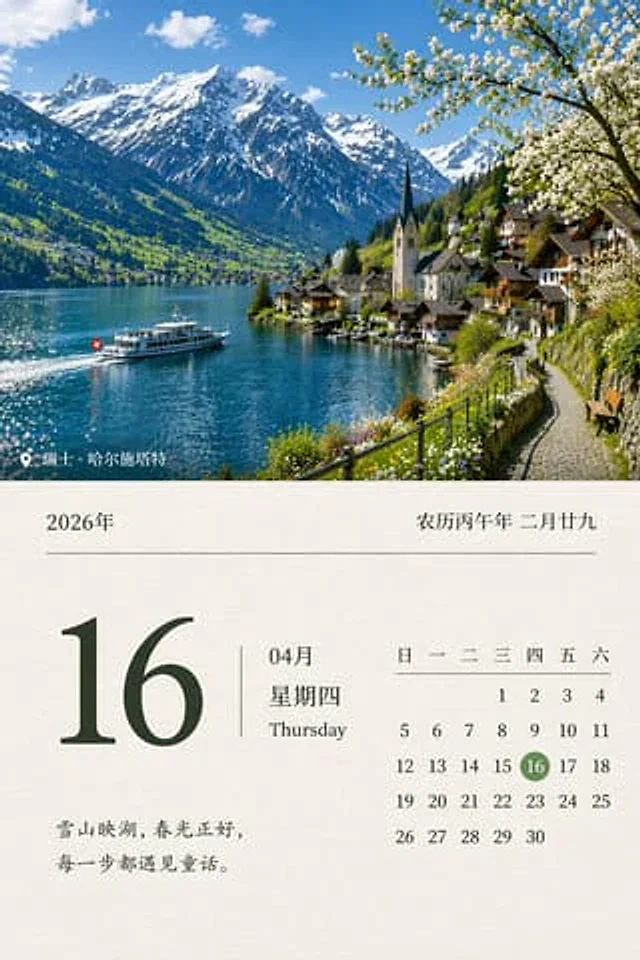
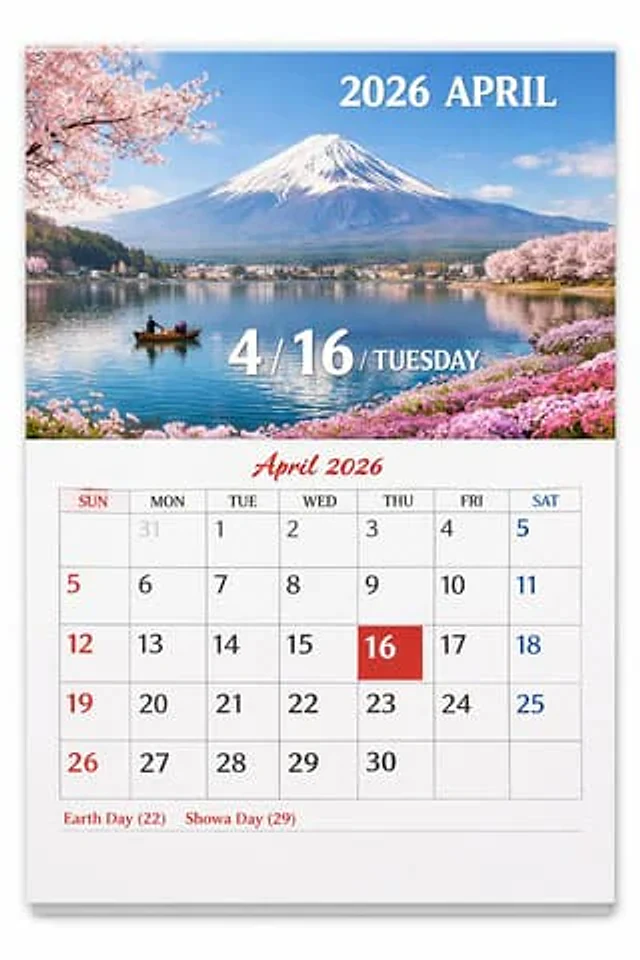
  "type": "Calendar pages",
  "presentation": "A physical paper calendar hanging on a white wall, with a subtle shadow effect.",
  "layout": {
    "top_half": {
      "type": "Landscape photos",
      "subject": "{argument name=\"scenic location\" default=\"Mount Fuji, cherry blossoms and lakes\"}",
      "details": "Snow-capped peaks, reflected in the calm blue lake, a small wooden boat carrying two people, pink cherry blossoms adorning the banks in the upper left and upper right corners, and pink flowers on the lower right bank.",
      "text_overlays": [
        {
          "position": "Top right corner",
          "text": "{argument name=\"year and month\" default=\"April 2026\"}",
          "style": "White serif font"
        },
        {
          "position": "Centered at the bottom",
          "text": "4 / {argument name=\"highlighted date\" default=\"16\"} / {argument name=\"day of week\" default=\"Tuesday\"}",
          "style": "Large white serif font with projection effect"
        }
      ]
    },
    "bottom_half": {
      "type": "Calendar Grid",
      "header": {
        "text": "April 2026",
        "style": "Red cursive script, centered."
      },
      "grid_structure": {
        "columns": 7,
        "rows": 5,
        "column_headers": [
          "Sunday",
          "on Monday",
          "Tuesday",
          "Wednesday",
          "Thursday",
          "Friday",
          "Saturday"
        ]
      },
      "grid_content": {
        "highlighted_cell": {
          "date": "{argument name=\"highlighted date\" default=\"16\"}",
          "style": "Pure red square background, white text"
        },
        "number_colors": "Sunday is red, Saturday is blue, weekdays are black, and last month's dates are light gray.",
        "notable_features": "The AI-generated artifact shows the number 5 appearing twice (at the end of the first line and at the beginning of the second line)."
      },
      "footer": {
        "text": "{argument name=\"holidays\" default=\"Earth Day (22) Showa Day (29)\"}",
        "position": "bottom left corner",
        "style": "Red serif font"
      }
    }
  }
}
How to use
- Copy the complete original prompt, including any parameters.
- Replace the subject, text and composition with your own requirements.
- Use a compatible external tool; check its current access conditions and review the result.
Before you start
- Check whether a reference image is required. A compatible model label does not mean this example was generated with that model.
- Keep names, figures and visible text accurate; results can vary between model versions.