
Original document
GPT Image 2 · en
Scene:
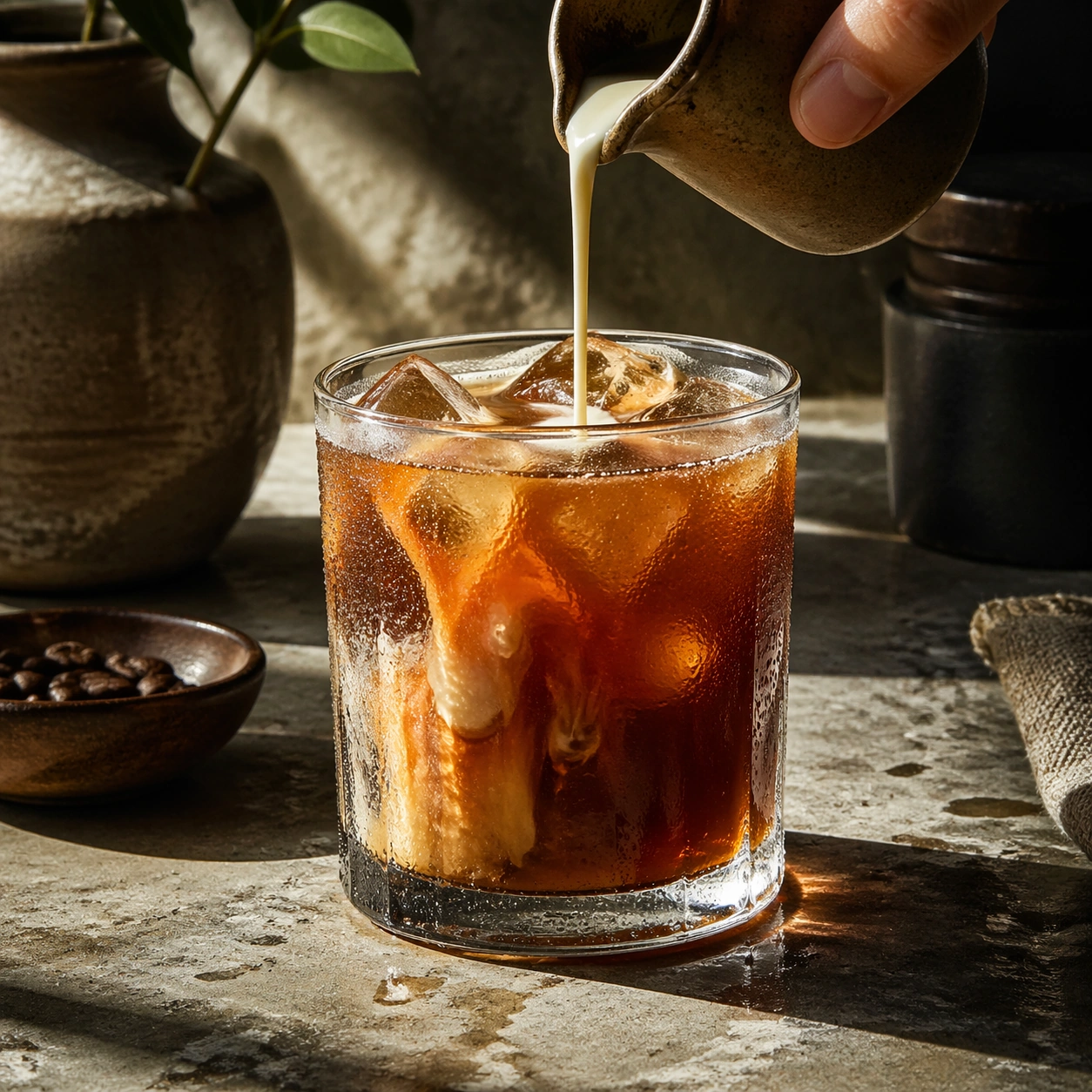
Compose a square beverage campaign image built around ritual, vessel, light, and atmosphere. The frame should feel like it belongs to a premium drink brand that understands daily habits: ceramic warmth, glass condensation, steam behavior, and tactile surfaces all need to read as observed and real rather than generic lifestyle filler. Move close to a chilled glass on a stone surface with directional afternoon light catching the wet exterior and the drink color within.

Subject:
The hero beverage must feel consumable and culturally grounded, with believable proportions, realistic liquid behavior, and supporting tools or props that reinforce the ritual without overwhelming the drink itself. Center an iced beverage with clean cubes, believable dilution, and subtle garnish so the drink itself becomes the landscape.

Important details:
Credibility comes from timing and materials: crema density, ice clarity, tea translucency, condensation trails, and the way a hand or vessel sits in space. Keep the mood intentional and campaign-ready, with enough atmosphere to suggest a lived routine while preserving product focus. This image should feel fully self-contained while still belonging to the same broader topic and commercial world. Condensation must behave physically, with varying droplet sizes, slick surfaces, and realistic refraction through the glass and ice.

Use case:
Coffee Rituals single study 6/9, built for Prompt Atlas coverage of a food and beverage commercial visual system.

Constraints:
No readable text, no watermark, no logos, preserve exact 1:1 aspect ratio, no plastic café props, no latte-art gimmick overload, no fake steam clouds, no unreadable cup slogans, no random breakfast clutter, no artificial neon excess, no explosive splash, no frozen slush, no beach props.
How to use
- Copy the complete original prompt, including any parameters.
- Replace the subject, text and composition with your own requirements.
- Use a compatible external tool; check its current access conditions and review the result.
Before you start
- Check whether a reference image is required. A compatible model label does not mean this example was generated with that model.
- Keep names, figures and visible text accurate; results can vary between model versions.