
Original document
GPT Image 2 · en
{
  "type": "image_generation",
  "style": "hyper_realistic",
  "quality": "8K DSLR",
  "aspect_ratio": "4:5",
  "camera": {
    "angle": "slightly tilted cinematic perspective",
    "lens": "50mm DSLR",
    "depth_of_field": "shallow",
    "focus": "smartphone and football action"
  },
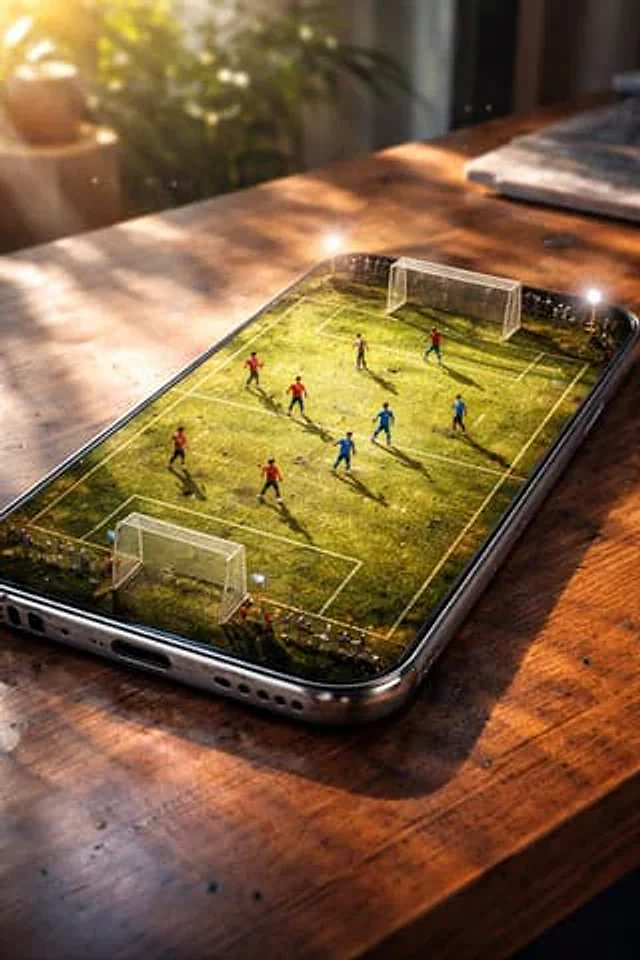
  "scene": {
    "setting": "smartphone placed on a wooden table",
    "concept": "phone screen transformed into a miniature football stadium",
    "environment": "indoor, soft daylight coming from the side",
    "atmosphere": "cinematic, immersive, realistic"
  },
  "details": {
    "screen": "weathered green football pitch with visible wear, dirt patches, and grass texture",
    "players": "miniature football players actively playing a match with dynamic poses",
    "lighting": "soft diffused daylight with subtle lens flares and realistic reflections",
    "realism_effects": [
      "fingerprints on screen",
      "light scratches on phone body",
      "natural smudges",
      "micro dust particles"
    ]
  },
  "materials": {
    "phone": "metallic frame with realistic reflections",
    "table": "textured wooden surface with warm tones"
  },
  "mood": "high-end cinematic, dramatic, premium advertising look",
  "rendering": {
    "sharpness": "ultra sharp",
    "texture_detail": "extreme",
    "lighting_quality": "studio grade",
    "photorealism": true
  }
}
How to use
- Copy the complete original prompt, including any parameters.
- Replace the subject, text and composition with your own requirements.
- Use a compatible external tool; check its current access conditions and review the result.
Before you start
- Check whether a reference image is required. A compatible model label does not mean this example was generated with that model.
- Keep names, figures and visible text accurate; results can vary between model versions.