
Original document
GPT Image 2 · en
Scene:
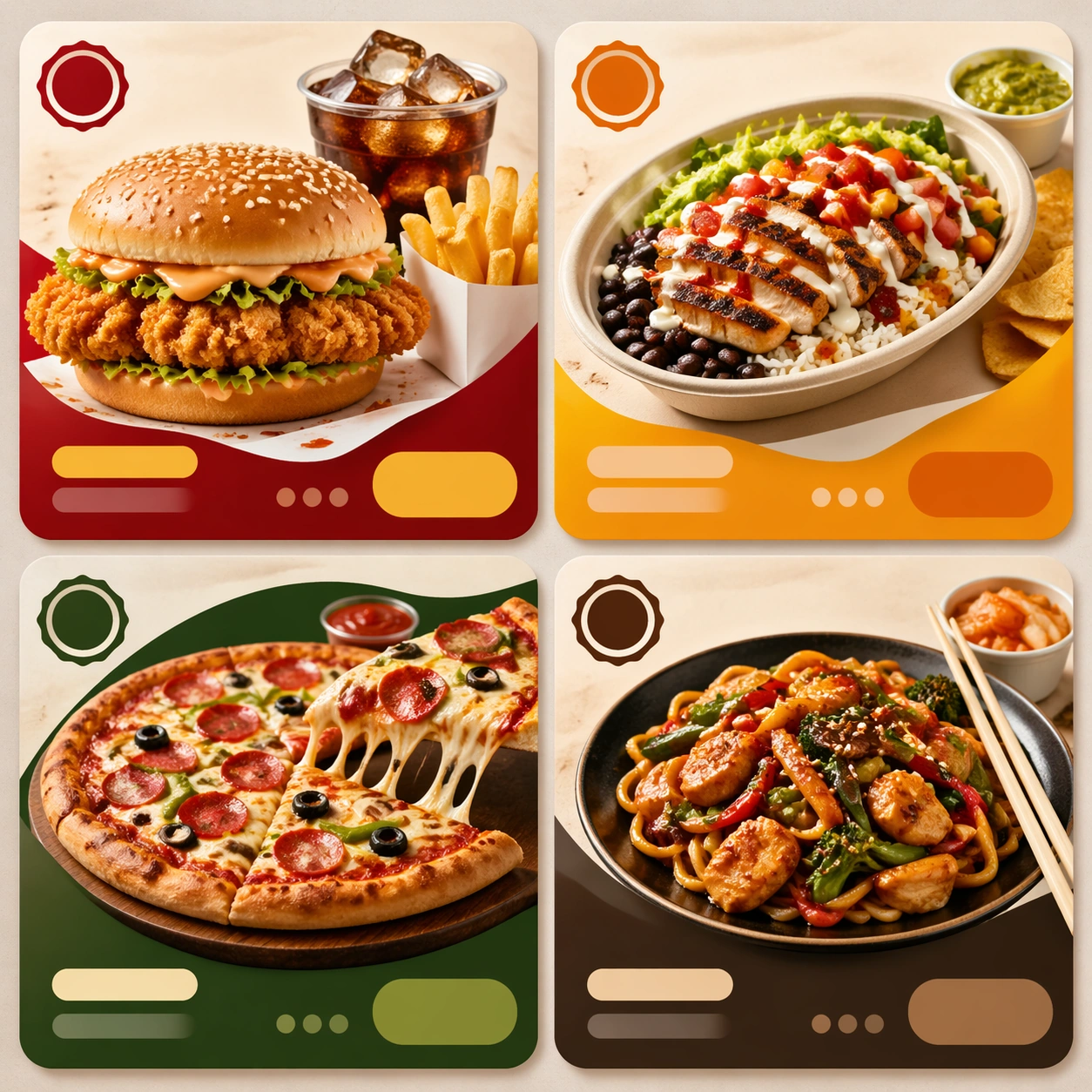
Compose a square food-commerce image optimized for instant readability in app tiles, promo cards, or delivery grids. The image should emphasize appetizing clarity, strong hierarchy, and modular layout zones while staying photorealistic and commercially grounded. Packaging, dish crop, and badge-like design shapes can appear, but all text must remain unreadable. Compose a square board containing three or four mini tile modules arranged in a structured grid on a neutral surface.

Subject:
The food should look craveable at thumbnail scale, with clear portion logic, supporting side items when relevant, and delivery-aware presentation that prioritizes speed, legibility, and conversion. Each module should show a distinct meal category while preserving one unified delivery visual language across the board.

Important details:
This theme is about commerce reasoning. Preserve sharp hero food silhouettes, obvious combo structure, and clean tile-safe framing so the assets can survive small screens. Abstract text areas, CTA-like shapes, and offer badges are allowed only as non-legible design modules. Keep everything polished, modern, and immediately useful for ordering surfaces. This image should feel fully self-contained while still belonging to the same broader topic and commercial world. The board tests hierarchy and system thinking: repeated card shapes, abstract text zones, and appetizing category differentiation must all remain clear.

Use case:
Delivery Tiles single study 9/9, built for Prompt Atlas coverage of a food and beverage commercial visual system.

Constraints:
No readable text, no watermark, no logos, preserve exact 1:1 aspect ratio, no readable text, no logos, no app UI chrome, no fake prices, no delivery-bag chaos, no greasy blur, no clutter that hurts thumbnail legibility, no readable menus, no phone frame, no dashboard analytics overlay.
How to use
- Copy the complete original prompt, including any parameters.
- Replace the subject, text and composition with your own requirements.
- Use a compatible external tool; check its current access conditions and review the result.
Before you start
- Check whether a reference image is required. A compatible model label does not mean this example was generated with that model.
- Keep names, figures and visible text accurate; results can vary between model versions.