Original document
GPT Image 2 · en
{
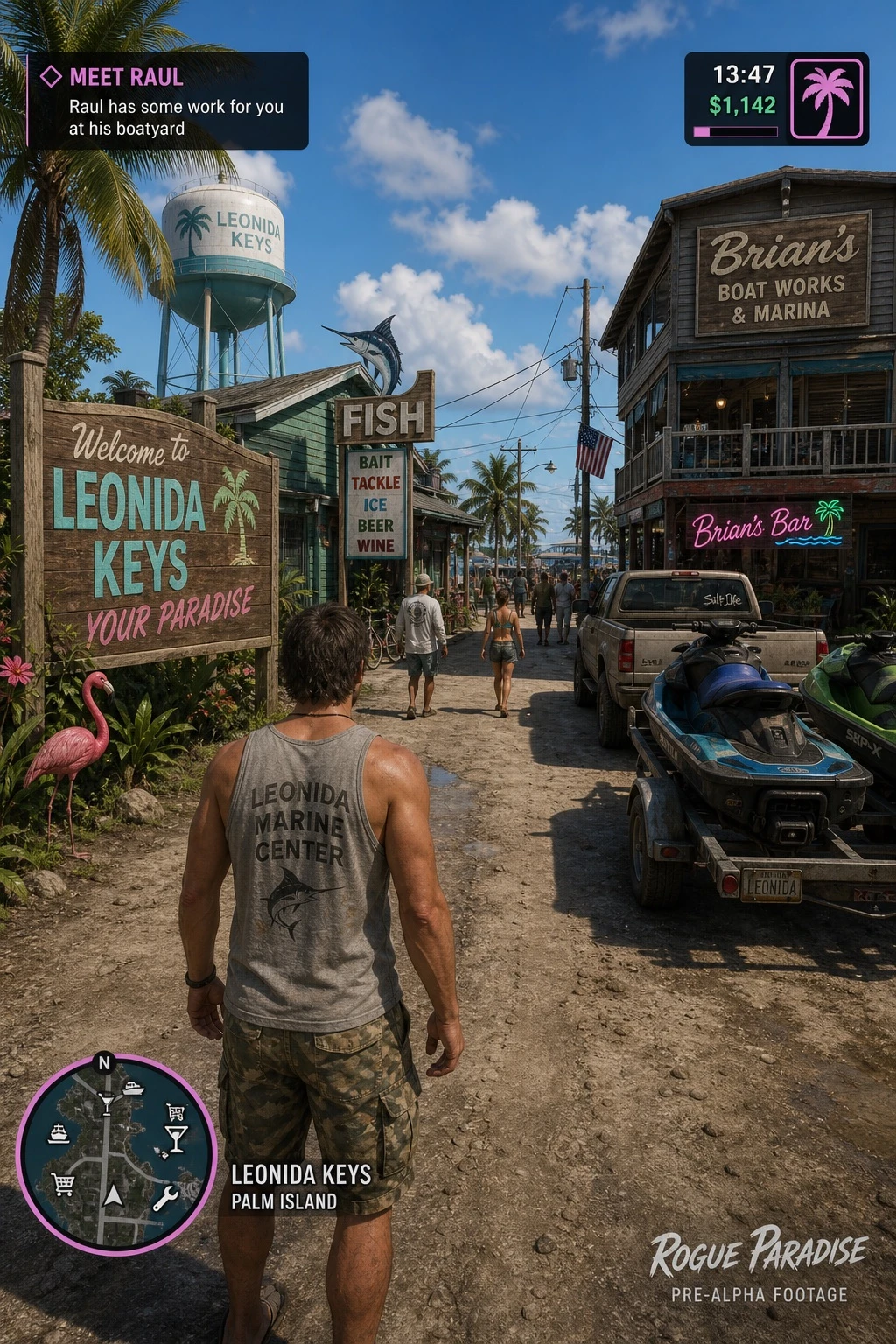
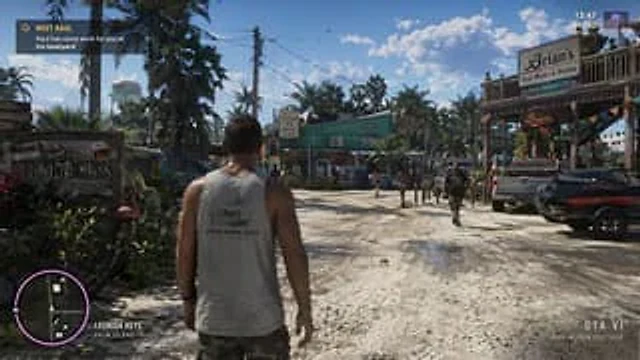
  "type": "Video game screenshot mockup",
  "perspective": "Third-person over-the-shoulder perspective",
  "character": {
    "description": "The male protagonist seen from behind",
    "clothing": "Gray vest with \"{argument name=\"shirt graphic\" default=\"LEONIDA MARINE CENTER\"} Pattern, camouflage cargo shorts"
  },
  "environment": {
    "setting": "A tropical coastal town, dirt roads, a bright sunny day with a few scattered clouds.",
    "left_side": "A wooden welcome sign reads \"Welcome to\"{argument name=\"location name\" default=\"LEONIDA KEYS\"} \"Your Paradise,\" pink plastic flamingos, tropical plants, and a water tower in the distance.",
    "center": "The green building, bearing the \"FISH\" logo and a marlin motif, has a sign that reads \"BAIT TACKLE ICE BEER WINE,\" and pedestrians are seen walking around.",
    "right_side": "The two-story wooden building \"Brian's Boat Works & Marina\" features a neon sign that reads \"Brian's Bar,\" parked pickup trucks, and motorboats on trailers."
  },
  "ui_elements": {
    "count": 5,
    "components": [
      {
        "position": "Top left corner",
        "type": "Mission Objectives",
        "text": "{argument name=\"mission title\" default=\"MEET RAUL\"}\n{argument name=\"mission description\" default=\"Raul has some work for you at his boatyard\"}"
      },
      {
        "position": "Top right corner",
        "type": "Status HUD",
        "text": "13:47\n$1,142",
        "icon": "Pink palm tree"
      },
      {
        "position": "bottom left corner",
        "type": "Minimap",
        "description": "A circular map with a purple border, containing a white map icon, where \"N\" represents North."
      },
      {
        "position": "Bottom left corner, to the right of the minimap",
        "type": "Location characters",
        "text": "{argument name=\"location name\" default=\"LEONIDA KEYS\"}\nPALM ISLAND"
      },
      {
        "position": "bottom right corner",
        "type": "watermark",
        "text": "{argument name=\"game title\" default=\"GTA VI\"}\nPRE-ALPHA FOOTAGE"
      }
    ]
  }
}
How to use
- Copy the complete original prompt, including any parameters.
- Replace the subject, text and composition with your own requirements.
- Use a compatible external tool; check its current access conditions and review the result.
Before you start
- Check whether a reference image is required. A compatible model label does not mean this example was generated with that model.
- Keep names, figures and visible text accurate; results can vary between model versions.