
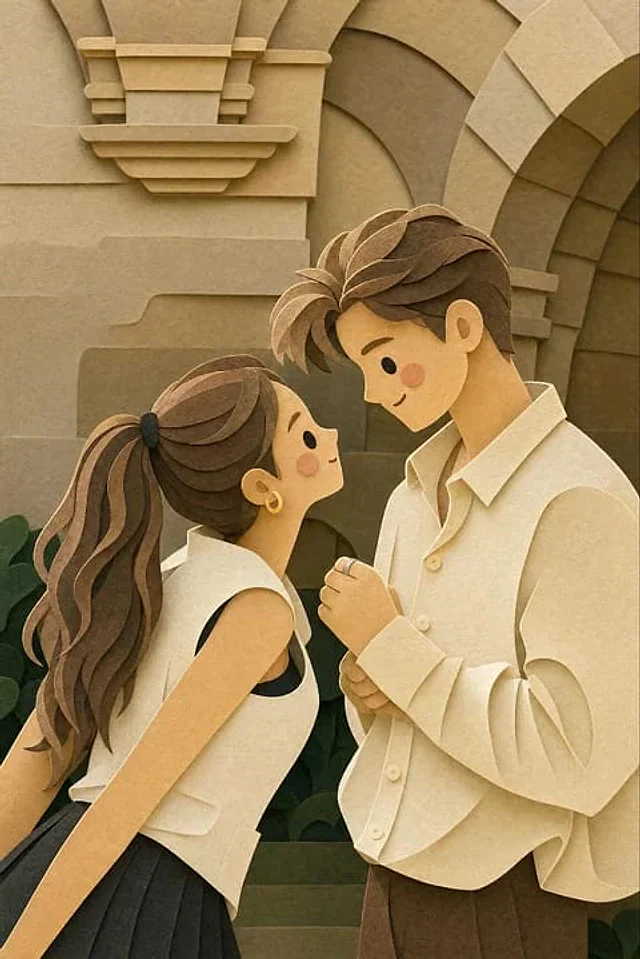
Original document
GPT Image 2 · en
{
  "style": "layered paper-cut illustration, papercraft diorama, handcrafted aesthetic",
  "technique": {
    "layering": "multiple stacked paper layers with soft drop shadows between each layer",
    "depth": "5–7 visible depth planes from foreground to background",
    "edges": "smooth, rounded, slightly beveled paper-cut edges",
    "texture": "subtle paper grain and fibrous texture on all surfaces",
    "shadows": "soft, diffused inner shadows beneath each layer suggesting physical depth"
  },
  "character_design": {
    "proportions": "chibi / cute simplified — large round head, small body (1:1.5 ratio)",
    "face": {
      "eyes": "small dot eyes, glossy highlight",
      "cheeks": "soft circular rosy blush patches",
      "nose": "absent or minimal dot",
      "mouth": "simple small curve smile"
    },
    "limbs": "short, rounded, stubby limbs",
    "outline": "clean smooth silhouette, no sharp corners"
  },
  "color_palette": {
    "mood": "warm, cozy, pastel",
    "tones": ["soft cream", "dusty rose", "sage green", "warm peach", "sky blue", "honey yellow"],
    "saturation": "low-to-medium, muted and gentle",
    "background": "warm off-white or soft gradient"
  },
  "lighting": {
    "type": "soft ambient light from top-front",
    "highlights": "gentle white edge highlights on top layers",
    "shadows": "warm light tan/beige shadow tones beneath cut layers"
  },
  "environment": {
    "foliage": "simplified rounded leaf and floral shapes as separate paper layers",
    "ground": "curved horizon layers suggesting rolling hills",
    "details": "tiny decorative elements — stars, small hearts, dots — cut from paper"
  },
  "overall_mood": "warm, whimsical, cozy, handmade, storybook",
  "render_quality": "ultra-detailed papercraft art, studio photography lighting, sharp focus on layer edges"
}
How to use
- Copy the complete original prompt, including any parameters.
- Replace the subject, text and composition with your own requirements.
- Use a compatible external tool; check its current access conditions and review the result.
Before you start
- Check whether a reference image is required. A compatible model label does not mean this example was generated with that model.
- Keep names, figures and visible text accurate; results can vary between model versions.