Original document
GPT Image 2 · en
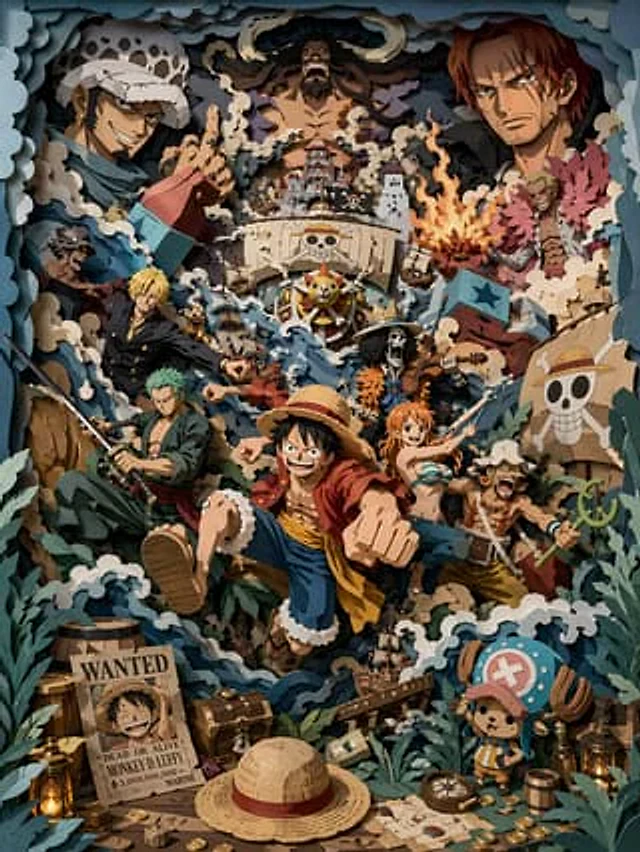
A level-on perspective, directly facing a highly saturated 3D multi-layered paper sculpture scene. The overall color scheme is gray-blue, creamy white, and deep forest green, accented with warm amber light. All elements must be physically layered paper structures, with hard-cut edges and clearly visible thick paper cross-sections. The composition is extremely rich, with {argument name="scene theme" default="Pirate group scene"} The theme is "Immerse yourself in a chaotic sea adventure." Multiple stylized pirate characters perform exaggerated movements, with the middle layer being {argument name="core character" default="The young captain wearing a straw hat"} Charges forward, surrounded by crew members in various poses. Layered ships, surging waves, and whirlpools run through the foreground, midground, and background. Multiple ships collide and tilt at different spatial levels, sails tear, and flags flutter. A large silhouette of an enemy character appears in the background layer to enhance the sense of oppression and spatial depth. The foreground is filled with narrative elements: treasure chests, coins, maps, barrels, ropes, lanterns, and a bounty poster featuring a smiling pirate. A small, mascot-like character is placed in the corner as a visual anchor. All atmospheric elements are presented in a paper-cut style: waves, splashes, smoke, fragments, and moving lines, reinforcing the sense of chaos and dynamism. The main subject is located in the middle layer, with elements interacting across layers, expressing movement through overlap and spatial relationships. Soft light from a single direction creates clear interlayered shadows. The overall finish is matte paper-like, with no glow, no soft edges, and no volumetric lighting. Octane rendering, 8K, clear details --ar 3:4 --stylize 450How to use
- Copy the complete original prompt, including any parameters.
- Replace the subject, text and composition with your own requirements.
- Use a compatible external tool; check its current access conditions and review the result.
Before you start
- Check whether a reference image is required. A compatible model label does not mean this example was generated with that model.
- Keep names, figures and visible text accurate; results can vary between model versions.