Document original
GPT Image 2 · en
Scene:
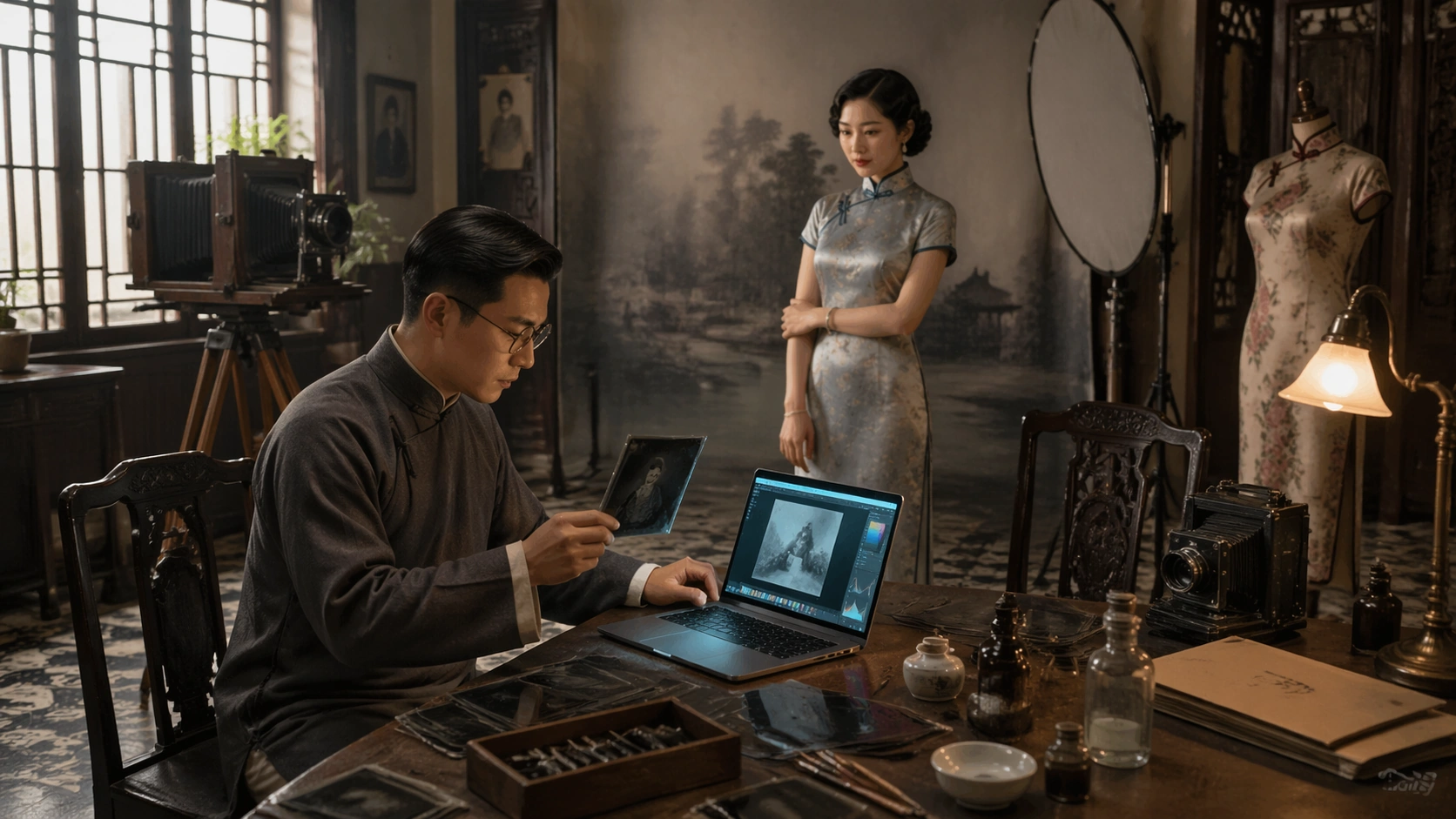
A horizontal 16:9 photoreal interior of a 1930s Shanghai-style portrait photography studio, with painted backdrop, patterned tile floor, wooden camera tripod, fabric reflector, carved chair, qipao display mannequin, and soft window light mixed with a small practical lamp. The composition should be elegant, restrained, and historically grounded, with one modern laptop creating a precise time-space rupture inside an otherwise period-correct room.

Subject:
A Republican-era studio photographer in a long gown and round spectacles sits at a wooden worktable, comparing glass-plate negatives with a slim modern laptop. A fashionable woman in a silk qipao waits near the backdrop, watching the glowing screen with composed curiosity. The laptop is open but unbranded, showing abstract image-editing panels as colored blocks and tonal curves without readable text. Period cameras, chemical bottles, retouching brushes, and paper envelopes sit around it.

Important details:
Keep the 1930s setting plausible: studio furniture, camera technology, textile patterns, hairstyle, spectacles, qipao cut, and photographic workflow should feel researched. The laptop must be the only modern object and should cast a cool reflection on nearby negatives. The scene tests editing-workflow contrast without displaying actual UI words. The viewer should understand old photographic craft meeting digital postproduction instantly from the objects and gestures.

Use case:
Time-Space Contrast single study 8/8, an independent early-modern photo studio and laptop editing collision.

Constraints:
No readable text, no watermark, no logos, preserve exact 16:9 horizontal aspect ratio, no brand marks, no modern office furniture, no neon cyberpunk lighting, no inaccurate costumes, no readable software interface, no clutter that hides the laptop interaction.
Mode d’emploi
- Copiez le prompt original complet, paramètres compris.
- Adaptez le sujet, le texte et la composition à vos besoins.
- Utilisez un outil externe compatible ; vérifiez l’accès et le résultat.
Avant de commencer
- Vérifiez si une image de référence est nécessaire. La compatibilité ne prouve pas le modèle utilisé pour cet exemple.
- Vérifiez noms, chiffres et textes ; les versions du modèle peuvent produire des résultats différents.