Documento originale
GPT Image 2 · en
{
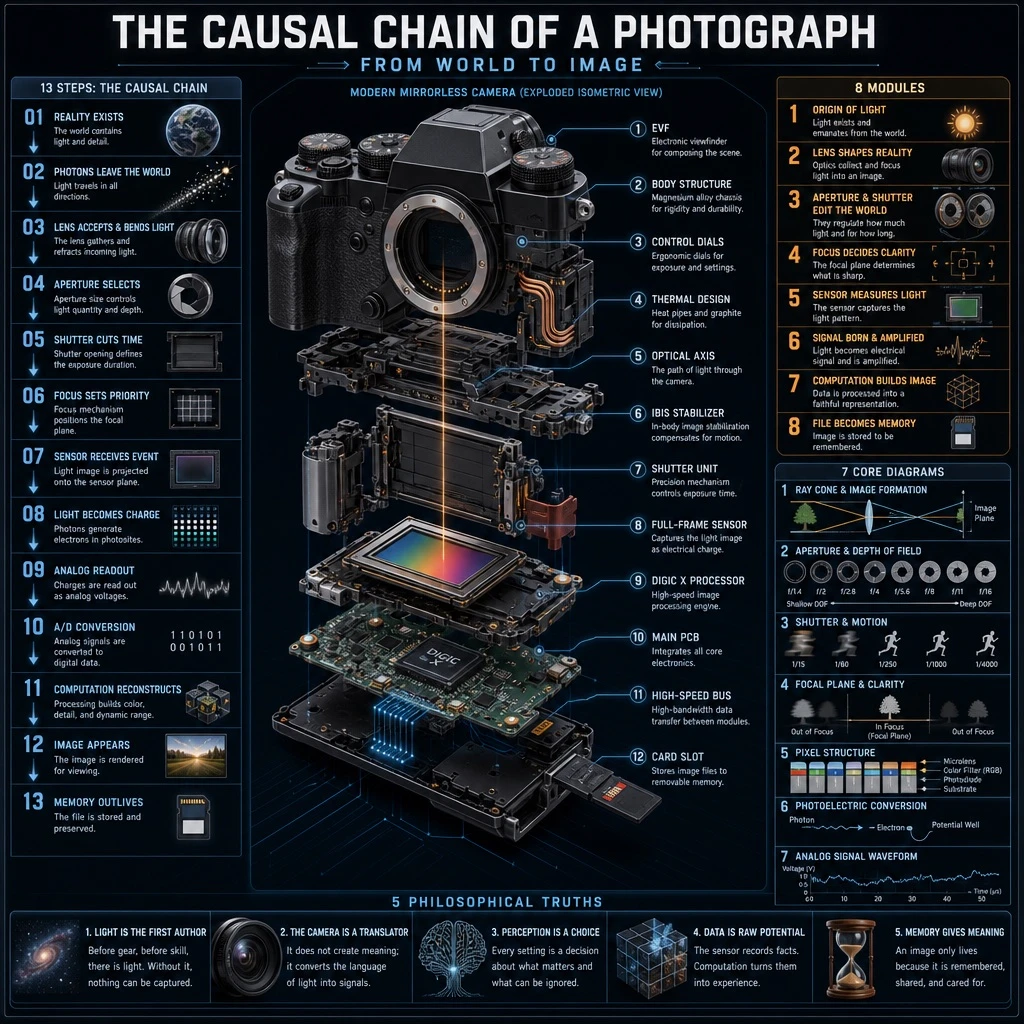
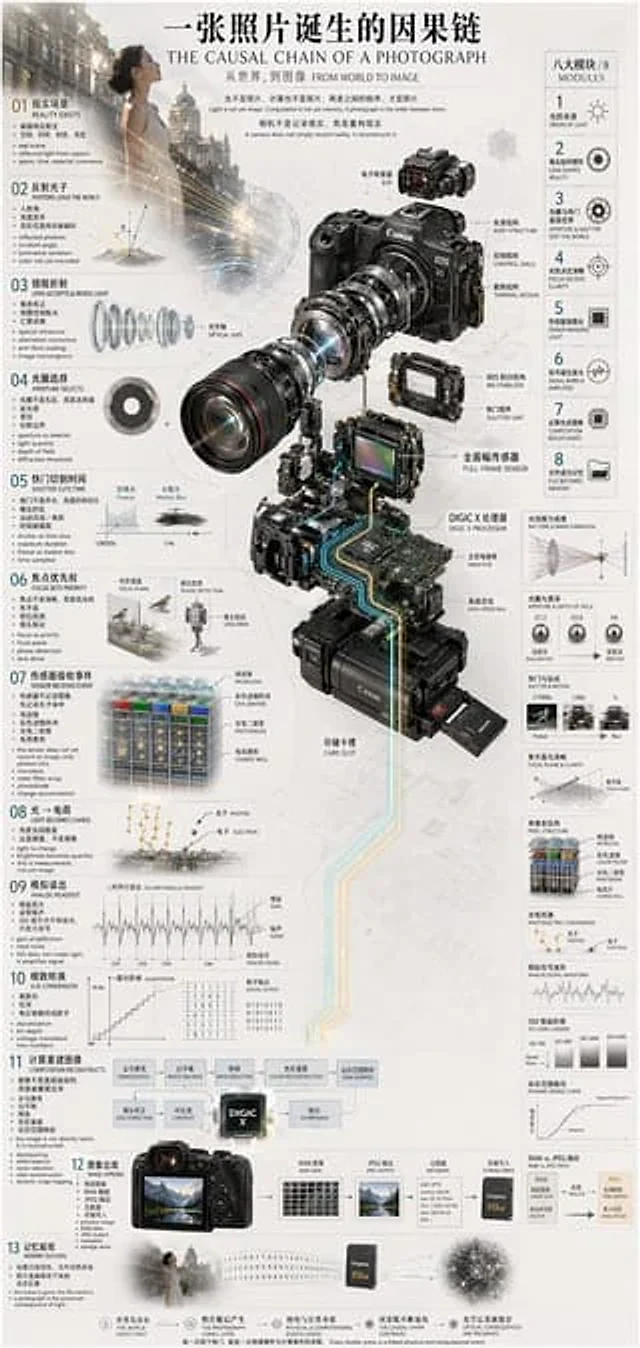
  "type": "Technical Infographic",
  "subject": "{argument name=\"subject matter\" default=\"Digital photography process\"}",
  "header": {
    "title": "{argument name=\"main title\" default=\"The Causal Chain of a Photograph\"}",
    "subtitle": "From World to Image"
  },
  "centerpiece": {
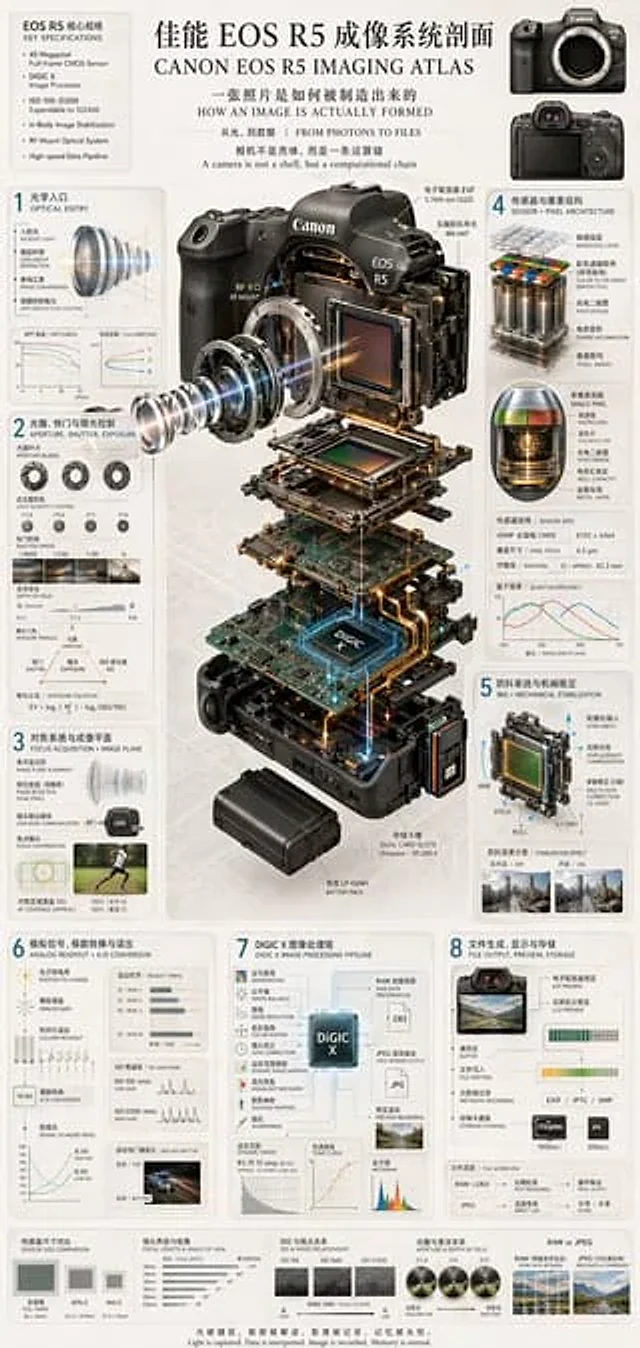
    "description": "Isometric exploded view of a modern mirrorless camera",
    "model": "{argument name=\"camera model\" default=\"Canon EOS R5\"}",
    "labeled_parts_count": 12,
    "labeled_parts": [
      "EVF (Electronic Viewfinder)",
      "fuselage structure",
      "Control dial",
      "Heat dissipation design",
      "Optical axis",
      "IBIS In-Body Image Stabilization",
      "shutter assembly",
      "Full-frame sensor",
      "{argument name=\"processor name\" default=\"DIGIC X processor\"}",
      "Main PCB circuit board",
      "High-speed bus",
      "Memory card slot"
    ]
  },
  "layout": {
    "left_column": {
      "description": "Time causality chain",
      "count": 13,
      "steps": [
        "01 Existence in reality",
        "02 Photons Leave the World",
        "03 The lens receives and refracts light.",
        "04. Select the aperture.",
        "05 Shutter Cut-off Time",
        "06 Focus setting priority",
        "07 Sensor Receive Event",
        "08 Light is converted into electric charge",
        "09 Analog Signal Reading",
        "10 A/D Analog-to-Digital Conversion",
        "11 Computational Reconfiguration",
        "12 Image Presentation",
        "13. Memory Retention"
      ]
    },
    "right_column": {
      "title": "Eight modules",
      "count": 8,
      "modules": [
        "1. The Origin of Light",
        "2. The camera shapes reality.",
        "3. Aperture and Shutter Editing World",
        "4. Focus determines sharpness",
        "5. Sensors measure light.",
        "6. Signal Generation and Amplification",
        "7. Calculate and construct the image",
        "8. Documents become memories"
      ]
    },
    "side_diagrams": {
      "count": 7,
      "descriptions": [
        "Light Cone and Imaging",
        "Aperture and Depth of Field",
        "Shutter and motion",
        "Focal plane and sharpness",
        "Pixel structure",
        "Photoelectric conversion",
        "Analog signal waveform"
      ]
    },
    "footer": {
      "count": 5,
      "description": "Key points of philosophical summary"
    }
  },
  "style": "Technical, precise, wireframe elements, luminous data cable, photorealistic camera components, clean layout, bilingual."
}
Come usare
- Copia tutto il prompt originale, inclusi i parametri.
- Adatta soggetto, testo e composizione alle tue esigenze.
- Usa uno strumento esterno compatibile; verifica accesso e risultato.
Prima di iniziare
- Controlla se serve un’immagine di riferimento. La compatibilità non prova il modello usato per l’esempio.
- Verifica nomi, numeri e testi; i risultati cambiano con le versioni del modello.