
Documento originale
GPT Image 2 · en
Scene:
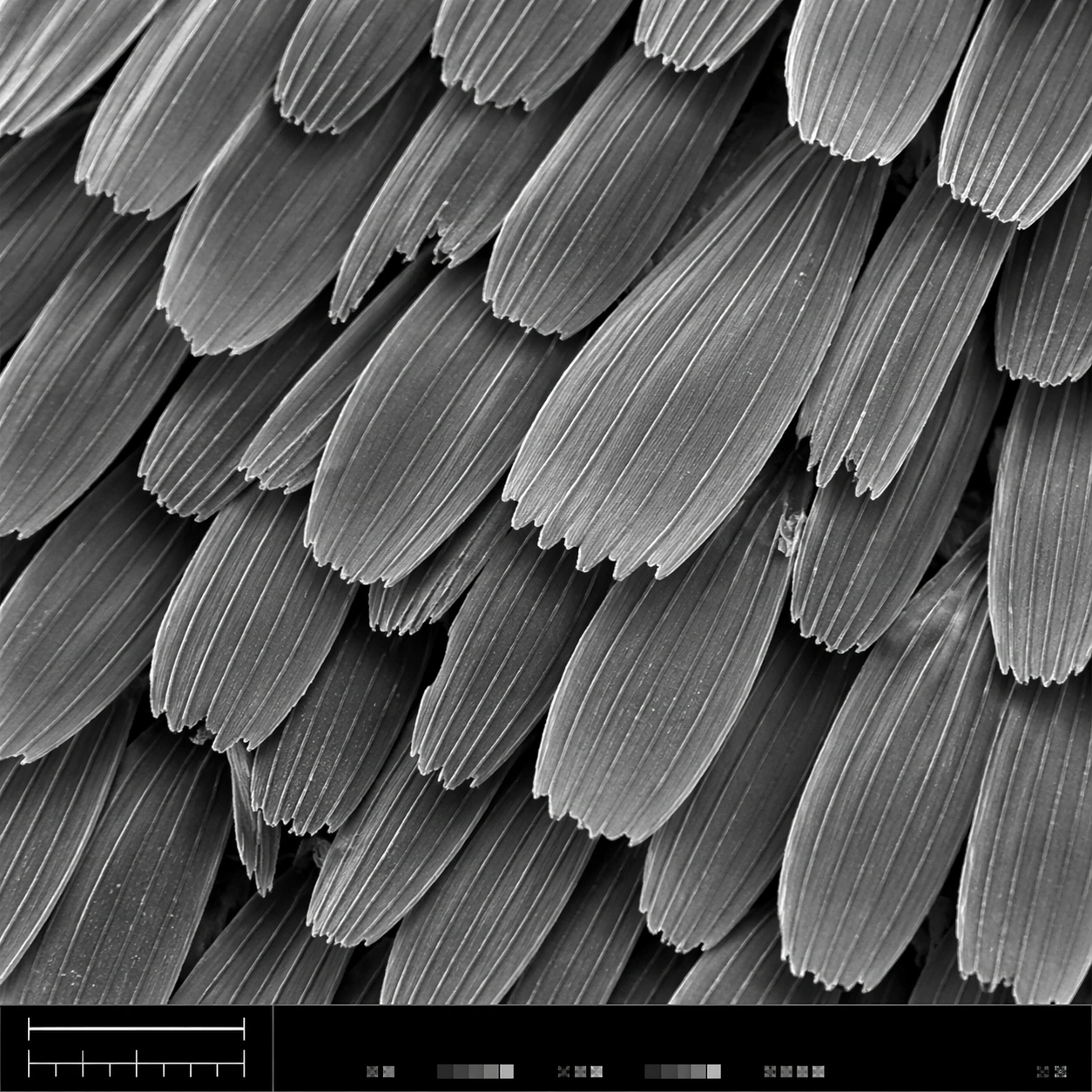
A square scanning electron microscope plate, high magnification, cool monochrome grayscale with subtle silver contrast and crisp depth-of-field falloff. The specimen fills most of the frame, with a narrow bottom instrument-style strip containing a clean lower-left scale bar shape, calibration ticks, and tiny non-readable interface marks. Lighting feels like real SEM topographic shading, not studio photography.

Subject:
A butterfly wing surface seen as an overlapping field of microscopic scales. Each scale is a long flattened petal with ribbed longitudinal ridges, tiny cross struts, broken edges, and fine dust-like surface texture. The scales interlock in staggered rows like roof shingles, revealing depth gaps, occasional torn tips, and a few darker shadowed crevices between layers.

Important details:
The image must look like authentic SEM output: grayscale electron-imaging contrast, high-frequency microtexture, shallow relief shadows, clean scientific framing, no painterly brushwork. Preserve ordered biological geometry while allowing natural imperfections. The lower-left scale bar should be visible as a simple bar and tick structure, but no readable letters or numbers should appear. The bottom strip should feel like microscope capture metadata without legible text.

Use case:
SEM Microscopy single study 1/8, testing realistic grayscale microstructure for butterfly wing scales with structured instrument layout.

Constraints:
No readable text, no watermark, no logos, preserve exact 1:1 aspect ratio, no colorful illustration, no fantasy particles, no normal camera lens look, no flat wallpaper pattern, no giant specimen context, no oversized labels, no fake handwritten annotations.
Come usare
- Copia tutto il prompt originale, inclusi i parametri.
- Adatta soggetto, testo e composizione alle tue esigenze.
- Usa uno strumento esterno compatibile; verifica accesso e risultato.
Prima di iniziare
- Controlla se serve un’immagine di riferimento. La compatibilità non prova il modello usato per l’esempio.
- Verifica nomi, numeri e testi; i risultati cambiano con le versioni del modello.