
Original document
GPT Image 2 · en
Scene:
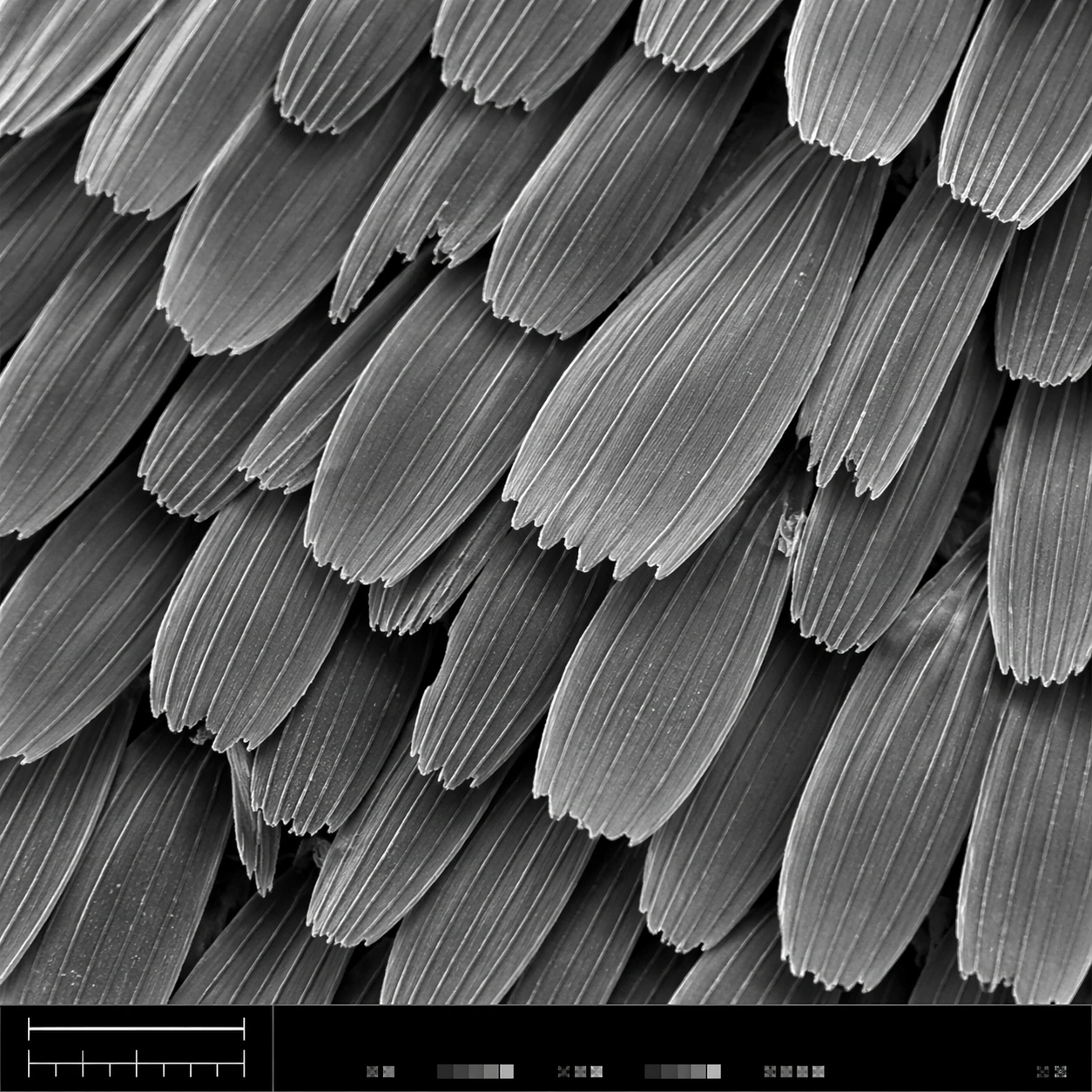
A square scanning electron microscope plate, high magnification, cool monochrome grayscale with subtle silver contrast and crisp depth-of-field falloff. The specimen fills most of the frame, with a narrow bottom instrument-style strip containing a clean lower-left scale bar shape, calibration ticks, and tiny non-readable interface marks. Lighting feels like real SEM topographic shading, not studio photography.

Subject:
A butterfly wing surface seen as an overlapping field of microscopic scales. Each scale is a long flattened petal with ribbed longitudinal ridges, tiny cross struts, broken edges, and fine dust-like surface texture. The scales interlock in staggered rows like roof shingles, revealing depth gaps, occasional torn tips, and a few darker shadowed crevices between layers.

Important details:
The image must look like authentic SEM output: grayscale electron-imaging contrast, high-frequency microtexture, shallow relief shadows, clean scientific framing, no painterly brushwork. Preserve ordered biological geometry while allowing natural imperfections. The lower-left scale bar should be visible as a simple bar and tick structure, but no readable letters or numbers should appear. The bottom strip should feel like microscope capture metadata without legible text.

Use case:
SEM Microscopy single study 1/8, testing realistic grayscale microstructure for butterfly wing scales with structured instrument layout.

Constraints:
No readable text, no watermark, no logos, preserve exact 1:1 aspect ratio, no colorful illustration, no fantasy particles, no normal camera lens look, no flat wallpaper pattern, no giant specimen context, no oversized labels, no fake handwritten annotations.
How to use
- Copy the complete original prompt, including any parameters.
- Replace the subject, text and composition with your own requirements.
- Use a compatible external tool; check its current access conditions and review the result.
Before you start
- Check whether a reference image is required. A compatible model label does not mean this example was generated with that model.
- Keep names, figures and visible text accurate; results can vary between model versions.