Documento originale
GPT Image 2 · en
{
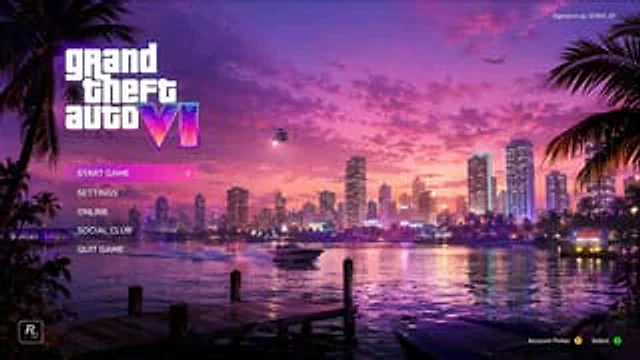
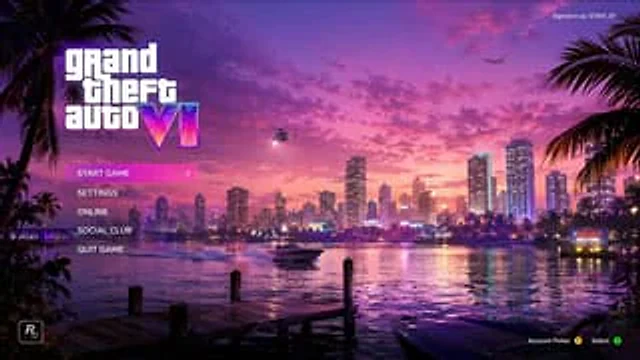
  "type": "Video game main menu UI design sketch",
  "theme": "{argument name=\"color palette\" default=\"A composite wave style of purple, pink and orange\"}",
  "background": {
    "setting": "Coastal city skyline, time period{argument name=\"time of day\" default=\"Sunset\"}",
    "elements": [
      "The water reflects the city lights",
      "Wooden dock in the foreground",
      "speedboats on the water",
      "helicopter with spotlight",
      "Airplanes in the sky",
      "Palm trees on the left and right edges",
      "It is written with '{argument name=\"city name\" default=\"VICE CITY\"} WELCOME neon sign"
    ]
  },
  "ui_layout": {
    "top_left": "Large logo{argument name=\"game title\" default=\"grand theft auto VI\"} Roman numerals with a neon gradient effect",
    "middle_left": {
      "type": "Vertical menu",
      "count": 5,
      "items": [
        "Start Game (highlighted with a pink gradient and a > arrow)",
        "set up",
        "Online",
        "Social club",
        "Exit game"
      ]
    },
    "top_right": "Text 'Login User:'{argument name=\"username\" default=\"GTAVI_01\"} '",
    "bottom_left": "Developer star icon 'R*'",
    "bottom_right": "The controller prompts 'Select account Y, confirm A'"
  }
}
Come usare
- Copia tutto il prompt originale, inclusi i parametri.
- Adatta soggetto, testo e composizione alle tue esigenze.
- Usa uno strumento esterno compatibile; verifica accesso e risultato.
Prima di iniziare
- Controlla se serve un’immagine di riferimento. La compatibilità non prova il modello usato per l’esempio.
- Verifica nomi, numeri e testi; i risultati cambiano con le versioni del modello.