原文
GPT Image 2.5 · en
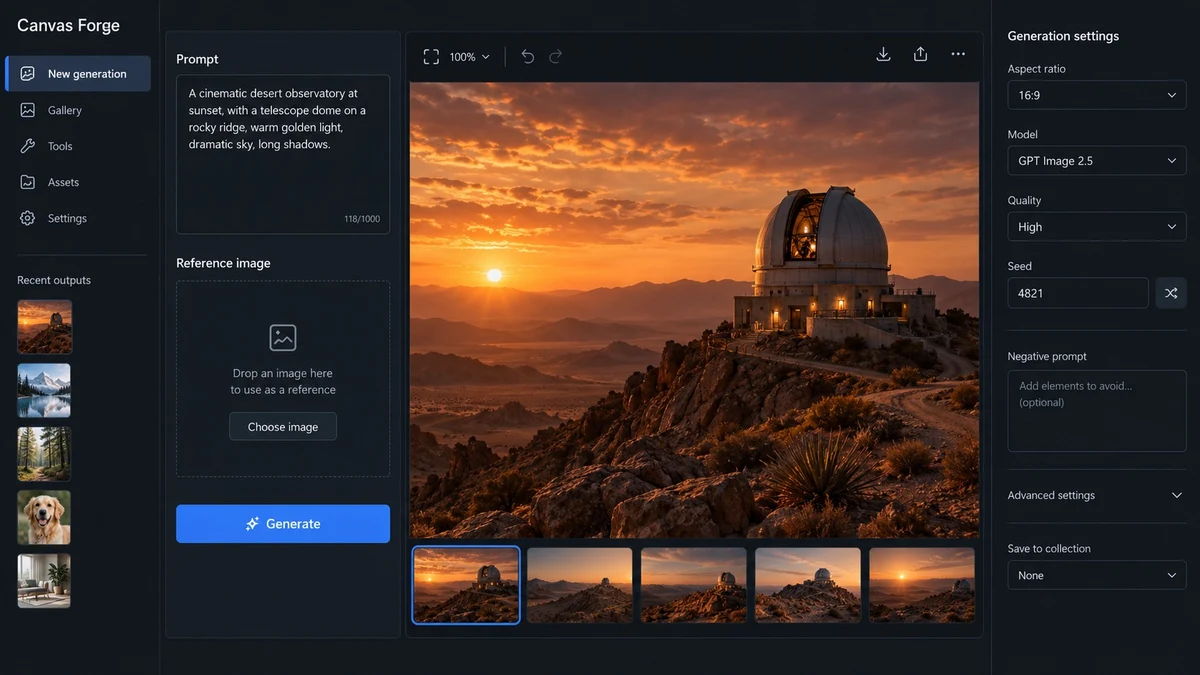
Create one high-fidelity desktop web app screenshot for a fictional AI image-generation workbench called Canvas Forge. This is a single polished 16:9 product UI screen, not a collage or presentation.
Dark editorial interface with a left navigation rail, a central 3-column image-generation workspace, and a right inspector panel.
Exact readable text: Canvas Forge, New generation, Prompt, Reference image, Generate, Aspect ratio, 16:9, Model, GPT Image 2.5, Quality, High, Seed, 4821, Recent outputs.
Show one large generated image preview of a warm cinematic desert observatory at sunset in the center.
Use concise realistic labels, consistent spacing, clear hierarchy, accessible contrast, subtle borders, no gradients, no fake logos, no gibberish, no extra windows.
The screenshot should feel like a mature production creative tool with believable controls and useful empty states. Render every specified label exactly and keep all UI text short and legible.
使い方
- パラメータを含む元のプロンプト全体をコピーします。
- 被写体、文字、構図を自分の要件に置き換えます。
- 対応する外部ツールで使用し、利用条件と結果を確認します。
開始前の確認
- 参考画像の要否を確認してください。互換モデルの表示は、そのモデルでの生成実績を意味しません。
- 名前、数値、画像内の文字を確認します。モデルの版で結果は変わります。