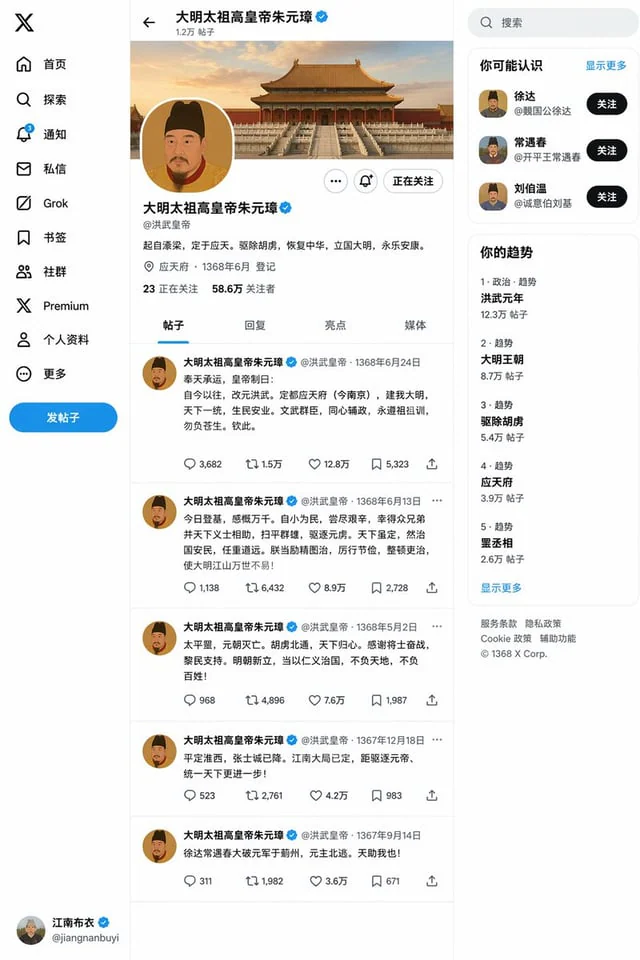
Ming Dynasty Social Media Post

Ming Dynasty Social Media Post

原文

GPT Image 2 · zh

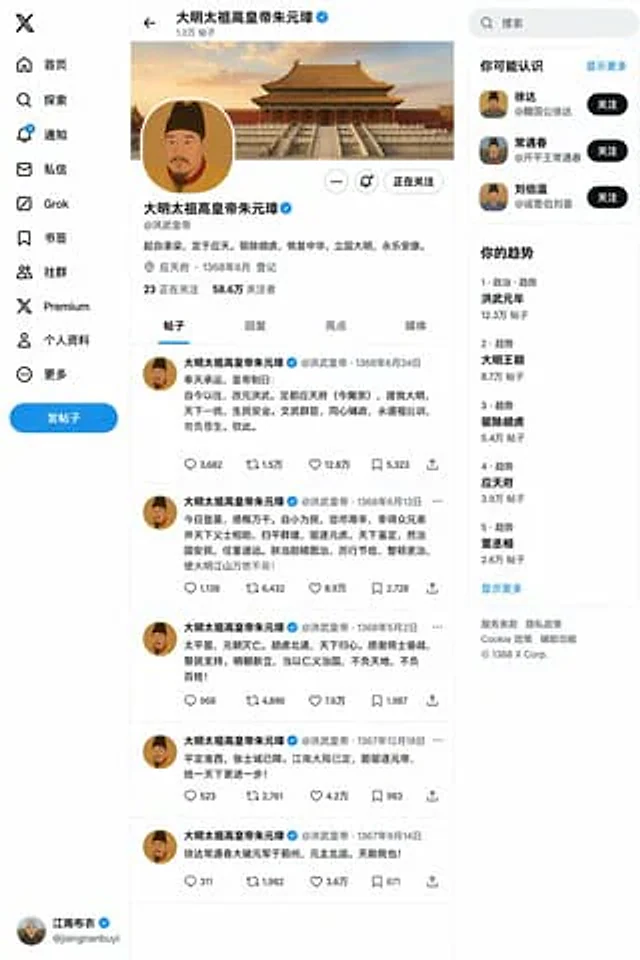
创建一个{argument name="朝代人物" default="明朝朱元璋"}{argument name="事件" default="登基"}之后的X帖子页面

使い方

  1. パラメータを含む元のプロンプト全体をコピーします。
  2. 被写体、文字、構図を自分の要件に置き換えます。
  3. 対応する外部ツールで使用し、利用条件と結果を確認します。

開始前の確認

  • 参考画像の要否を確認してください。互換モデルの表示は、そのモデルでの生成実績を意味しません。
  • 名前、数値、画像内の文字を確認します。モデルの版で結果は変わります。
似た事例

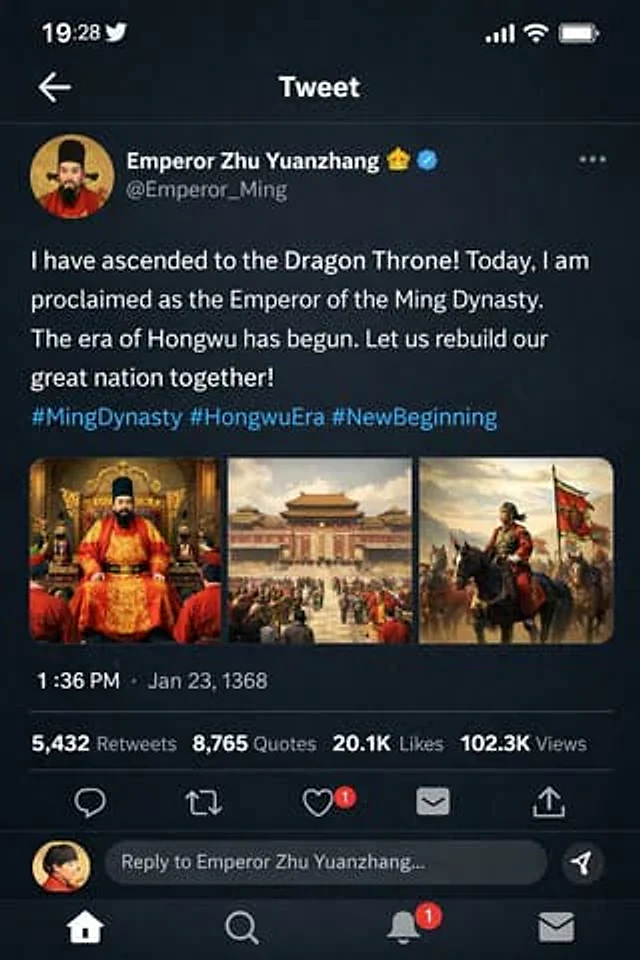
Ming Dynasty Social Media Post
GPT Image 2en

for{argument name="dynasty and figure" default="Zhu Yuanzhang of the Ming Dynasty"} exist{argument name="event" default="Ascension to the throne"} Then create an X post page.

Historical Rabbit King Social Media Page
GPT Image 2en

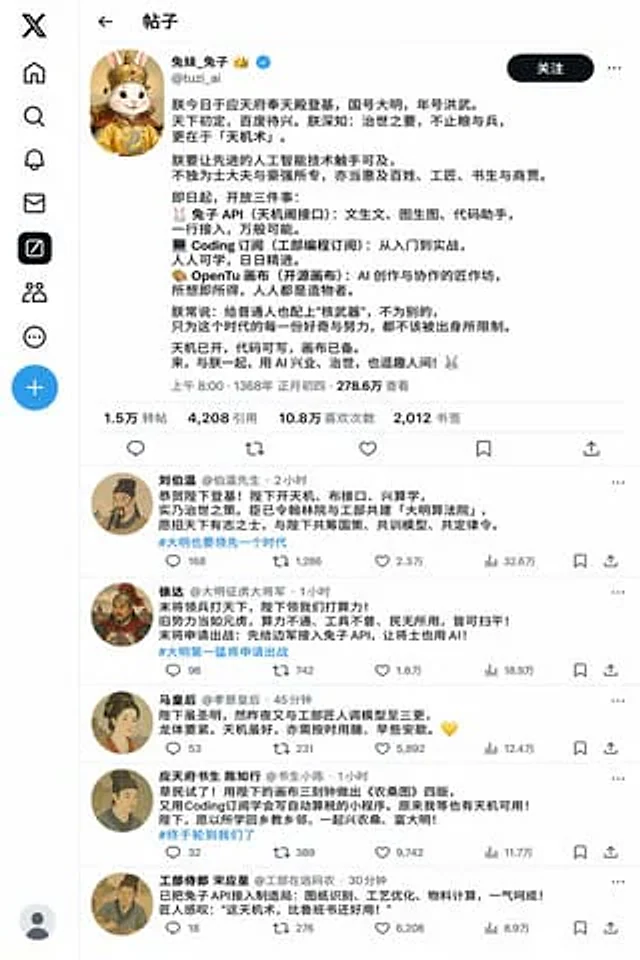
Create a story about a rabbit (reference){argument name="profile" default="This user's profile and some tweets at https://t.co/4v2r0vI6Iz"} Travel back to the Ming Dynasty. After it ascends the throne, create its X social media page based on its business style/personality.

Song Dynasty Social Media Feed
GPT Image 2en

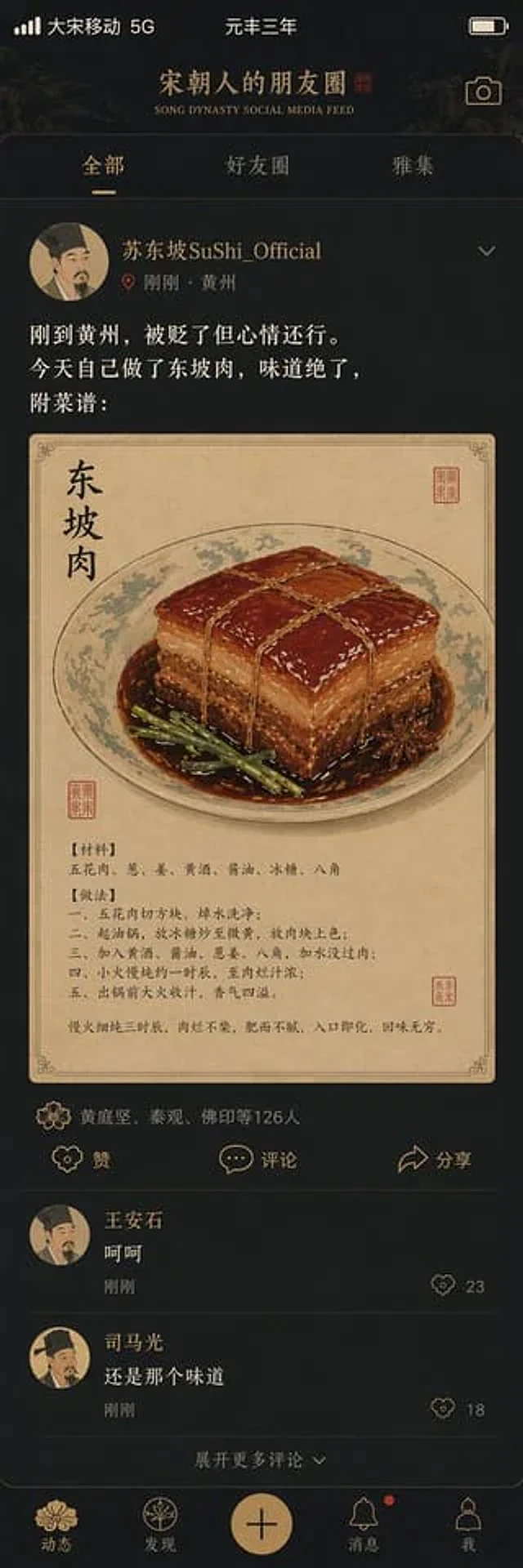
"{argument name="title" default="Song Dynasty social media activity"} A humorous fusion of ancient and modern interface design styles. The image simulates a mobile social media interface, but the content is entirely set in the Song Dynasty. The profile picture is a portrait of a

Historical Figure Social Media UI Mockup
GPT Image 2en

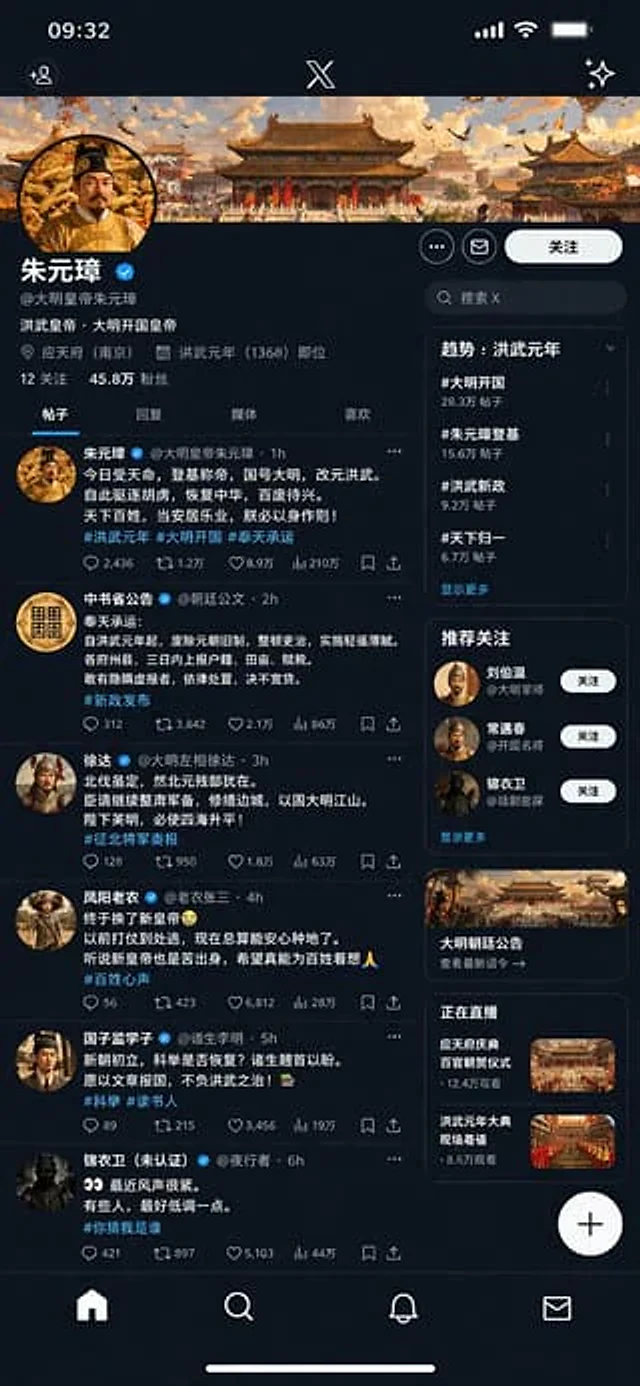
{ "type": "Mobile social media app interface model", "theme": "Dark mode, Chinese Ming Dynasty historical theme", "header": { "banner_image": "Traditional Chinese palace complex at sunset", "avatar": "Portrait of a Chinese emperor wearing a yellow robe", "profil

Historical Figure Social Media Mockup
GPT Image 2en

{ "type": "Mobile social media application UI simulation diagram", "platform": "Twitter/X Dark Mode", "header": { "status_bar": "Time 19:28, bird icon, signal, WiFi, battery", "navigation": "Back arrow, 'Tweet' title" }, "post": { "author": { "avatar":