원본 문서
GPT Image 2 · en
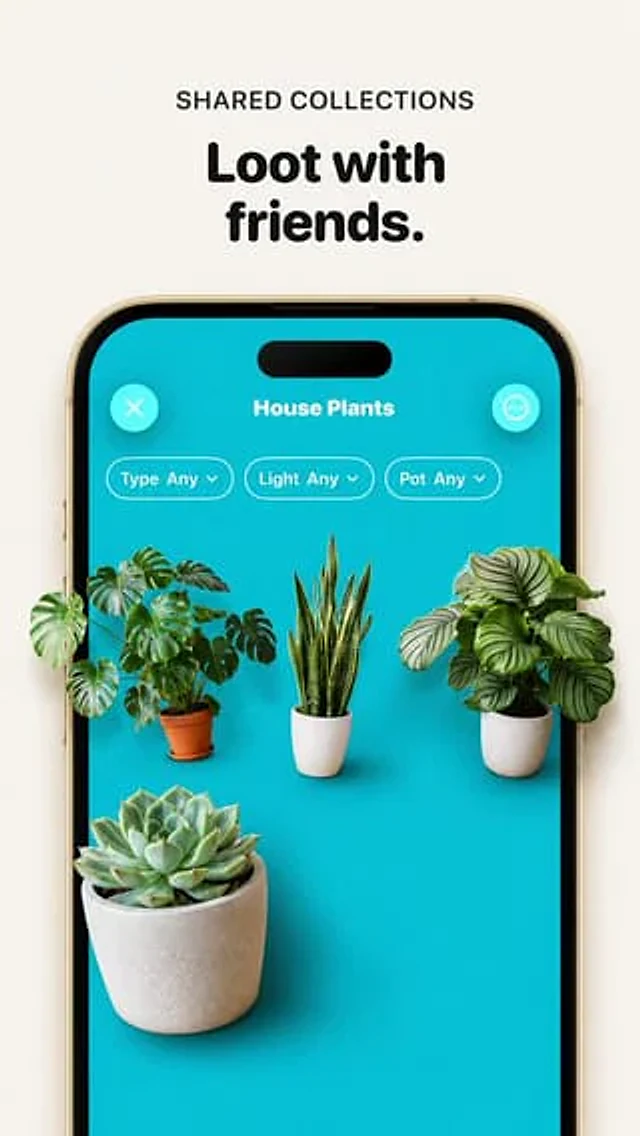
Using the provided reference image, improve the app promo screenshot into a polished, high-end product mockup while preserving the same overall layout, text, phone frame, turquoise app screen, and plant-collection UI. Enlarge and sharpen the phone crop so it fills more of the vertical canvas, keep the headline above it reading {argument name="headline text" default="Loot with friends."} with the small label {argument name="section label" default="SHARED COLLECTIONS"}. Replace the tiny flat plant thumbnails with realistic, larger, photoreal 3D/product-render plants that appear to sit inside the phone screen with soft shadows and depth. Use exactly 4 plants: a monstera in a terracotta pot on the left, a snake plant in a white ribbed pot in the center, a round-leaf striped calathea/peperomia-style plant in a white pot on the right, and a large echeveria succulent in a concrete pot in the lower-left foreground. Keep the UI title {argument name="collection title" default="House Plants"}, the close button, menu button, and exactly 3 pill filters labeled “Type Any”, “Light Any”, and “Pot Any”. Make the overall image cleaner, brighter, more premium, with crisp typography, realistic shadows, and a beige/off-white background; avoid adding extra UI elements, extra plants, watermarks, or unrelated text.사용 방법
- 매개변수를 포함한 전체 원본 프롬프트를 복사하세요.
- 주제, 문구, 구도를 자신의 요구에 맞게 바꾸세요.
- 호환되는 외부 도구에서 사용하고 이용 조건과 결과를 확인하세요.
시작 전 확인
- 참조 이미지가 필요한지 확인하세요. 호환 표시는 해당 모델로 이 예시를 생성했다는 뜻이 아닙니다.
- 이름, 수치, 이미지 속 문구를 확인하세요. 모델 버전에 따라 결과가 다를 수 있습니다.