원본 문서
GPT Image 2 · en
Scene:
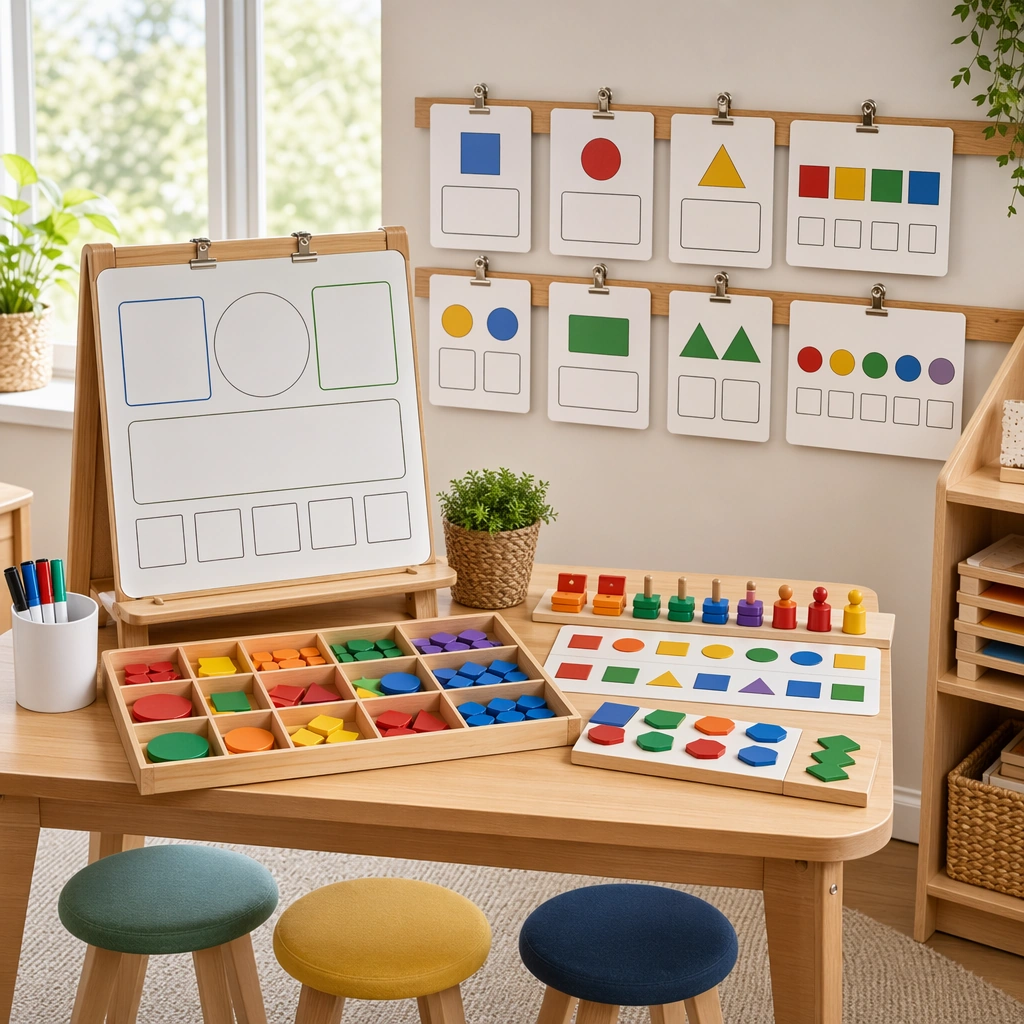
Show a square classroom station scene with a small whiteboard, tray of manipulatives, clipped concept cards, and a few child-height stools arranged neatly under bright natural light. The composition should feel like a teaching-resource brochure image, not a candid classroom snapshot. Keep the square frame balanced, calm, and production-ready so the asset can serve gallery review, research comparison, and real educational delivery at the same time.

Subject:
The station should visually explain matching, sorting, comparing, and building patterns through movable pieces, blank response zones, and spatial grouping. Keep the tools young-child friendly, robust, and clearly part of a cohesive pedagogical system. The subject arrangement should feel complete and self-contained, able to stand alone as a real supporting deliverable inside the same education business line.

Important details:
Favor structure and usability over decoration. The station must read instantly as a real instructional setup that teachers could replicate, while staying warm, calm, and commercially polished. Keep the visual hierarchy modular, commercially believable, and clearly tied to a real educational use case rather than a generic mood board.

Use case:
Math Concept Visual Card Set single study 2/5, whiteboard math station.

Constraints:
No readable text, no watermark, no logos, preserve exact 1:1 aspect ratio, no readable equations, no numerals, no logos, no messy classroom clutter, no generic stock-photo styling, no broken manipulatives.
사용 방법
- 매개변수를 포함한 전체 원본 프롬프트를 복사하세요.
- 주제, 문구, 구도를 자신의 요구에 맞게 바꾸세요.
- 호환되는 외부 도구에서 사용하고 이용 조건과 결과를 확인하세요.
시작 전 확인
- 참조 이미지가 필요한지 확인하세요. 호환 표시는 해당 모델로 이 예시를 생성했다는 뜻이 아닙니다.
- 이름, 수치, 이미지 속 문구를 확인하세요. 모델 버전에 따라 결과가 다를 수 있습니다.