원본 문서
GPT Image 2 · en
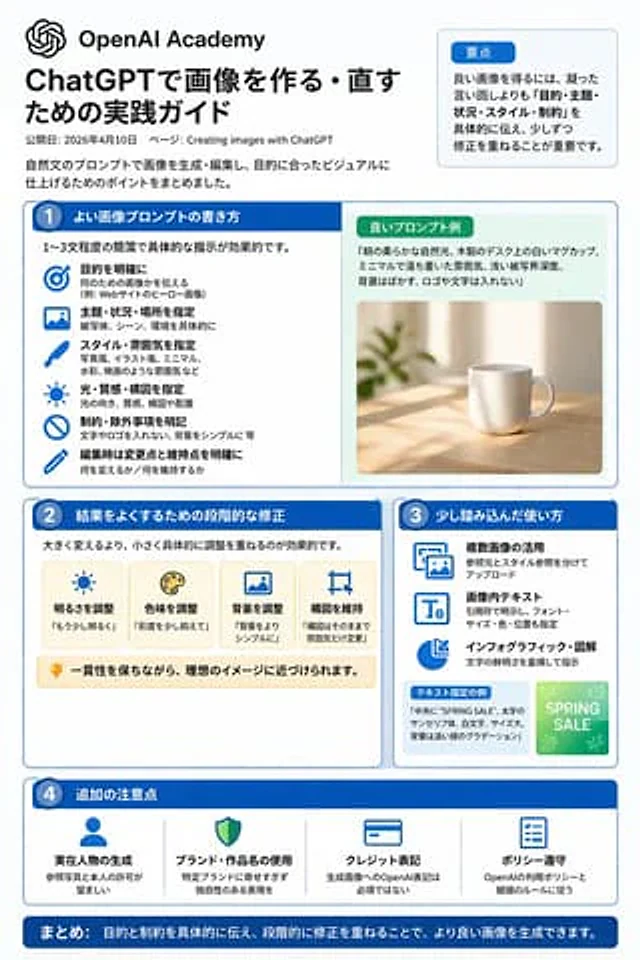
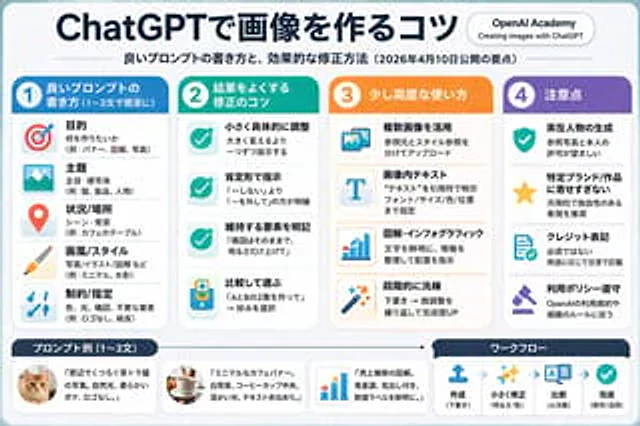
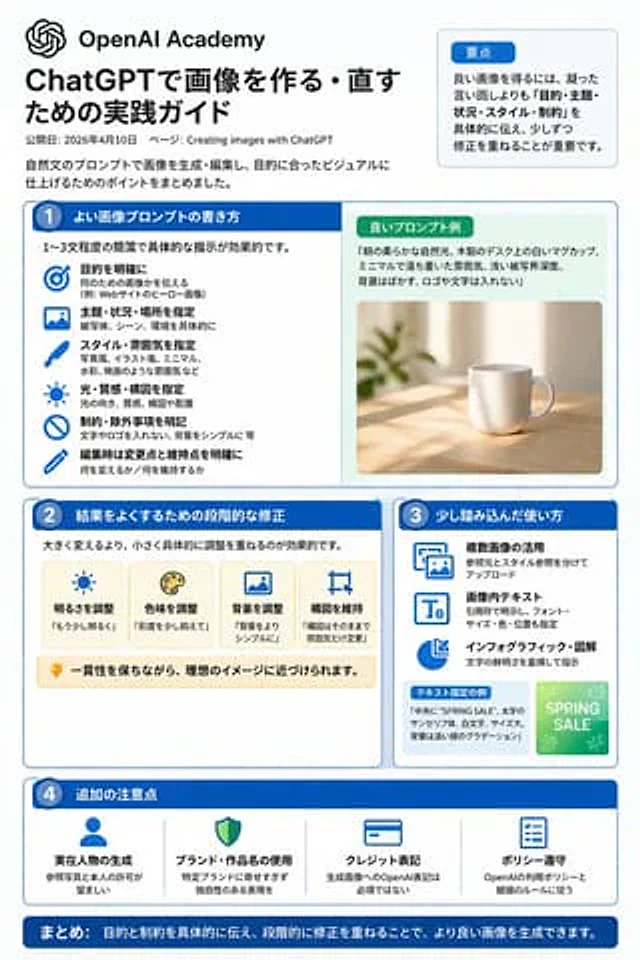
{"type":"infographic","style":"Simple, corporate style, flat design, soft color accents, dark blue main color","header":{"logo":"swirl icon","academy_name":"}}{argument name="academy name" default="OpenAI Academy"} ","main_title":"{argument name="main title" default="ChatGPT Image Generation and Editing Practice Guide"} ","metadata":"Date and page information","summary_box":{"title":"Key points","content":"Paragraphs about key points"}},"layout":{"sections":[{"number":1,"title":"{argument name="section 1 title" default="How to write high-quality image prompts"} ","layout":"Double Columns","left_column":{"count":6,"items":[{"icon":"target","label":"Specific Target"},{"icon":"landscape","label":"Specify Theme, Scene, and Location"},{"icon":"brush","label":"Specify Style and Atmosphere"},{"icon":"sun","label":"Specify Lighting, Texture, and Composition"},{"icon":"prohibition","label":"Specific Constraints and Exclusions"},{"icon":"pencil","label":"Specify Changes and Retention Points During Editing"}]},"right_column":{"box_title":"Example of High-Quality Hints","image":"{argument name="example image subject" default="White mug on the wooden table"} {"number":2,"title":"Step-by-step correction method for optimization results","cards":{"count":4,"items":[{"icon":"sun","label":"Adjust brightness"},{"icon":"palette","label":"Adjust hue"},{"icon":"landscape","label":"Adjust background"},{"icon":"crop","label":"Maintain composition"}]},"bottom_banner":"Light bulb icon and text"},{"number":3,"title":"Advanced usage tips","list":{"count":3,"items":[{"icon":"multiple images","label":"Utilizing multiple images"},{"icon":"text 'Te'","label":"Text within image"},{"icon":"pie chart","label":"Infographic and diagrams"}]},"example_box":{"title":"Example with specified text","graphic":"With 'SPRING SALE' The green box"}},{"number":4,"title":"Other Notes","items":{"count":4,"items":[{"icon":"person","label":"Generate Real Person"},{"icon":"shield","label":"Usage of Brand and Work Names"},{"icon":"id card","label":"Copyright Label"},{"icon":"checklist","label":"Policy Compliance"}]}}],"footer":{"style":"Dark Blue Banner","text":"{argument name="footer summary" default="In summary, by clearly communicating the objectives and constraints and making step-by-step corrections, higher quality images can be generated."} "}}사용 방법
- 매개변수를 포함한 전체 원본 프롬프트를 복사하세요.
- 주제, 문구, 구도를 자신의 요구에 맞게 바꾸세요.
- 호환되는 외부 도구에서 사용하고 이용 조건과 결과를 확인하세요.
시작 전 확인
- 참조 이미지가 필요한지 확인하세요. 호환 표시는 해당 모델로 이 예시를 생성했다는 뜻이 아닙니다.
- 이름, 수치, 이미지 속 문구를 확인하세요. 모델 버전에 따라 결과가 다를 수 있습니다.