Oryginalny dokument
GPT Image 2 · en
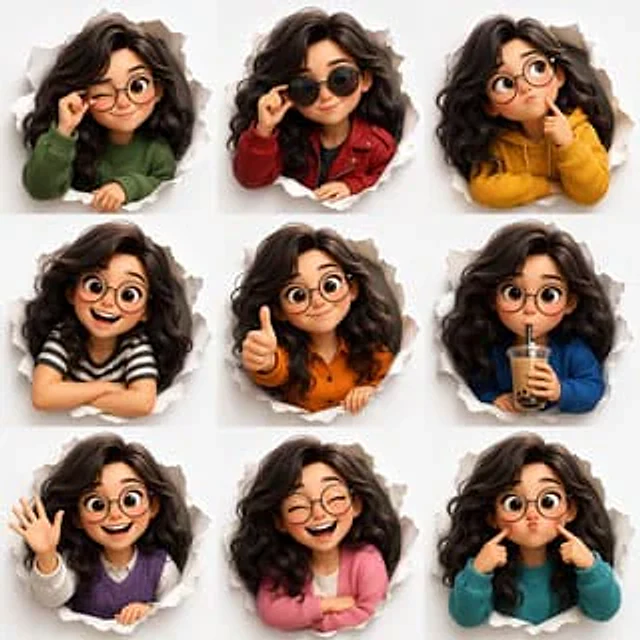
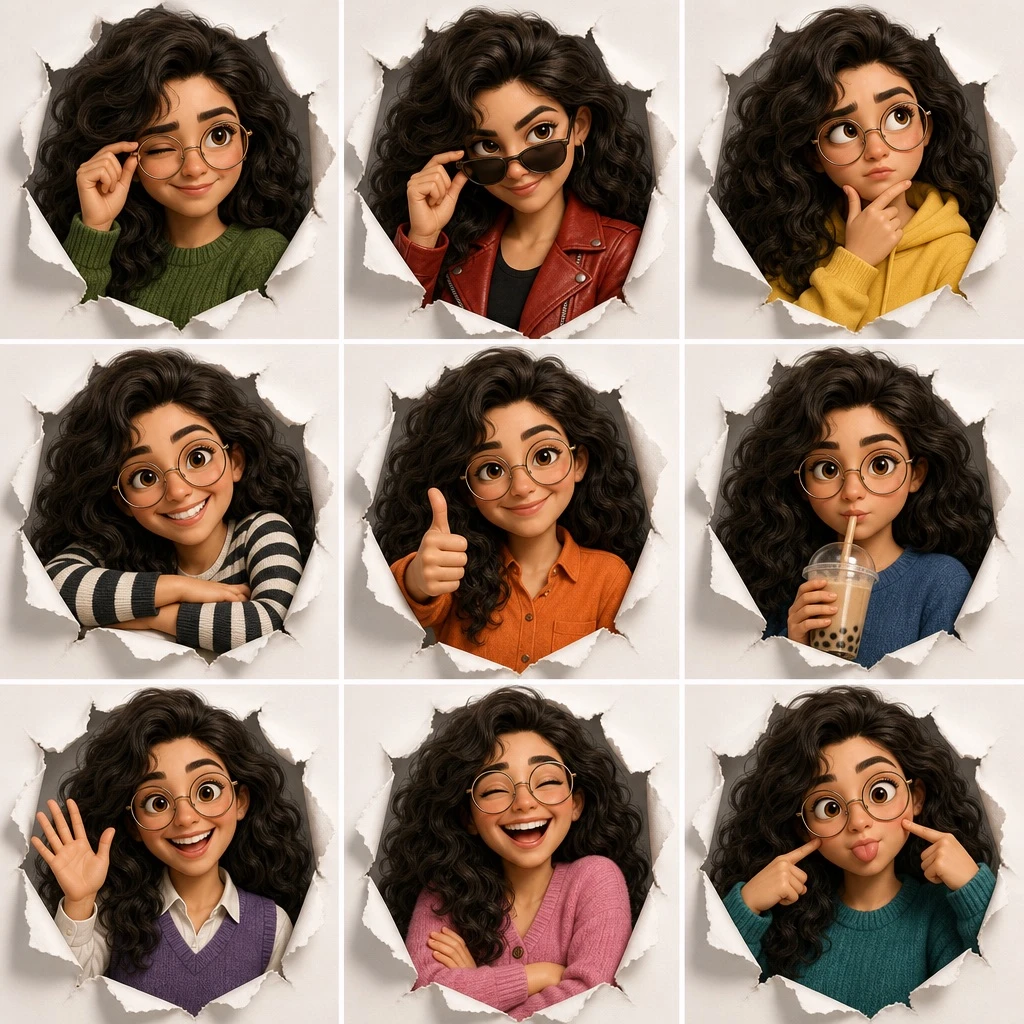
Create a 3x3 character expression grid illustration, a single composite image divided into nine equal panels arranged in 3 rows and 3 columns, showing the same character in different expressions, poses, and outfits. Render the artwork in [ART_STYLE]. The character is described as: [CHARACTER_DESCRIPTION]. Every panel shares a common visual theme: [FRAMING_CONCEPT]. Layout details for each of the 9 panels: (1) top-left: winking expression, adjusting glasses, wearing a green sweater; (2) top-center: smirking expression, lowering dark sunglasses, wearing a red leather jacket; (3) top-right: thinking expression, finger on chin, wearing a yellow hoodie; (4) middle-left: big smile, arms resting on the edge of the frame, wearing a black and white striped shirt; (5) middle-center: smiling expression, giving a thumbs up, wearing an orange button-up shirt; (6) middle-right: neutral expression, drinking boba tea, wearing a blue sweater; (7) bottom-left: happy expression, waving, wearing a purple sweater vest over a white shirt; (8) bottom-center: laughing with eyes closed, arms crossed, wearing a pink cardigan; (9) bottom-right: silly expression, poking own cheeks, wearing a teal sweater. Keep consistent character design, proportions, and lighting style across all nine panels, with each panel cleanly separated by even borders.Jak używać
- Skopiuj cały oryginalny prompt wraz z parametrami.
- Dostosuj temat, tekst i kompozycję do swoich potrzeb.
- Użyj zgodnego narzędzia zewnętrznego; sprawdź warunki dostępu i wynik.
Przed rozpoczęciem
- Sprawdź, czy potrzebny jest obraz referencyjny. Zgodność nie potwierdza modelu użytego do przykładu.
- Sprawdź nazwy, liczby i napisy; wyniki zależą od wersji modelu.