Documento original
GPT Image 2 · en
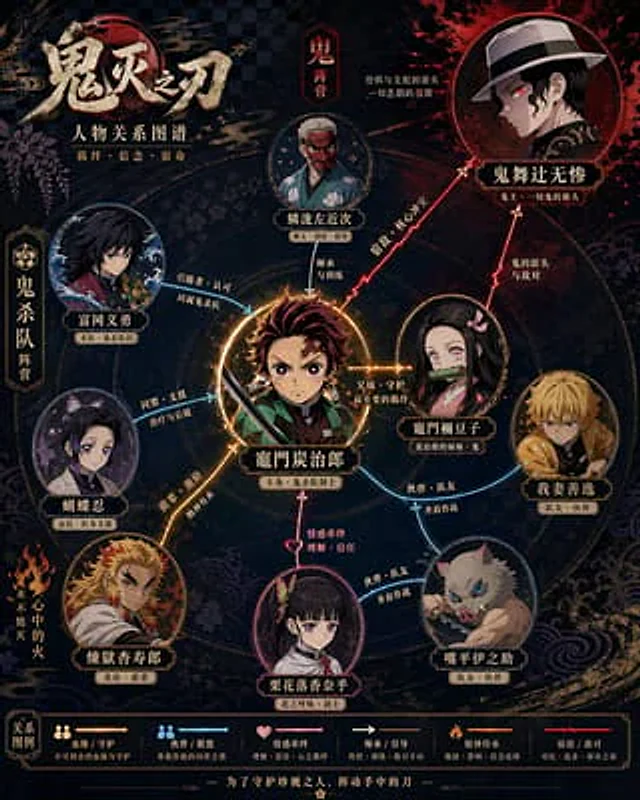
Please refer to{argument name="theme" default="Demon Slayer"} Generate a highly designed character relationship diagram poster. This image should not be just a simple illustration, but a character relationship diagram that combines information visualization, narrative structure, poster design aesthetics, and stylistic accuracy. Please automate the following steps: - Identify the relevant works and core settings. - Extract 6–12 key characters, up to 15 if necessary. - Identify and display key character relationships, including blood ties, love, friendship, allies, enemies, master-disciple, etc. - Automatically select the composition method based on the characteristics of the work, such as protagonist-centric, dual-core opposition, faction-based, family tree, or timeline evolution. - Automatically extract the stylistic DNA of the work, including color, worldview symbols, texture, atmosphere, typography, and representative elements. - Transform these stylistic elements into the overall visual design of the relationship diagram, rather than simply copying the official poster. - Use different colors, line types, and arrows to distinguish different relationships, ensuring clear lines and distinct layers to avoid clutter. - Make the core characters stand out, followed by secondary characters, and weaken subordinate characters to form a clear visual hierarchy. - Ensure that each character's name is clear and easy to read, and label their identity or faction if necessary. The final product should meet the following requirements: - Allow for immediate understanding of the character hierarchy and key relationships. - Highly consistent with the original work's style and setting. - Combine the clarity of an infographic with the sophisticated design of a poster. Consistent, refined, and complete, suitable for social media sharing or poster display - avoid cheap flowchart feel, cluttered piling up, and information overload.Como usar
- Copie o prompt original completo, incluindo os parâmetros.
- Adapte o tema, o texto e a composição aos seus requisitos.
- Use uma ferramenta externa compatível; confira o acesso e o resultado.
Antes de começar
- Verifique se é necessária uma imagem de referência. Compatibilidade não comprova qual modelo gerou o exemplo.
- Confira nomes, números e textos; os resultados variam entre versões do modelo.