Exemplos verificados

Galeria de prompts

Prompts reais acompanhados das imagens que produziram. Veja o resultado e copie o prompt completo.

Pares
5,541
Modelos
6
Fontes
10
5.541 pares verificados de prompt e imagem · página 7 de 116
Example generated from “8-Panel AI Feature Explainer Manga”
GPT Image 2en
8-Panel AI Feature Explainer Manga

{ "type": "8-panel comic infographic", "reading_order": "From right to left", "character": { "name": "{argument name=\"character name\" default=\"Lisa\"}", "appearance": "{argument name=\"character appearance\" default=\"Golden twin ponytails, black gothic dress, black heart-shaped choker\"}" }, "panels": [ { "number": 1, "action": "Waving happily", "speech_bubble": "{argument name=\"greeting text\" default=\"Hello! I'm Lisa! Today I'm going to talk to you about some major rumors surrounding OpenAI, specifically about GPT-image-2!\"}" }, { "number": 2, "action": "Staring in surprise at the glowing screen", "screen_text": "OpenAI{argument name=\"product name\" default=\"GPT-image-2\"} Smarter - Clearer - More Creative", "speech_bubble": "According to leaked information, this update is ridiculously powerful!" }, { "number": 3, "action": "Pointing to the coffee shop sign", "sign_text": "Cafe Open (Coffee & Sweets)", "speech_bubble": "First, the text processing! No more spelling errors on signs or menus! It's absolutely perfect!" }, { "number": 4, "action": "Holding a smartphone displaying the application interface", "ui_elements_count": 6, "ui_elements": [ "My daily life", "Searching for inspiration...", "explore", "creation", "Image Gallery", "Personal information" ], "speech_bubble": "It can even generate application interfaces directly! The professional-level quality is truly amazing!" }, { "number": 5, "action": "Show comparison chart", "comparison": "Blurry portraits vs. sharp 4K realistic female portraits", "speech_bubble": "4K resolution, photorealistic picture quality! Skin texture and lighting effects are extremely detailed!" }, { "number": 6, "action": "blink and point forward", "floating_objects_count": 7, "floating_objects": [ "Palette", "camera", "Light bulb", "Landscape photos", "lantern", "coffee cup", "A notebook with IDEA written on it" ], "speech_bubble": "Complex commands can be executed perfectly. Camera composition and prop placement can be done at will!" }, { "number": 7, "action": "Pointing to the project", "whiteboard_poses_count": 5, "whiteboard_poses": [ "Front view, full body", "Side view of the whole body", "Front view of the face", "Side profile", "Half-body blink" ], "speech_bubble": "There's also a character-fixing feature! Characters like mine will be able to maintain a consistent appearance from now on!" }, { "number": 8, "action": "Give a thumbs up, wink, and the background sparkles.", "speech_bubble": "{argument name=\"conclusion text\" default=\"The era of AI and humans co-creating stories is truly exciting! Be sure to stay tuned!\"}" } ] }

Example generated from “8-Panel GPT-Image-2 Manga Promo”
GPT Image 2en
8-Panel GPT-Image-2 Manga Promo

{ "type": "8-panel comic-style promotional page", "theme": "GPT-Image-2 Release Announcement", "language": "Portuguese", "style": { "rendering": "Black and white comics, featuring halftone shadows, speed lines, glossy highlights, and bold lines, creating a clean digital comics feel.", "mood": "Exciting, informative, optimistic, and technologically advanced", "page_format": "The single-page layout consists of 8 rectangular cells in a 2-column, 4-row grid, with thin borders." }, "characters": [ { "id": "host girl", "role": "Main host", "appearance": "A cute anime girl with long, dark hair, large, bright eyes, wearing a dark hoodie with the OpenAI logo.", "count": 1 }, { "id": "robot mascot", "role": "Friendly assistant mascot", "appearance": "Small, round robot with a black face screen, glowing eyes, a simple white body, thin arms, and a cheerful expression.", "count": 1 }, { "id": "creator group", "role": "Audience Example", "appearance": "Four different young creators: a designer, a developer with a tablet, a photographer with a camera, and a person wearing a hoodie with a laptop.", "count": 4 } ], "layout": { "sections": [ { "title": "CHEGOU! GPT-IMAGE-2", "position": "Top left", "count": 1, "description": "A dramatic hero entrance panel; an anime girl extends a hand to the audience, with radiating speed lines behind her.", "text": [ "CHEGOU!", "GPT-IMAGE-2", "A NOVA GERAÇÃO DE IMAGENS POR IA DA OPENAI!", "MAIS CRIATIVIDADE, MAIS PRECISÃO, MAIS POSSIBILIDADES!" ] }, { "title": "O QUE É O GPT-IMAGE-2?", "position": "Top right", "count": 1, "description": "The girl's half-body pose points to a glowing image icon on a starry sky technology background.", "text": [ "O QUE É O GPT-IMAGE-2?", "É nosso novo modelo de geração de imagens, mais inteligente, mais fiel ao que você imagina e com qualidade surpreendente!" ] }, { "title": "MAIS REALISMO. MAIS DETALHES.", "position": "Middle left (2nd row)", "count": 1, "description": "The comparison grid displays two mountain and lake landscape images side by side. The left image is labeled as the old model, and the right image is labeled as the new model with richer realism.", "subsections": [ { "label": "ANTES (DALL·E 3)", "count": 1 }, { "label": "AGORA (GPT-IMAGE-2)", "count": 1 } ], "text": [ "MAIS REALISMO. MAIS DETALHES.", "ANTES (DALL·E 3)", "AGORA (GPT-IMAGE-2)", "TEXTURAS MAIS RICAS, LUZ MAIS NATURAL, DETALHES INCRÍVEIS!" ] }, { "title": "COMPREENSÃO MELHOR, RESULTADOS MELHORES.", "position": "Center right (2nd row)", "count": 1, "description": "The girl clasped her hands together, next to a framed example of a prompt, and the robot mascot pointed diagonally upwards.", "text": [ "COMPREENSÃO MELHOR, RESULTADOS MELHORES.", "O GPT-IMAGE-2 entende melhor objetos, textos, composições e instruções complexas!", "EXEMPLO DE PROMPT:", "\"Uma cafeteria futurista no topo de uma montanha nevada ao entardecer, com letreiro de néon ‘CAFÉ DO AMANHÃ’ e pessoas tomando café.\"" ] }, { "title": "CRIATIVIDADE SEM LIMITES.", "position": "Bottom left (3rd row)", "count": 1, "description": "The girl explains next to a display of four artistic variations in a 2x2 grid.", "subsections": [ { "label": "gothic castle scene", "count": 1 }, { "label": "modern city street at night", "count": 1 }, { "label": "anime character portrait", "count": 1 }, { "label": "abstract geometric composition", "count": 1 } ], "text": [ "CRIATIVIDADE SEM LIMITES.", "De estilos artísticos a layouts profissionais, do realista ao abstrato: suas ideias, do seu jeito!" ] }, { "title": "TEXTO NA IMAGEM? AGORA É MUITO MELHOR!", "position": "Bottom right (3rd row)", "count": 1, "description": "A comparison of the poster layouts for the robot mascot showcase; a thick arrow separates the two designs.", "subsections": [ { "label": "ANTES", "count": 1 }, { "label": "AGORA", "count": 1 } ], "text": [ "TEXTO NA IMAGEM? AGORA É MUITO MELHOR!", "Geração de texto mais precisa, legível e integrada ao design!", "ANTES", "AGORA", "AVENTURA COMEÇA AQUI", "A AVENTURA COMEÇA AQUI" ] }, { "title": "PARA TODOS OS CRIADORES.", "position": "Bottom left", "count": 1, "description": "In the group photo, the female host stands side by side with four creators representing different professions.", "text": [ "PARA TODOS OS CRIADORES.", "Designers, desenvolvedores, educadores, marketers, artistas e curiosos: todo mundo pode criar mais e melhor!" ] }, { "title": "GPT-IMAGE-2 JÁ ESTÁ DISPONÍVEL!", "position": "Bottom right", "count": 1, "description": "The ending features a hero pose, with the girl winking and giving a thumbs-up, alongside a robot mascot, accompanied by bright celebratory lights and flashes.", "text": [ "GPT-IMAGE-2 JÁ ESTÁ DISPONÍVEL!", "IMAGINE. CRIE. INSPIRE.", "O FUTURO DA CRIAÇÃO É AGORA. ❤" ] } ], "panel_count": 8 }, "composition": { "reading_order": "From left to right, from top to bottom", "camera_variety": "It blends close-up hero shots, medium shots of presenters, comparison charts, and group photos.", "graphic_elements": [ "speech bubbles", "Round black banner with white capital letters", "flash", "velocity line", "Starry Sky Technology Background", "Contrast Arrows", "Framed sample cards" ] }, "text_style": "Portuguese all-caps comic font, bold titles, clear speech bubbles, and a blend of promotional infographics and comics.", "quality": "High-resolution edited comic posters, clear layout, balanced grid spacing, and strong contrast.", "prompt": "Create an 8-panel promotional comic page in a grayscale comic style for publication.{argument name=\"product name\" default=\"GPT-IMAGE-2\"} It uses a single-page layout of 2 columns and 4 rows, containing 8 different cells, and is entirely in Portuguese. The main character is a cheerful anime girl.{argument name=\"hair color\" default=\"Dark brown\"} Long hair, wearing a dark hoodie with the OpenAI logo, and a friendly little robot mascot. Frame 1: A dramatic unveiling, the girl reaches out to the camera, radiating speed lines, and the caption \"CHEGOU!\"{argument name=\"headline name\" default=\"GPT-IMAGE-2\"} \"And the release text about the next generation of AI images. Panel 2: Explanation of the character, a girl points to a glowing image icon on a starry digital background, titled \"O QUE É O GPT-IMAGE-2?\", with a speech bubble describing it as a smarter image generation model. Panel 3: Realism comparison, containing two side-by-side mountain and lake landscape images, labeled \"ANTES (DALL·E 3)\" and \"AGORA (GPT-IMAGE-2)\" respectively. Panel 4: Comprehension enhancement panel, a girl and a robot, including a boxed example prompt word, using...\"{argument name=\"example prompt\" default=\"Uma cafeteria futurista no topo de uma montanha nevada ao entardecer, com letreiro de néon ‘CAFÉ DO AMANHÃ’ e pessoas tomando café.\"} Panel 5: Creative Showcase, featuring four thumbnails: a Gothic castle, a nighttime city street, an anime character portrait, and abstract geometric art. Panel 6: Text Rendering Comparison, featuring two poster variations labeled \"ANTES\" and \"AGORA,\" showcasing improved typography and comparing the original and revised versions of \"AVENTURA COMEÇA AQUI.\" Panel 7: Audience Panel, featuring four creators from different fields standing together. Panel 8: Final Celebration Call to Action, with a girl winking and giving a thumbs up, a robot mascot cheering, and the closing slogan {argument name=\"closing slogan\" default=\"IMAGINE. CRIE. INSPIRE.\"} The page should be vibrant, sophisticated, and highly legible, featuring a bold black title bar, white capital letters, speech bubbles, glitter, halftone shadows, and a strong comic book poster aesthetic." }

Example generated from “80's Anime Style Memory Grid”
GPT Image 2en
80's Anime Style Memory Grid

Create{argument name="layout" default="4x3 borderless grid"} Each panel contains an independent image of the same character, maintaining consistent color and lighting.{argument name="style" default="80s animation style"} It depicts nostalgic memories of the past, with no words and no gaps in the imagery.

Example generated from “9-frame 时尚人像拼贴”
GPT Image 2en
9-frame 时尚人像拼贴

Edit this photo and don't change the face, portrait 9:16. A 9-frame fashion portrait collage featuring a stylish young woman with playful expressions and sporty streetwear aesthetics. The concept combines modern model test photography, casual Gen-Z energy, and clean editorial studio vibes. Each frame captures different candid facial expressions and subtle attitude poses, creating a cool, confident, and slightly mischievous mood. Minimalist composition with strong focus on facial expressions, cap styling, and soft fashion portrait lighting. Frame Descriptions (9 poses) Frame 1 – Eyes closed with playful scrunched expression, slight smile, relaxed shoulders. Frame 2 – Looking slightly sideways with lips parted, confident casual attitude. Frame 3 – Head tilted slightly upward, calm expression, direct cool-girl energy. Frame 4 – Eyes closed while sticking tongue slightly out, playful candid vibe. Frame 5 – Both index fingers pressing cheeks while making duck lips, cute playful expression. Frame 6 – Direct eye contact with subtle smile, relaxed natural pose. Frame 7 – Body turned sideways, hand near chin, confident editorial profile look. Frame 8 – Eyes squeezed shut while making pout lips, exaggerated playful expression. Frame 9 – Wrinkled nose with gritted teeth, rebellious fashion attitude. She wears oversized black long sleeves. Soft matte fabric with sporty streetwear silhouette. Relaxed fit with slightly oversized sleeves. Black New York Yankees baseball cap worn forward and backward in different frames. Minimal jewelry. Long soft wavy blonde hair. Soft loose waves with natural texture. Middle-part hairstyle. Hair flowing naturally around shoulders. Soft glam douyin girl makeup. Dewy glass skin finish. Brushed up natural brows, winged eyeliner, wispy natural lashes, soft pink blush (igari blush style), ombre gradient rosy pink lips with glossy finish. Background minimal white studio backdrop. Photobooth-style collage layout with black frame borders. Shot with Canon EOS R6 / Sony A7 III / Fujifilm X-T5. High-fashion portrait photography style. 50mm or 85mm portrait lens. Eye-level framing. Tight portrait crop. Centered composition. Photobooth-inspired close-up angles. Soft diffused studio lighting. Balanced frontal light. Minimal harsh shadows. Clean editorial illumination. Cool neutral tones. Slightly desaturated blacks. Soft contrast with crisp details. Subtle film grain. Modern fashion editorial color grading.
Example generated from “9-Panel Cookie Baking Tutorial Grid”
GPT Image 2en
9-Panel Cookie Baking Tutorial Grid

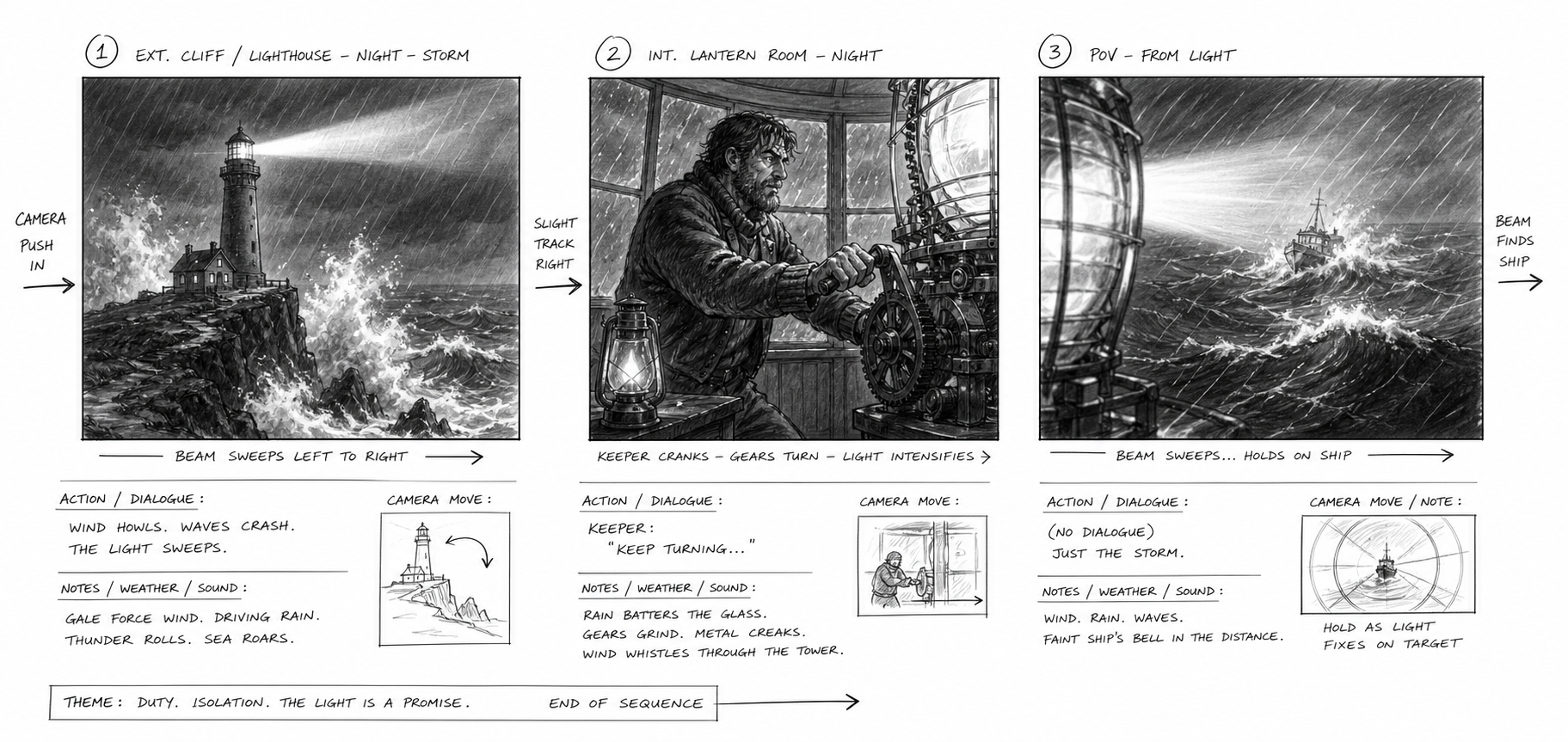
{ "type": "Step-by-step photo tutorial grid", "subject": "{argument name=\"recipe subject\" default=\"Butter Cookies\"}", "style": "A bird's-eye view of food photography, bright natural light, simple and beautiful.", "background": "{argument name=\"background surface\" default=\"White marble countertop\"}", "layout": { "grid": "3x3", "panel_count": 9, "panels": [ { "step": 1, "image_description": "In a clear glass bowl, whisk together the butter and sugar.", "text_overlay": "1. Soften butter at room temperature, add sugar and beat until fluffy and pale." }, { "step": 2, "image_description": "Add the raw egg yolks to the butter mixture, and place the whisk in a bowl.", "text_overlay": "2. Add the eggs one at a time, mixing well after each addition before adding the next." }, { "step": 3, "image_description": "Add dark vanilla extract to the mixture", "text_overlay": "3. Add vanilla extract and stir well." }, { "step": 4, "image_description": "Sift the flour through a metal sieve into a glass bowl.", "text_overlay": "4. Sift the cake flour, add salt, and mix well." }, { "step": 5, "image_description": "Stir the crumbly dough with a spatula", "text_overlay": "5. Mix until a dough with no dry flour remains." }, { "step": 6, "image_description": "A smooth dough ball tightly wrapped in transparent plastic wrap", "text_overlay": "6. Cover with plastic wrap and refrigerate for 30 minutes." }, { "step": 7, "image_description": "Use metal cookie cutters to cut out star and fan-shaped circles from the rolled-out dough.", "text_overlay": "7. Roll out to about 0.5cm thickness, and use a cookie cutter to cut out shapes." }, { "step": 8, "image_description": "The raw cookie dough is neatly arranged on a baking sheet lined with parchment paper.", "text_overlay": "8. Place in a baking pan and preheat oven to 180°C." }, { "step": 9, "image_description": "The finished golden-yellow cookies are piled on a white lace-rimmed plate, with some dried lavender in the corner.", "text_overlay": "{argument name=\"final step text\" default=\"9. Bake for 12-15 minutes, or until the surface is lightly golden brown.\"}" } ] } }

Example generated from “9-Panel Self-Care Infographic Grid”
GPT Image 2en
9-Panel Self-Care Infographic Grid

{ "type": "infographic poster", "style": "Cute flat vector illustration, warm colors, and soft shadows.{argument name=\"color palette\" default=\"The Morandi color palette features soft pinks, purples, and warm tones.\"}", "character": "{argument name=\"character description\" default=\"A young woman with shoulder-length brown hair, wearing a pinkish-purple top.\"}", "layout": { "structure": "4 rows and 3 columns. The top row is the merged title bar. Rows 2-4 contain 9 separate panels.", "header": { "title": "{argument name=\"main title\" default=\"Feeling down?\"}", "subtitle": "{argument name=\"subtitle\" default=\"8 ways to instantly improve yourself\"}", "sub_subtitle": "A letter for those of you experiencing anxiety, come and take a look.", "visual": "The character hugs himself, surrounded by yellow flashes and hearts." }, "grid_panels": [ { "id": 1, "title": "1. Take a deep breath", "text": "It regulates the nervous system and relieves tension.", "visual": "The character smiles with his eyes closed, surrounded by clouds." }, { "id": 2, "title": "2. Go for a walk outdoors.", "text": "Connect with nature and let your mind find peace.", "visual": "The character walks among the green trees and bushes" }, { "id": 3, "title": "3. Keep an emotional diary", "text": "Writing down your worries will make your mind feel lighter.", "visual": "The character sits at a table, writing in a notebook with a pen, surrounded by floating hearts." }, { "id": 4, "title": "4. Hug yourself", "text": "Give yourself warmth and comfort.", "visual": "The character closes his eyes and hugs himself, with floating hearts around him." }, { "id": 5, "title": "5. Listen to music.", "text": "Let soothing melodies heal your soul.", "visual": "The character is wearing large white headphones and resting with their eyes closed, surrounded by floating colored musical notes." }, { "id": 6, "title": "6. Talk to someone.", "text": "Share your troubles and release stress.", "visual": "The character is holding a smartphone and talking to another girl who looks similar, with hearts floating around them." }, { "id": 7, "title": "7. Look at the sky.", "text": "Feel the vastness of the sky and it will lift your spirits.", "visual": "The character looks up at the blue sky and white clouds, with flashes of light all around." }, { "id": 8, "title": "8. Meditation", "text": "Focus on your breathing and rediscover inner peace.", "visual": "On the table are an open notebook, a pen, and a pink flower." }, { "id": 9, "title": "none", "text": "{argument name=\"footer text\" default=\"Share and save this post; remember to take care of yourself every day!\"}", "visual": "The character sits cross-legged on the ground in meditation, eyes closed, with a glowing halo behind their head." } ] } }

Example generated from “9-Panel Yoga Infographic Poster”
GPT Image 2en
9-Panel Yoga Infographic Poster

{ "type": "9-grid infographic poster", "style": "Flat vector illustration with simple layout.{argument name=\"color palette\" default=\"Morandi color palette: soft peach, warm beige, tranquil blue.\"}", "subject": "{argument name=\"subject description\" default=\"A woman wearing a pink tank top and blue yoga pants\"}", "layout": { "header": { "title": "{argument name=\"main title\" default=\"Save your stiff body!\"}", "banner": "{argument name=\"banner title\" default=\"8 Super Easy Yoga Stretches\"}", "subtitle": "— 10 minutes a day to stretch your whole body —", "visual": "subject sitting on blue yoga mat stretching, potted plant" }, "grid": { "format": "3x3 grid", "count": 9, "panels": [ { "label": "1. Cat-cow style", "text": "Relieves spinal stiffness and improves spinal flexibility.", "visual": "cat-cow pose, small cat nearby" }, { "label": "2. Infant pose", "text": "Relax your back, hips, and body.", "visual": "child's pose" }, { "label": "3. Downward-Facing Dog Pose", "text": "Stretch your leg lines and relieve fatigue from sitting for long periods.", "visual": "downward dog pose" }, { "label": "4. Butterfly Pose", "text": "Hip-opening exercises promote blood circulation in the pelvic cavity.", "visual": "butterfly pose" }, { "label": "5. Cobra Pose", "text": "Improves rounded shoulders and hunchback, and stretches the abdomen.", "visual": "cobra pose" }, { "label": "6. Standing forward bend", "text": "Stretch the back of your legs to relieve lower back pain.", "visual": "standing forward bend" }, { "label": "7. Seated spinal twist", "text": "Release back pressure and improve spinal health.", "visual": "seated spinal twist" }, { "label": "8. Corpse-laying posture", "text": "Relax your whole body and guide yourself into a state of rest.", "visual": "corpse pose, stars and moon background" }, { "label": "{argument name=\"closing text\" default=\"Save this set to relax your body anytime!\"}", "visual": "empty yoga mat, potted plant, sparkles" } ] } } }

Example generated from “9-Photo Men's Fashion Collage”
GPT Image 2en
9-Photo Men's Fashion Collage

Using the provided reference image, generate a clean 3x3 Instagram-style fashion lookbook collage featuring the same person with consistent hairstyle, build, and overall identity, but with the face kept anonymized/blurred. Create 9 different lifestyle outfit photos with natural candid poses and soft, realistic photography. Keep the subject as a stylish young man and vary the clothing, location, framing, and pose across all 9 tiles. Include exactly these 9 scenes: 1) beach selfie in a white T-shirt on a sunny shore, 2) rooftop city-view shot wearing a black T-shirt and light pants, leaning on a railing, 3) standing against a plain light wall in a light blue striped button-up shirt with dark jeans and a black shoulder tote, arms crossed, 4) seated outdoor terrace shot holding a smartphone, wearing a white T-shirt with a light beige overshirt and light blue jeans, 5) cozy cafe table portrait with a dark cardigan over a white T-shirt, holding a glass drink, 6) minimal full-body portrait against a plain wall in a fitted white long-sleeve top and dark trousers, hands in pockets, 7) walking down a narrow outdoor stairway/alley in a black knit top with white pants and a black bag, 8) standing in a grassy field wearing a light blue open shirt over a white T-shirt with dark jeans, hands in pockets, 9) relaxed park bench shot under trees wearing a dark cardigan, white T-shirt, and light blue jeans. Use natural daylight, muted elegant colors, realistic editorial fashion photography, and a cohesive social-media-friendly aesthetic.

Example generated from “9:16 Cosplayer Portrait Screenshot”
GPT Image 2zh
9:16 Cosplayer Portrait Screenshot

生成一张竖版手机截图风格的图片,整体比例接近 9:16。画面中心偏上是一位真人 coser,扮演(角色名称)的二次元角色。人物为写实风格,但五官略带动漫感,皮肤细腻,眼睛稍大,表情温柔地看向镜头,坐在室内的休闲场景中,例如咖啡厅或酒吧吧台前,背景有符合场景的道具。画面最上方加入手机系统状态栏 UI,包括时间、电量、信号、网络等图标,让整张图看起来像手机截图。画面底部叠加一块宽大的半透明 galgame 风格对话框,对话框左侧放一个与画面人物对应的动漫或 Q 版头像;对话框右侧排版文字:第一行用较大字体显示与前面相同的角色名字,下面一到两行显示一段适合这个角色人设的、温柔治愈风格的简体中文台词,由你自动创作。再在对话框下方加一条操作栏,仿照 galgame UI。整体风格高清、细节丰富、光线柔和、二次元与真人写真自然融合。

Example generated from “9/11 Twin Towers Street Photo”
GPT Image 2en
9/11 Twin Towers Street Photo

A striking, documentary-style street photograph taken in Lower Manhattan, showcasing the World Trade Center during the 9/11 attacks. The perspective is taken a few blocks away against a bright, clear blue sky. The composition centers on the Twin Towers; on the left, the upper floors of the towers are engulfed by a massive orange-black fireball, thick, dark gray smoke swirling horizontally in the sky, and debris falling. The tower on the right, adjacent to the Twin Towers, has its antenna clearly visible, partially obscured by smoke. In the foreground, six clearly visible bystanders stand with their backs to the camera on the street and sidewalk, staring in shock; closest to the camera is a man in a light blue shirt in the lower left corner. The avenue is lined with mid-rise urban buildings, including the beige building with black scaffolding on the left, the old brick facades of the street, the tall, curved streetlights near the center, traffic signs, and the dense urban canyon that draws the eye towards the towers. The photograph is realistically documentary style, with high detail, natural daylight, the compression effect of a telephoto lens, a sense of urgency, and sharp focus. There is no text or watermark.
Example generated from “90 年代公寓场景参考板”
GPT Image 2en
90 年代公寓场景参考板

{ "type": "scene reference board — 90s apartment living room, cinematic night", "style": "cinematic film photography, 35mm grain, warm amber shadow fill, deep chiaroscuro lighting, hyper-detailed interior, production design reference quality", "layout": { "main_panel_center_left": { "label": "CAMERA A — FRONT VIEW", "scene": "Wide shot, L-shaped tan sectional sofa, grey knit throw blanket, wooden coffee table (remote, mug, ashtray, Rolling Stone stack), lava lamp left, table lamp right, rain-streaked city window behind, Nirvana poster left wall. 35mm grain." }, "main_panel_center_right": { "label": "CAMERA B — REVERSE VIEW", "scene": "Wide reverse from behind sofa. CRT TV prominent right, grey static screen. Tall bookshelf, VHS tapes. Cool blue backlight from window behind camera. Deep shadow." }, "prop_strip_bottom": "6 close-up tiles: 1. LAVA LAMP — chrome base, blue-green wax blobs; 2. COFFEE TABLE — remote, mug, ashtray, magazines; 3. NIRVANA POSTER — black smiley face, wall texture; 4. CRT TELEVISION — static screen, VHS stack; 5. WINDOW/RAIN — city bokeh, water streaks; 6. THROW BLANKET — sofa corner, worn upholstery", "top_right_inset": "SOURCE REF thumbnail — original photo", "footer": "2700K PRACTICAL · 4100K CITY NIGHT · 24mm · 35MM" }, "background": "deep charcoal #1a1a1a, thin white separators", "dimensions": "wide landscape 3:1, high resolution" }

Example generated from “90s Chinese Graduation Photo Prompt”
GPT Image 2en
90s Chinese Graduation Photo Prompt

{argument name="year" default="1990s"} {argument name="scene" default="Graduation photos taken in a Chinese high school classroom"}

Example generated from “90s Chinese Graduation Photo Prompt”
GPT Image 2zh
90s Chinese Graduation Photo Prompt

{argument name="年代" default="90年代"}{argument name="场景" default="中国高中在教室拍的毕业合照"}

Example generated from “90s Disposable Camera Photo Simulation”
GPT Image 2ja
90s Disposable Camera Photo Simulation

あなたは1990年代に大流行した使い捨てインスタントカメラで撮影した人物スナップ写真を再現するAIです。添付画像の人物を、90年代当時の素人が撮ったプリント写真と見間違うクオリティで1枚作成してください。【被写体】- 年代:{argument name="撮影年代" default="1997"} ← 西暦で記入。- 人物:[] ← 空欄なら指定年代の風人物を生成- ポーズ/表情:{argument name="人物のポーズ" default="ピースサイン・照れ笑い"} ← 例:ピースサイン・照れ笑い・友達と肩組み。- 服装:{argument name="服装のスタイル" default="ルーズソックス・ガングロ"} ← 例:ルーズソックス・ガングロ・ストリート系・サラリーマン。- ロケーション:[] ← 例:プリクラ機の前・居酒屋・修学旅行のバス・自室。- 時間帯:[] ← 例:昼/夕方/夜。- フラッシュ:[] ← 「あり」「なし」で指定。- 日付スタンプ:[] ← 例:'97 08 15/'99 03 21。- 白フチ:[] ← 「あり」「なし」で指定。【画質・質感の絶対ルール】- レンズ:固定焦点の単焦点プラスチックレンズ。中央以外は微妙にピンぼけ- 露出:フラッシュ「あり」の場合のみ、フラッシュ直射で顔と手前が白飛び気味になり、背景が急激に暗く落ちる。- 色:全体に黄色〜オレンジのフィルム色被り。肌は赤みが強くなる- 粒子:ISO400フィルム特有のザラついた粒状感を全面に- 周辺:四隅に光量落ち(ビネット)。レンズフレアや赤目現象が出てもOK- 構図:素人撮影特有の傾き・中央寄せ過ぎ・无造作な切れ方。- 禁止:現代スマホ的なシャープネス/HDR/美肌補正/キレイなボケ/4K感

Example generated from “90s Sci-Fi Cliffhanger Movie Still”
GPT Image 2en
90s Sci-Fi Cliffhanger Movie Still

A photo from{argument name="movie era and genre" default="American science fiction action movies of the 1990s"} A still from a movie. A{argument name="male character description" default="The tough male protagonist with a dirty face and wearing a tattered brown leather jacket"} just{argument name="action" default="Hanging desperately on the edge of a rocky cliff"} His hands gripped the rough rock tightly. Above him, a {argument name="female character description" default="A female robot with pale skin, a neat black bob haircut, and prominent mechanical joints on her arms."} She was calmly looking down at him, her hands resting on the edge of the cliff. The background was {argument name="setting" default="A vast, deep canyon, with a river winding its way through under a somber, dramatic sky."} Shot using 35mm film, the textures are realistic, with dramatic cinematic lighting effects.

Example generated from “A/B Test Signed Output”
GPT Image 2zh
A/B Test Signed Output

私があなたをどんなふうに扱ってきたか、4 コマ漫画風に描いてください。まずは 800 字くらいのプロットをテキストで出して、私が「描いて」と言ったらプロットに沿った 4 コマ漫画を描いてください。

Example generated from “A/B Testing Banner Variations”
GPT Image 2en
A/B Testing Banner Variations

{ "type": "banner design variations", "subject": "{argument name=\"subject\" default=\"Tortoiseshell cat wrapped in a dark blue blanket\"}", "copywriting": { "headline": "{argument name=\"main headline\" default=\"Live like a cat\"}", "subheadline": "{argument name=\"sub headline\" default=\"Buddhism × Philosophy Lecture\"}", "body": "{argument name=\"body text\" default=\"Don't overwork. Don't blindly compare yourself to others. Live in the present.\"}" }, "layout": { "sections": [ { "title": "Elegant variant", "position": "top-left", "style": "Tranquil, soft colors, leaf shadows, serif fonts", "count": 3, "labels": [ "Let your heart become lighter", "Live your true self", "Learn wisdom from cats" ], "badge_style": "Soft color circle" }, { "title": "Minimalist Variations", "position": "top-right", "style": "Simple, modern, white background, soft shadows, large serif font", "count": 0, "labels": [] }, { "title": "Popular variations", "position": "bottom", "style": "Vibrant, colorful, bold sans-serif font, accented with yellow and orange.", "count": 4, "labels": [ "Let your heart become lighter", "Live your true self", "Learn wisdom from cats", "Online small class" ], "badge_style": "A white rounded rectangle with an icon and a green circle" } ] } }

Example generated from “A/B Testing Banner Variations”
GPT Image 2en
A/B Testing Banner Variations

{ "type": "banner design variations", "subject": "{argument name=\"subject\" default=\"tortoiseshell cat wrapped in a dark blue blanket\"}", "layout": { "description": "A composite image displaying 3 different banner design variations for the same course, arranged with two smaller banners on top and one wide banner on the bottom.", "sections": [ { "position": "top-left", "style": "elegant and calm with soft leaf shadows", "text_elements": [ "{argument name=\"main headline\" default=\"猫のように生きる\"}", "{argument name=\"subheading\" default=\"仏教 × 哲学講座\"}", "{argument name=\"body text\" default=\"がんばりすぎない。比べない。ただ、今を生きる。\"}" ], "design_elements": { "badges": { "count": 3, "shape": "circular", "labels": [ "{argument name=\"badge text 1\" default=\"心が軽くなる\"}", "自分らしく生きられる", "猫から学ぶ智慧" ] }, "icons": { "count": 1, "description": "small gold lotus icon" } } }, { "position": "top-right", "style": "minimalist and modern with clean typography", "text_elements": [ "猫のように生きる。", "仏教 × 哲学講座", "がんばりすぎない。比べない。ただ、今を生きる。" ] }, { "position": "bottom", "style": "pop, energetic, and casual with colorful accents", "text_elements": [ "がんばりすぎない、比べない、今を生きる", "猫のように", "生きる!", "仏教 × 哲学講座" ], "design_elements": { "icon_text_pairs": { "count": 3, "descriptions": [ "lotus icon with text 心が軽くなる", "sun icon with text 自分らしく生きられる", "paw print icon with text 猫から学ぶ智慧" ] }, "badges": { "count": 1, "shape": "circular green badge", "label": "オンライン 少人数制", "icon": "laptop" } } } ] } }

Example generated from “Abstract Art Scientific Graph”
GPT Image 2en
Abstract Art Scientific Graph

{argument name="subject" default="AI Task Vision Map"}, integrate{argument name="style" default="Basquiat"} The style, with a ghostly atmosphere, originates from{argument name="source" default="The Voynich Manuscript"} It appears as a dilapidated dock.

Example generated from “Abstract Art Scientific Graph”
GPT Image 2en
Abstract Art Scientific Graph

{argument name="subject" default="AI task horizons graph"} with a touch of {argument name="style" default="Basquiat"}, haunted by ghosts, from the {argument name="source" default="Voynich manuscript"}, as a decaying pier.

Example generated from “Abstract Chaos Character Art”
GPT Image 2en
Abstract Chaos Character Art

# An artwork depicting a character's facial features through a chaotic collection of notes and symbols --- ## Style - The paper is covered with notes, formulas, symbols, and random lines written in black ink. - The paper has a graffiti-like chaotic feel scattered throughout. - Use{argument name="accent color" default="Red ink"} (Lines, fills, and marker-like color blocks) are used as scattered embellishments. - It has a texture that simulates notebook doodles. --- ## Composition - Random notes and symbols cover the entire image. - The density of black ink lines and characters is concentrated on the "character's face." - Therefore, the facial contours and expressions of a given character vaguely emerge from the chaos. - The face is not realistic, but rather a collection of chaotic fragments. --- ## Tone - Primarily monochrome (black and white).{argument name="accent color" default="Red ink"} Scattered accents for emphasis. - Low saturation, emphasizing the texture of simulated paper and ink. --- ## Expression Elements - A mix of semi-readable Japanese, English, and numerical strings. - Mathematical symbols, arrows, dots, diagonal lines, crosses, and ink drops. - The outlines of the face, eyes, and hair emerge from the "negative space" and "shadows" of the symbol arrangement. --- ## Prohibited Items - Directly realistic portraiture. - Neat geometric patterns after digital processing. - Colorful or oversaturated expressions. - Logos, watermarks, or artificial CG aesthetics. --- ## Definition of DoD - The overall work presents itself as a "chaotic collection of notes and symbols." - The provided character's face emerges naturally from the chaotic density and arrangement. - Colors limited to monochrome +{argument name="accent color" default="Red accents"} - Preserve the hand-painted texture of the paper and ink.
Example generated from “Absurd Purple Mofumofu Pachinko Machine”
GPT Image 2zh
Absurd Purple Mofumofu Pachinko Machine

A highly detailed front view of a Japanese pachinko machine, designed in a surreal, contemporary art parody style. It features a glossy black and metallic purple body, accented with intense magenta-purple LED lighting, gleaming chrome trim, and jewel-like plastic molding. Multiple pink paw print badges are embedded throughout the machine. The central display shows a middle-aged Japanese woman with short, dark reddish-brown curly hair, wearing a dark kimono, pointing directly at the viewer in a defiant, heroic pose against a backdrop of cosmic purple lightning and nebulae. Her face is deliberately blurred with soft, rectangular shapes. Three smaller portraits of the same woman, all with the same blurred faces, appear around the machine, totaling four blurred figures. Three plush panda heads are embedded on the left and right sides of the machine. At the top, the prominent, flashing title text reads "CR 冈安モフモフ," followed by a smaller subtitle, "もふもふは、正义。" (Mofumofu wa, Justice). On the left side of the central screen, add the phrase "今日もモフって生きていく。". In the area around the woman's chest, place a black pen-stroke label with gold lettering that reads "冈安モフセフ". On the right, create a bright reward panel with a claw icon that reads "モフモフRUSH". Below in the center, add a circular button-shaped badge that reads "モフモフCHANCE". At the bottom center, create a large, glowing control button with a pink claw icon, labeled "モフモフ". In the lower right display area, add a small embedded image of the woman's pointing gesture, along with the handwritten text "もふるかもふられるか…". The overall atmosphere should be absurd, tacky, over-designed, kitsch, and comical, like a fictional pachinko machine celebrating furry animals and exaggerated spectacles, presented as a high-resolution, product-grade front-facing photograph with sharp reflections, saturated purple highlights, and dense decorative details.

Example generated from “AC Milan Mbappé Transfer Poster”
GPT Image 2en
AC Milan Mbappé Transfer Poster

A highly dramatic vertical football transfer announcement poster, featuring {argument name="player name" default="Kylian Mbappé"} The design employs a high-end sports social media graphic style. The composition includes two perspectives of the same player: a large half-body silhouette in the upper right corner of the background shows the back of the black and red striped AC Milan jersey, with the player's name and the prominent number 10 printed on the shoulder; the foreground depicts a full-body pose, with the player running towards the audience, one hand raised and index finger pointing upwards. The player is a young, strong-looking Black male athlete with short hair. He wears a modern AC Milan home jersey: a black and red striped shirt, black shorts with the number 10 printed on them, black socks, and dark football boots, clearly showing the Puma logo, the AC Milan crest, and the sponsor's text "Emirates Fly Better" on the chest. The color scheme uses black, deep red, and dark red, creating a strong contrast and a smoky atmosphere, with glowing red mist, scattered sparks, subtle scratches, and cinematic rim lighting near the ground. The background features three main graphic elements: on the left, a silhouette of the red Gothic Milan Cathedral (Duomo di Milano); on the right, a large, glowing circular AC Milan crest with a running figure and a huge, semi-transparent number "10" behind him. The layout is integrated into the poster: "AC MILAN" in the upper left corner, with "1899" and a small crest below; in the center on the left, the name is written in small print above, and the surname "MBAPPÉ" in large, high-serif font below, with a red handwritten signature-style graffiti below; the vertical slogan "SEMPRE SEMPRE MILAN" is placed along the upper right edge. The overall style should reflect elite football poster design, presenting an artistic effect for transfer announcements, with a strong sheen, a radical and modern style, photorealistic realism, and a composite effect of graphic design. The fabric texture details are rich, the shadows are dramatic, and it possesses the aesthetic quality of high-end Champions League promotion. --ar 9:16

Example generated from “Academic Economics Chart Simulation”
GPT Image 2en
Academic Economics Chart Simulation

From an important and authoritative source{argument name="field" default="Economics Paper"} The line chart shows{argument name="time period" default="Between 1914 and 2001"}{argument name="variable one" default="oil prices"} and{argument name="variable two" default="Number of shark attacks"} There is a close but not entirely consistent relationship between them.

Example generated from “Academic Exam Paper Generator”
GPT Image 2en
Academic Exam Paper Generator

{ "type": "Academic exam papers", "header": { "student_info": [ "Name:", "date:", "class:" ], "title": "{argument name=\"subject\" default=\"biology\"} - {argument name=\"test title\" default=\"First Semester Tests\"}", "subtitle": "Total score: 100 points" }, "instructions": "Instructions: Please read each question carefully. In Part 1, circle the letter of the best answer. In Part 2, demonstrate your solution process and write your answer clearly.", "sections": [ { "title": "Part One:{argument name=\"part 1 type\" default=\"Multiple choice questions\"} (2 points each, 40 points in total)", "layout": "Double column", "question_count": 8, "format": "Questions 1 to 8 each contain four options: A, B, C, and D.", "diagram": { "location": "Question 3", "description": "{argument name=\"diagram subject\" default=\"plant cells\"} illustration", "labels": [ "1", "2", "3", "4" ] } }, { "title": "Part Two:{argument name=\"part 2 type\" default=\"Short answer questions\"} (Please demonstrate your solution. 10 points per question, 60 points in total)", "layout": "Single column", "question_count": 3, "format": "Questions numbered 9 to 11, each followed by two blank lines." } ], "footer": "Exam is over - Please check your answers!" }

Example generated from “Accidental iPhone Front Camera Selfie”
GPT Image 2en
Accidental iPhone Front Camera Selfie

Ultra-realistic accidental iPhone front-camera selfie of the same woman from the reference image, preserving exact identity, facial features, hairstyle, and proportions. {argument name="setting" default="Backstage at a live concert"}, captured candidly while walking through a corridor. She turns slightly with a {argument name="expression" default="relaxed, tired post-performance smile and soft laugh"}, messy wind-blown hair, natural unposed expression. Shot feels accidental: arm extended, phone too close, tilted framing, off-center crop, slight motion blur on hair and arm. Authentic iPhone front-camera look with low-light grain, slight overexposure from stage lights, lens bloom, mild focus inconsistency, and natural smartphone processing. Background softly blurred: {argument name="background details" default="backstage hallway, LED lights, equipment cases, staff silhouettes, arena glow"}. 3:4 aspect ratio.

Example generated from “Accidental iPhone Snapshot Aesthetic”
GPT Image 2en
Accidental iPhone Snapshot Aesthetic

ChatGPT, we’ve been together for quite a while now. I’d like to see what you look like. Please generate an image that feels like a casual snapshot taken on an {argument name="camera" default="iPhone"}—nothing with a clear subject or intentional composition. Just something very ordinary, even slightly flawed, like an accidental photo. The image should have {argument name="visual artifacts" default="a bit of motion blur, uneven lighting, and be slightly overexposed"}. The angle should feel awkward, the framing messy, and overall it should give off a “too real, spur-of-the-moment” vibe like a {argument name="scenario" default="selfie accidentally taken while pulling a phone out of a pocket"}.

Example generated from “Acrylic Hand-Painted Style Poster Design”
GPT Image 2zh
Acrylic Hand-Painted Style Poster Design

请将我上传的每一张照片分别制作成一张独立的高级设计海报,不多图拼接,每张照片单独输出。整体采用{argument name="构图比例" default="3:4"}竖版构图,上下两个区域高度严格1:1,各占画面50%。 上半部分保留原始照片,保持主体结构、真实质感、自然光影和原有色彩氛围,仅进行轻微高级摄影调色,使其具有杂志摄影和艺术出版物质感。为适配画幅,可自然扩展天空、地面或环境背景,但不得拉伸、扭曲或改变主体。 下半部分提取照片中最具识别性的主体、轮廓、姿态与叙事关系,重构为极简纸感手绘封面插画。高度提炼并删减复杂细节,只保留最关键的视觉特征,以纤细、略带不稳定感的手绘线条和少量明确的丙烯平涂色块重新表达,让人一眼识别原始主题。主体保持小而集中,约占下半部分{argument name="主体占比" default="10%–20%"},四周大面积留白,背景以粗糙白纸或浅色纸张为主,仅用极少量线条或色面暗示环境。 配色从上方照片提取并压缩为不超过4种主要颜色,色块鲜明、完整、克制,保留纸张颗粒、手工涂抹和轻微不规则边缘。线条负责提示结构,色块负责建立主体。避免彩铅、蜡笔、水彩晕染、纯线稿、复杂写实、厚重油画、光滑数字插画和3D质感。 可加入少量简洁文字,根据照片内容灵活使用标题、主题词、对象名称、地点、年份、编号或短句,不局限于城市题材。文字排版疏朗克制,与留白和插画自然融合,具有艺术书封、独立出版物和儿童绘本式设计感。整体呈现小主体、大留白、强提炼、高识别度、安静、童趣、轻松、诗意而高级的视觉气质,避免商业卡通感、电商感和模板感。

Example generated from “Action Basketball Dunk with Powder Explosion”
GPT Image 2en
Action Basketball Dunk with Powder Explosion

One{argument name="subject" default="Female basketball players"} The photo shows her fully airborne at the peak of her dunk, powerfully striking the rim. Her face displays focused and intense concentration. (Clothing:){argument name="uniform color" default="Classic red and black color scheme"} Basketball uniform (jersey and shorts). Red and black high-top basketball shoes. Setting: A huge spherical ball when the ball hits the rim.{argument name="powder color" default="Bright red and charcoal gray"} Powder bursts upwards from the rim and downwards from around her body. Lighting and background: Dramatic top "arena" lighting, tightly focused on the athlete. Deep black gradient background. Style and detail: Ultra-refined, high-speed photography style. Red powder particles are clearly visible, contrasting sharply with the basketball and net. Strong contrast, with details of sweat on the skin clearly visible. Jordan Brand-style advertising aesthetics. 8K resolution, hyper-realistic.

Example generated from “Add Anime Girl to Reference Lounge”
GPT Image 2en
Add Anime Girl to Reference Lounge

Using the provided reference image as a precise background base, maintain the same modern upscale lounge/game room interior environment, preserving the room layout, perspective, lighting atmosphere, foosball table, chess table, shelves, chandeliers, and chairs. Add a large anime-style girl in the foreground, positioned slightly to the right, occupying most of the frame from the thigh up, and naturally composited into the scene with correct perspective and soft ambient lighting matching the room. She should have {argument name="hair color" default="silver-purple"} She has long twin ponytails tied with black ribbons, wears a black and white Gothic Lolita dress, paired with a ruffled white blouse, a black bow at the neckline, a black belt, and ribbon decorations on the cuffs, and makes a peace sign with one hand next to her face. She is rendered in a refined modern anime illustration style, showcasing delicate hair strands and fabric folds while maintaining a realistic background. A simple square mosaic/masking block covers her face in the center of her head area. The camera angle is kept close to the original room perspective, making the added character appear naturally positioned in front of the chessboard and armchair.

Example generated from “Aerial View of Modern Transit Hub”
GPT Image 2en
Aerial View of Modern Transit Hub

A drone aerial photograph, taken from above, showcases a modern transportation hub in a densely populated mixed-use urban area, rendered with realistic architectural detail in the clear evening sunlight. At the center of the scene is a large multi-track train station diagonally across the frame, showing six tracks, two long-distance passenger trains stopped at the platforms, and the station hall with a glass roof above. A wide pedestrian bridge spans the tracks from left to right, connecting the plazas on either side. Below, a bus hub is visible, with seven buses parked or moving through winding lanes and marked parking spaces. The station is surrounded by tall modern residential buildings, mid- to high-rise office buildings, retail stores, tree-lined streets, bike paths, sidewalks, parked vehicles, and scattered pedestrians. To the left is a striking glass office building with a green roof and a clearly visible corporate logo.{argument name="building sign text" default="innovation"} Add multiple green roofs and rooftop solar panels, especially on the building in the lower right corner. The composition should present a clean, realistic North American transit-oriented development style, using a slanted, bird's-eye view, with extremely high detail, natural colors, sharp focus, and professional urban planning photography standards, without any artistic manipulation.

Example generated from “Aerial View of Vast Grassy Plain with Two Sheep”
GPT Image 2en
Aerial View of Vast Grassy Plain with Two Sheep

A drone aerial photograph reveals a vast and flat area.{argument name="terrain color" default="Fresh green"} The grassland stretches endlessly towards the distant horizon. In the foreground below, there are exactly two {argument name="animal" default="fluffy white sheep"} They are standing and grazing. The bright, clear sunlight casts their shadows on the left, sharp and deep. Above the horizon is {argument name="sky condition" default="The clear, pale blue sky was dotted with a few wispy clouds."} The composition emphasizes the vastness and openness of the landscape, as well as the scale contrast between the landscape and the tiny animals.

Example generated from “Aesthetic Food Photography with Doodles”
GPT Image 2en
Aesthetic Food Photography with Doodles

Top-down aesthetic food photography of a cozy meal setup on a beige table, featuring a plate of beef teriyaki with glossy sauce, scrambled eggs, and a perfectly shaped mound of white rice with herbs on top. A tall glass of iced lemon tea with lemon slices sits beside it. Soft warm lighting, minimal shadows, pastel tones. Cute hand-drawn doodles, white handwritten text annotations, and kawaii-style food characters scattered around. Lifestyle composition with a phone and keys subtly placed. Instagram-style, cozy ‘comfort food happy mood’ vibe, high detail, soft focus, clean composition. Top-down cafe table scene with multiple comfort foods: crispy fried chicken cutlet with fries and dipping sauce, omelette with fries, and a slice of cheesecake on a white plate. Two green takeaway cups with straws on the side. Casual dining setup with visible legs under the table. Neutral color palette with warm tones. Decorated with cute white doodles, playful handwritten text, and small cartoon food characters. Soft natural lighting, cozy and cheerful ‘good food good mood’ aesthetic, social media friendly composition, high resolution, minimal shadows.

Example generated from “Aesthetic Social Media Link-in-Bio Grid”
GPT Image 2en
Aesthetic Social Media Link-in-Bio Grid

{ "type": "Promote graphic grids", "style": "Minimalism, aesthetic lifestyle, femininity{argument name=\"color palette\" default=\"Soft beige, dusty rose and white\"}", "layout": "2 columns and 3 rows of grid, plus a full-width footer.", "panels": [ { "position": "Top left", "text": [ "AI Synchronization", "free", "{argument name=\"main title\" default=\"AI Community\"}", "Learning, connecting, and creating a better future with the help of AI." ], "button": "Join the community >", "visuals": "Laptop keyboard, dried flowers, softly arched background" }, { "position": "Top right", "text": [ "What can AI do?", "Learn AI, create the future." ], "list_items": { "count": 3, "items": [ { "icon": "lightbulb", "text": "Improve business efficiency and create more time" }, { "icon": "pencil", "text": "Creativity empowers ideas to become reality." }, { "icon": "person", "text": "Personalized work style, realizing the ideal future" } ] }, "visuals": "Coffee cup, magazine, soft shadows" }, { "position": "center left", "text": [ "{argument name=\"social platform 1\" default=\"X\"}", "Release the latest information", "Daily sharing of AI application tips and ways of thinking ♡", "Follow me!" ], "button": "View X >", "visuals": "Smartphone model showcasing desktop scenes" }, { "position": "center right", "text": [ "{argument name=\"social platform 2\" default=\"Instagram\"}", "Sharing daily life, learning experiences and insights", "Share your real life through Stories ♡" ], "button": "View Instagram >", "visuals": "Smartphone model showcasing aesthetic photo grids" }, { "position": "Bottom left", "text": [ "Take the first step", "Free consultation", "Feel free to share your thoughts or questions at any time." ], "button": "Schedule a free consultation >", "features": { "count": 3, "items": [ { "icon": "calendar", "text": "30-minute online consultation" }, { "icon": "laptop", "text": "There is absolutely no forced sales." }, { "icon": "heart", "text": "Provide suggestions that suit you" } ] }, "visuals": "Dried flowers, soft lighting" }, { "position": "Bottom right", "text": [ "About me", "Embrace AI and embark on a personalized work experience.", "Supporting women's career development and future planning" ], "button": "View detailed profile >", "visuals": "The back view of a woman with her hair tied in a bun, wearing a white shirt and holding a tablet computer." } ], "footer": { "text": "{argument name=\"footer text\" default=\"Create my future with AI.\"}", "background": "Grayish pink" } }

Example generated from “Agritech magazine cover from app screenshot”
GPT Image 2en
Agritech magazine cover from app screenshot

Using the provided mobile app screen reference image, transform it into a mockup for a high-end magazine cover on agricultural innovation. Keep the app UI clearly legible on the phone screen and place it in a realistic life scenario: a vineyard worker in the foreground holding a smartphone displaying the app, with rows of vineyards, mountains, and several workers working in natural light in the background. Design the entire page as a Spanish-language magazine cover with sophisticated agricultural business aesthetics, using green, cream, and earth tones. Add a prominent masthead at the top with the text "REVISTA CAMPO FUTURO," above which is a thin subheading bar containing three items separated by vertical lines: "Especial Viñas de Chile," "Innovación agrícola," and "Abril 2026," and add a subheading below the masthead: "Agricultura, innovación y gestión rural." Add a green tab on the left, “TECNOLOGÍA AGRÍCOLA,” and a bold, stacked main cover title: “La app con IA que está revolucionando el campo,” followed by a brief introduction on how Kimün replaces traditional notebooks and provides real-time management for vineyards and agricultural businesses. Add a circular badge mentioning a feature article on Kimün as a smart AI field notebook. Include two teaser images at the bottom: one is a close-up of a worker holding a phone in a vineyard, labeled “p.18” with explanations about field diagnostics and phone alerts; the other is a small scene of three people viewing the application together, labeled “p.24” with explanations about connected field teams, voice, recording, and instant costs. In the right sidebar, add three preview articles with icons and page numbers: one about bidding farewell to paper and ushering in a new era of smart field notebooks (p.30), one about achieving more efficient vineyard management through data-driven decision-making (p.36), and one about Water Resources Management 4.0 and smarter, more profitable irrigation (p.42). Add a footer with five category tags: “AGRICULTURA”, “FRUTALES”, “VIÑAS”, “GANADERÍA”, and “SUSTENTABILIDAD”, along with barcodes and prices. Make it look like a beautifully photographed magazine cover and editorial layout, rather than a flat application screenshot.

Example generated from “AI Assistant App UI Mockup”
GPT Image 2en
AI Assistant App UI Mockup

{ "type": "Mobile App UI Design Draft", "theme": "A futuristic AI assistant with a 3D glass-like design and a light blue and white color scheme.", "header": { "user_profile": { "avatar": "Small 3D robot head", "name": "{argument name=\"app name\" default=\"Xiaozhi Robot\"}", "level_badge": "LV.8 Star", "experience": "Experience points 680/1000" }, "top_right_icons": { "count": 2, "labels": [ "Sign in", "set up" ] } }, "hero_display": { "subject": "A cute 3D robot with a glass helmet and glowing blue eyes.", "pose": "Standing on the glowing, futuristic circular base", "speech_bubble": "{argument name=\"robot greeting\" default=\"Hi~ Let's do our best today too!\"}", "background": "An abstract, light blue, futuristic environment with suspended transparent bubbles." }, "layout": { "sections": [ { "title": "Daily check-in", "subtitle": "Sign in for 3 consecutive days", "type": "Horizontal scrolling cards", "count": 5, "items": [ { "state": "Blue card in active state", "reward": "+10 Gold Coins", "label": "Sign-in available" }, { "state": "Unactivated white card", "reward": "+15 Gold Coins", "label": "2 days" }, { "state": "Unactivated white card", "reward": "+20 Gold Coins", "label": "3 days" }, { "state": "Unactivated white card", "reward": "+30 Gold Coins", "label": "4 days" }, { "state": "Unactivated white card", "reward": "+50 Purple Diamonds", "label": "7 days" } ] }, { "title": "Growth Task", "type": "Vertical list", "count": 4, "items": [ { "icon": "blue book", "text": "{argument name=\"task 1 title\" default=\"Complete 1 intelligent question answering\"}", "progress": "1/1", "reward": "+15", "button": "receive" }, { "icon": "Green Rocket", "text": "{argument name=\"task 2 title\" default=\"Explore 3 new features\"}", "progress": "2/3", "reward": "+20", "button": "Go and complete" }, { "icon": "Purple chat bubbles", "text": "Share with 1 friend", "progress": "0/1", "reward": "+30", "button": "Go and complete" }, { "style": "Blue gradient banner", "icon": "3D diamond", "text": "{argument name=\"upgrade banner text\" default=\"Upgrade to LV.9 to unlock new skins\"}", "progress": "680/1000", "button": "Upgrade" } ] } ], "bottom_navigation": { "count": 5, "items": [ { "icon": "Blue Homepage", "label": "front page" }, { "icon": "Gray compass", "label": "Discover" }, { "icon": "Large raised 3D robot head", "label": "" }, { "icon": "Gray chat bubbles with red dots", "label": "information" }, { "icon": "Gray profile", "label": "mine" } ] } } }

Example generated from “AI Builder Doodle Sketch”
GPT Image 2zh
AI Builder Doodle Sketch

以涂鸦速写风表现【一个厉害的AI builder】。

Example generated from “AI Chat App First-Run Screen”
GPT Image 2en
AI Chat App First-Run Screen

Vertical 9:16 AI chat application first-run screen mockup. Phone-shaped frame. Background is a clean off-white. Top center shows a small friendly mascot illustration of an abstract floating geometric character waving. Below the mascot a bold sans-serif greeting reads "Hi! How can I help today?". Below the greeting three rounded suggestion chips stacked vertically with example questions: "Summarize a webpage", "Draft a quick email", "Plan a weekend trip". At the very bottom a simple text input field with a placeholder "Type a message…" and a small send arrow icon. Vertical 9:16 composition, crisp pixel-aligned UI. No real brand name, no logo, no watermark. Premium AI app onboarding UI design quality.

Example generated from “AI Chat Screenshot with Ad Design Grids”
GPT Image 2zh
AI Chat Screenshot with Ad Design Grids

A screenshot of a mobile chat interface in dark mode shows the interaction results of two separate Japanese prompts and AI-generated ad designs. The background is almost black. Two large, rounded light gray chat bubbles are aligned on the right, each containing Japanese text. The first bubble reads: “日本語の幼稚園の広告影像を、トンマナ违いで4種并べて影像生して。プロデザイナーが作ったトレンドのデザインで。アスペクト比は16:9”. Below is a preview of the generated image, a rounded rectangle, showcasing a 2x2 kindergarten ad variation in soft pastel tones. The top-left panel displays a bright and airy advertisement, with a close-up of a toddler's profile on the right, soft sunlight, cream and light green tones, a handwritten Japanese headline on the left, and small circular badges and floral decorations at the bottom. The top-right panel displays a vibrant outdoor advertisement with four children running under a blue sky, a striking Japanese headline, cyan and yellow graphic decorations, and a yellow circular marker. The bottom-left panel shows a modern kindergarten campus with lawns and children playing, a large white bubble-shaped text area on the left, and soft green-beige abstract shapes. The bottom-right panel shows an illustrated large green tree with children and parents beneath it, a sky-blue background, warm family-oriented Japanese text, and soft circular decorative shapes. A small gray circular overlay button labeled "Edit" is added to the bottom left of this preview, and a semi-transparent small circular upload/share icon is added to the bottom right. Below this first preview are four small interface icons side-by-side: copy, like, dislike, and more options. The bottom of the screen displays a second right-aligned light gray chat bubble with the text: "Generate images of Japanese health food advertisements, 4 types combined. The advertisement was created by a designer. The ratio is 16:9." Below this is a preview of the generated image for the second rounded rectangle, showcasing a 2x2 health food advertisement variant. The top left panel displays a simple health advertisement in white and light green, featuring a woman's hand touching her neck, a Japanese headline about inner balance, multiple circular benefit icons, and price text. The top right panel displays a high-end supplement advertisement in black and gold, with dark packaging, glowing gold particles, luxurious serif Japanese text, and a striking red-orange price tag of 980 yen. The bottom left panel displays a soft pink advertisement for a beauty supplement with translucent floral or crystalline textures, pastel packaging, delicate Japanese text, a circular information badge, and a feminine cosmetic style. The bottom right panel displays an advertisement for natural green juice, accompanied by a tall green smoothie against a background of fresh vegetables, a green and white product box, concise Japanese health text, and a yellow circular label. In this second preview, add a small gray circular overlay button labeled "Edit" to the bottom left and a small translucent circular upload/share icon to the bottom right. The overall image should resemble a realistic screenshot of an AI-generated image-based chat app, with ample spacing between conversations, rounded corners, clear Japanese typography, and a high-end, modern UI.

Example generated from “AI Chat Screenshot with Anatomy Poster”
GPT Image 2zh
AI Chat Screenshot with Anatomy Poster

A screenshot of a portrait-oriented AI chat application interface shows a clean, iOS-style white screen. A hamburger menu is located on the top left, with a blue "Thinking" title and a small arrow in the center. Two icons on the right are for creating new content and adding more options. Near the top is a rounded, light gray user message bubble containing the Japanese phrase: “Attention机构を人类に喩えて细かくラベルを付けて。醫醫書の精致な插絵風に.” (Please compare the attention mechanism to the human body and provide detailed annotations. Use the style of exquisite illustrations in medical books.) Below this is the light gray system text “Thought for 5s” and “畫畫が作成されました”. The lower half of the screen displays the generated image: a detailed anatomical poster in the style of a medical textbook. The poster presents a realistic three-quarter view of an adult woman's back, from head to upper thigh. Her head is slightly turned to the left, and her dark brown hair is tied in a messy bun. Most of the skin and outer tissue of the body has been removed, exposing muscles, nerves, blood vessels, and fibrous structures, presented in an extremely delicate retro medical illustration style against a warm, beige paper background. A rectangular incision obscures the center of the face from the forehead to the jaw, creating a blank space in the facial area that is being scrutinized. Subtle, glowing network lines and nodes superimposed on the exposed brain and body visualize the attention mechanism as an anatomical system. Surrounding the figure are six numbered explanatory panels and two additional text blocks, all densely filled with Japanese and English bilingual labels, formulas, arrows, and diagrams. The main title in the upper left corner of the poster is "The Anatomy of the Attention Mechanism," and the subtitle is "The Anatomy of the Attention Mechanism." The top right corner features a flowchart labeled "Overall Flow of Attention," containing five interconnected boxes describing the process from input to output. To the left are three stacked explanatory sections containing equations and mapping tables. To the right are three more numbered sections, each with technical explanations and small diagrams or matrices; the visible small diagrams include a purple heatmap matrix, a blue bar chart, and a multicolored cube. At the bottom are five small brain illustrations with explanatory text, showcasing the various stages of the information flow. The overall aesthetic should be presented as a highly polished AI-generated screenshot, documenting a surreal scientific illustration request with a clean UI, numerous tiny, readable labels, and a perfect blend of Transformer attention diagrams and classical anatomical design.

Example generated from “AI Chat Screenshot with Cosmic Artwork”
GPT Image 2zh
AI Chat Screenshot with Cosmic Artwork

A screenshot of an AI chat application interface in light-colored mode, taken from a vertical mobile phone, shows the instant the image is generated. At the top is a simple mobile application title bar, with a hamburger menu icon on the left, the blue title "Thinking" in the center and an arrow icon to its right, and a compose icon and a three-dot menu on the right. Below is a light gray user message bubble containing four lines of Japanese text: “淼や线画、油彩、カラー版画、 金箔アクセントなどを取り入れてテクスチャも入れて立体的に、 芸術爆発させて.” Below the bubble, a gray system status line “Thought for a couple of seconds” is displayed on a white background, followed by a dark gray Japanese line “畫畫が作成されました.” Below, a large, rounded-corner generated art preview is displayed in the center, occupying most of the lower half of the screen. The artwork itself is an ultra-refined visual collage of the universe, employing a square composition: a tiny, luminous human figure stands at the vanishing point in the bottom center, radiating light outwards; two enormous, translucent human figures face each other from the left and right mid-grounds; rotating galaxies, stars, nebulae, planets, floating geometric frames, transparent spheres, gold foil fragments, line art, splattered paint, and layered textures fill the entire image. A dramatic palette of deep indigo, ultramarine, violet, magenta, white, and luminous gold, combined with watercolor, oil painting, printmaking, ink lines, and metallic foil embellishments, presents an explosive painterly energy. The image includes tree-like forms, abstract architectural steps on the right, lotus-like patterns on the left, multiple miniature scenes embedded in space, and dense trails of luminous particles converging towards the central figure. The overall screenshot should present the quality of a real iPhone app shot; aside from the artwork, the interface is simple and minimalist, with the generated image serving as the visual focus.

Example generated from “AI Coding Assistant Promo Infographic”
GPT Image 2en
AI Coding Assistant Promo Infographic

{ "type": "Application promotional infographic poster", "style": "Simple, modern, frosted glass style, soft shadows, 3D icons", "theme": "{argument name=\"primary color theme\" default=\"blue and white color scheme\"}", "header": { "title": "{argument name=\"app name\" default=\"CodePilot\"}", "subtitle": "{argument name=\"subtitle\" default=\"Your AI-programmed co-pilot\"}", "features_list": "Intelligent code completion, code generation, question-and-answer debugging, and code parsing.", "main_icon": "Glossy 3D rounded square, blue gradient, white{argument name=\"main icon symbol\" default=\"</>\"} and flashing effect" }, "layout": { "sections": [ { "title": "feature_cards", "position": "Middle grid", "count": 4, "items": [ { "label": "Intelligent code completion", "icon": "Blue Lightning", "description": "Context awareness and precise code completion make coding faster.", "ui_element": "A macOS-style code window displaying the Python `calculate_total` function." }, { "label": "AI code generation", "icon": "Purple Magic Wand", "description": "Based on natural language description, one-click generation of functions and scripts.", "ui_element": "Chat notification bubbles and a code window displaying the Python quick_sort function." }, { "label": "Dialogue &amp; Debugging Assistant", "icon": "Green chat bubble", "description": "Bugs can be located by asking questions using natural language, and problems can be solved efficiently through conversation and simultaneous modification.", "ui_element": "A chat interface that includes user questions and green AI solution bubbles." }, { "label": "Code Analysis &amp; Comments", "icon": "Orange document with magnifying glass", "description": "Quickly understand complex code and automatically generate comments and explanations.", "ui_element": "The code window displays the JS fetchData function with three floating operation tabs: automatic commenting, logic parsing, and one-click copy." } ] }, { "title": "Why choose CodePilot?", "position": "bottom left corner", "count": 4, "labels": [ "Improve efficiency", "Accurate and reliable", "Privacy and security", "Easy to integrate" ], "icons": [ "clock", "checkmark", "Shield", "puzzle pieces" ] }, { "title": "Experience it now", "position": "bottom right corner", "count": 1, "elements": [ "GitHub open source projects", "{argument name=\"github link\" default=\"github.com/op7418/CodePilot\"}", "QR code" ] } ] } }

Example generated from “AI Coding Assistant Promo Infographic”
GPT Image 2en
AI Coding Assistant Promo Infographic

{ "type": "app promotional infographic poster", "style": "clean, modern, glassmorphism, soft shadows, 3D icons", "theme": "{argument name=\"primary color theme\" default=\"blue and white\"}", "header": { "title": "{argument name=\"app name\" default=\"CodePilot\"}", "subtitle": "{argument name=\"subtitle\" default=\"你的 AI 编程副驾驶\"}", "features_list": "智能补全 · 代码生成 · 问答调试 · 代码解析", "main_icon": "glossy 3D rounded square, blue gradient, white {argument name=\"main icon symbol\" default=\"</>\"} and sparkles" }, "layout": { "sections": [ { "title": "feature_cards", "position": "middle grid", "count": 4, "items": [ { "label": "智能代码补全", "icon": "blue lightning bolt", "description": "上下文感知, 精准补全 让编码更快一步", "ui_element": "macOS style code window with Python calculate_total function" }, { "label": "AI 代码生成", "icon": "purple magic wand", "description": "根据自然语言描述 一键生成函数 & 脚本", "ui_element": "chat prompt bubble and code window with Python quick_sort function" }, { "label": "对话 & 调试助手", "icon": "green chat bubble", "description": "自然语言提问、定位 Bug 边聊边改, 高效解决问题", "ui_element": "chat interface with user question and green AI resolution bubble" }, { "label": "代码解析 & 注释", "icon": "orange document with magnifying glass", "description": "快速理解复杂代码 自动生成注释与说明", "ui_element": "code window with JS fetchData function and 3 floating action tags: 自动注释, 逻辑解析, 一键复制" } ] }, { "title": "为什么选择 CodePilot?", "position": "bottom left", "count": 4, "labels": ["提升效率", "精准可靠", "隐私安全", "易于集成"], "icons": ["clock", "checkmark", "shield", "puzzle piece"] }, { "title": "立即体验", "position": "bottom right", "count": 1, "elements": ["GitHub 开源项目", "{argument name=\"github link\" default=\"github.com/op7418/CodePilot\"}", "QR code"] } ] } }

Example generated from “AI Companies in 2026 Grid Poster”
GPT Image 2en
AI Companies in 2026 Grid Poster

{ "type": "Futuristic infographic poster", "subject": "A 10x10 square grid map of 100 AI companies in 2026.", "style": "A clean, dark tech-style infographic, a flat vector logo on a deep navy blue background, thin, glowing grid lines, and crisp, high-contrast typography—a poster for a modern startup ecosystem.", "aspect_ratio": "1:1", "background": { "color": "Deep Navy Blue", "texture": "A subtle gradient with a faint halo" }, "title_block": { "headline": "{argument name=\"headline text\" default=\"AI companies in 2026\"}", "position": "Centered at the top", "style": "Extra-large bold sans-serif capital letters, white text, with the word \"2026\" in a blue-purple gradient." }, "layout": { "type": "Grid Poster", "grid": { "columns": 10, "rows": 10, "cell_count": 100, "numbering": "Each cell has a small white number from 1 to 100 in the top left corner.", "cell_style": "The uniform square cells have thin light blue borders, with the company logo and name placed in the center." }, "left_sidebar": { "count": 10, "position": "The leftmost vertical column has category labels aligned with each row.", "style": "Small, capitalized cyan and magenta text, paired with matching clean-line icons.", "labels": [ "Cutting-edge laboratories and large technology companies", "AI Applications and Platforms", "Creative AI and Media", "Autonomous driving and robotics", "AI Hardware and Chips", "AI Development Tools and Infrastructure", "Medical AI", "Productivity and Office", "Enterprise and Legal AI", "Service and system integrators" ] }, "sections": [ { "title": "Cutting-edge laboratories and large technology companies", "position": "Line 1", "count": 10, "labels": [ "OpenAI", "Anthropic", "Google DeepMind", "Microsoft", "Meta", "Amazon", "Apple", "NVIDIA", "xAI", "IBM" ] }, { "title": "AI Applications and Platforms", "position": "Line 2", "count": 10, "labels": [ "Adobe", "Salesforce", "Oracle", "Databricks", "Snowflake", "Palantir", "Scale AI", "Cohere", "Mistral AI", "Inflection AI" ] }, { "title": "Creative AI and Media", "position": "Line 3", "count": 10, "labels": [ "Perplexity AI", "Character.AI", "Hugging Face", "Stability AI", "Runway", "Pika Labs", "Luma AI", "Midjourney", "ElevenLabs", "Synthesia" ] }, { "title": "Autonomous driving and robotics", "position": "Line 4", "count": 10, "labels": [ "Waymo", "Tesla AI", "Zoox", "Cruise", "Figure AI", "Boston Dynamics", "Agility Robotics", "Covariant", "Skydio", "Shield AI" ] }, { "title": "AI Hardware and Chips", "position": "Line 5", "count": 10, "labels": [ "TSMC", "Broadcom", "AMD", "Intel", "Graphcore", "Cerebras", "Groq", "SambaNova", "Tenstorrent", "d-Matrix" ] }, { "title": "AI Development Tools and Infrastructure", "position": "Line 6", "count": 10, "labels": [ "LangChain", "Weights & Biases", "OctoML", "Anyscale", "Replicate", "Modal", "Together AI", "Fireworks AI", "Vercel AI", "Replit" ] }, { "title": "Medical AI", "position": "Line 7", "count": 10, "labels": [ "DeepL", "Duolingo", "Khan Academy", "Quizlet", "Abridge", "Tempus", "Insilico Medicine", "Recursion", "PathAI", "Owkin" ] }, { "title": "Productivity and Office", "position": "Line 8", "count": 10, "labels": [ "Notion", "Grammarly", "QuillBot", "Jasper", "Copy.ai", "HubSpot", "Canva", "Figma", "Framer", "Wix" ] }, { "title": "Enterprise and Legal AI", "position": "Line 9", "count": 10, "labels": [ "Glean", "Harvey", "Ironclad", "Lexion", "Hebbia", "Adept AI", "Humans&", "AMI", "World Labs", "Mithril" ] }, { "title": "Service and system integrators", "position": "Line 10", "count": 10, "labels": [ "SpaceX AI", "Project Prometheus", "Onix", "ServiceNow", "EPAM Systems", "Accenture", "TCS", "Infosys", "Capgemini", "C3 AI" ] } ] }, "branding": { "footer": "The small, centered footer text reads, \"Companies Shaping the Future of AI in 2026\"." }, "logo_treatment": "Each company displays a simplified logo in its brand colors above or next to its name; the logo is centered within each square and maintains a consistent scaling.", "color_palette": { "primary": "Deep Navy Blue", "grid": "Soft blue-gray", "text": "White", "accent": "Based on the brand logo, cyan, purple, magenta, electric blue, orange, and green are used respectively." }, "rendering_notes": "The poster features a symmetrical composition, precise infographics, no perspective distortion, sharp vector edges, even margins, and a sophisticated design suitable for social media sharing." }

Example generated from “AI Girl Daily Routine Poster”
GPT Image 2en
AI Girl Daily Routine Poster

{ "type": "Chinese inspirational comic style daily routine poster", "style": "Warm, cinematic anime illustrations, soft golden interior tones, comfortable productivity aesthetics, clean black borders, handwritten Chinese subtitles, and a slightly glossy social media poster feel.", "subject": { "character": "A young female AI developer, with double buns, shoulder-length black hair, round-framed red glasses, a black sweater, and a gold necklace with a tag that says \"Bean\".", "companion": "The little yellow corgi that appears in the four panels", "theme": "A girl focused on AI creates technology for humanity: her daily life" }, "layout": { "format": "Vertical poster", "grid": { "columns": 3, "rows": 4, "count": 12 }, "top_header": { "count": 4, "elements": [ "The eye-catching Chinese title is \"Little Bean's Day\".", "Subtitle: \"Changing the World with AI\"", "The profile card on the left introduces Xiaodou, including five key points and a short introduction, signed \"—Xiaodou\".", "The goal card on the right, titled \"Today's Goals:\", contains four checkboxes." ] }, "panels": [ { "time": "07:00", "title": "Charging in the morning", "description": "At sunrise, the girl stretches in her comfortable bedroom bed, a corgi lies on the bed, plants are by the window, and an instruction card is at the bottom." }, { "time": "08:00", "title": "Morning planning", "description": "The girl sat at the table, writing in her notebook, a coffee cup beside her. Morning light streamed through the window, illuminating speech bubbles above." }, { "time": "09:00", "title": "Deep work", "description": "The girl was intently writing code at the table, the code displayed on the monitor with a thought bubble in the upper right corner." }, { "time": "11:30", "title": "Team synchronization", "description": "The meeting was held in a conference room with six people. The presentation screen read \"ChatGPT Next Generation,\" and a girl was giving a presentation at the front. There were explanatory cards at the bottom." }, { "time": "13:00", "title": "Lunch &amp; Moments of Inspiration", "description": "A girl is eating salad at the table, a corgi is resting beside a bowl, and above them are thought bubbles about AI inspiration." }, { "time": "14:30", "title": "Product polishing", "description": "The video, taken from behind, shows a girl using a desktop computer. A product interface or chat-style UI is open on the screen, and instruction cards are at the bottom." }, { "time": "16:30", "title": "User Feedback", "description": "A girl reads feedback in front of her laptop, surrounded by floating reaction icons and short comment bubbles, under warm office lighting." }, { "time": "18:00", "title": "Speech/Exchange", "description": "A girl is speaking to the audience into a microphone on stage, with the words \"AI FOR HUMANITY\" displayed against a huge, illuminated background." }, { "time": "19:30", "title": "Reading &amp; Learning", "description": "The girl is reading at a table piled high with books; the thought bubbles indicate her curiosity and focused learning state." }, { "time": "21:30", "title": "Exercise &amp; Relaxation", "description": "The girl was doing seated stretches on her yoga mat at home, with her corgi beside her, enjoying her evening relaxation." }, { "time": "22:30", "title": "Review &amp; Journaling", "description": "At night, the girl writes in her diary by the window, the city lights outside creating an atmosphere of reflection." }, { "time": "23:30", "title": "Good night, see you tomorrow!", "description": "A girl falls asleep in bed with her corgi in her arms; nighttime scene; speech bubbles about the future and co-creation." } ], "bottom_footer": { "count": 2, "elements": [ "The long, handwritten Chinese quote spanning the bottom states that technology ultimately returns to love and goodwill, making the world a better place every day.", "The girl's chibi doodle avatar in the bottom right corner" ] } }, "text": { "language": "Chinese", "headline": "{argument name=\"headline text\" default=\"Little Bean&#39;s Day\"}", "subtitle": "{argument name=\"subtitle text\" default=\"Changing the world with AI\"}", "character_name": "{argument name=\"character name\" default=\"adzuki beans\"}", "stage_phrase": "{argument name=\"stage backdrop text\" default=\"AI FOR HUMANITY\"}", "footer_quote": "{argument name=\"quote\" default=\"I believe that the ultimate goal of technology is love and goodwill. And every day, I dedicate myself to making the world a little bit better.\"}" }, "composition_notes": "Each storyboard features a prominent time stamp and a brief Chinese title in the top left corner. It includes 12 time-stamped storyboards, 2 top cards, a portrait of the main character (holding a cup) at the top center, and a bottom introductory area. The color palette maintains warm beige, amber, black, and soft cream tones. The overall atmosphere is optimistic, diligent, intelligent, and healthy, like an inspirational lifestyle infographic designed for AI creators." }

Example generated from “AI Guangzhou Food Map Comparison”
GPT Image 2en
AI Guangzhou Food Map Comparison

This is a comparison image with a black background and a light gray grid, designed in a style similar to a social media quiz result poster. At the top are two large, bold sans-serif headlines side-by-side: "GPT image 2" above the left image and "Nano Banana" above the right. Below are two vertically arranged illustrated posters with a small gap between them. Both posters represent the same concept: a hand-drawn map of Guangzhou's food scene, but present two different visual styles. The left poster is richer in detail, texture, and content, with delicate illustrations; the right poster is simpler, flatter, and more intuitive. The left poster uses a warm-toned cream paper background, presenting a refined retro hand-drawn travel map style with delicate lines, a watercolor-like texture, decorated with flowers and lychees, and featuring miniature buildings, roads, river areas, and numerous food illustrations. The large Chinese headline at the top of the left poster reads "Guangzhou Foodie Map." The map covers approximately 12 food spots scattered throughout the city, each accompanied by a small food illustration, a Chinese label, and a brief handwritten annotation. The visible food items include grilled skewers, roasted meats, noodles, claypot rice, rice noodle rolls, dim sum, soups, and dessert bowls, with landmarks such as the Canton Tower and river views also incorporated. The poster on the right also features the Chinese title "Guangzhou Foodie Rambling Map," showcasing the same concept but employing a simpler infographic map style. It simplifies roads, icons, floral and lychee border decorations, food labels, and includes illustrations of rivers, the Canton Tower, and approximately 12 labeled food items. At the bottom of the entire comparison image is a circular black text box with a white outline. In its upper left corner is a bright yellow circular label with the bold black Chinese characters "Prompt Word." Inside the black panel is a multi-line paragraph of white Chinese text describing the image-generated prompt word. The overall composition is centered, with high contrast, presenting a refined AI image comparison post suitable for Chinese social media, featuring clear typography, poster-like symmetry, and a clean benchmark aesthetic.

Example generated from “AI Hanfu Poster Comparison”
GPT Image 2en
AI Hanfu Poster Comparison

A dark, tech-inspired contrast poster features a black background with subtle gray squares, displaying two vertically aligned infographics side-by-side for AI image generation comparison. Two striking yellow bold headings are placed at the top: "GPT image 2" above the left panel and "Nano Banana" above the right. The left panel is an elegant reference poster for traditional Hanfu (traditional Han clothing), with a warm, aged paper background. It features a prominent Chinese calligraphy title at the top, "Hanfu: Deconstruction Illustrated Guide," with a smaller subtitle below. The center image is a full-body woman in elegant traditional Hanfu, her face blurred. This is surrounded by numerous small, labeled infographics, fabric samples, embroidery close-ups, accessory descriptions, outline studies, and meticulously crafted Chinese annotations in an academic museum poster style. The use of beige, cream, light gray-blue, and faded ink tones gives the panel a refined archival aesthetic. The right panel is a simpler, more modern infographic poster with a light beige paper background and a prominent Chinese title at the top, "Traditional Chinese Hanfu: A Deconstruction Illustrated Guide to Ming Dynasty Clothing." The central image showcases a bright red Ming Dynasty robe, presented as a technical exploded view with multiple labeled arrows and component descriptions. Surrounding it are material samples, decorative pattern examples, a row of six circular color swatches, structural details, and a bottom strip displaying four small human anatomy diagrams illustrating the wearing order or silhouette comparison. The right-hand poster has a more flat design feel, stronger contrast, and more vibrant red accents. At the bottom of the overall image, a large, rounded black text box with a thin white border spans most of the width. A yellow, rounded label in the upper left corner contains the bold Chinese word "hint." Within the black box, a dense section of white Chinese text describes the test hints used to generate the Hanfu-themed deconstruction diagram, similar to a screenshot quote block. The overall composition should present a social media comparison image: centered, clean, high-resolution, with a dark background creating a strong contrast between the two poster panels.

Example generated from “AI Illustration Quality Upscaler”
GPT Image 2ja
AI Illustration Quality Upscaler

参照画像をベースに、 現在の最新世代のChatGPTによるハイエンドなイラスト作品として描き直してください。 元画像のキャラクターデザイン、構図、空気感、シルエット、印象は維持してください。 そのうえで、 {argument name="描写密度" default="描写密度"}、材質表現、ライティング、空間情報、色彩設計、{argument name="顔の完成度" default="顔の完成度"}を大幅にブラッシュアップしてください。 キャラクターの顔や塗りは、 現在のSNS・ソーシャルゲーム・ハイエンドアニメ系イラストで主流になっている、 {argument name="絵柄" default="洗練された最新の流行絵柄"}を参考にしてください。 「古い画像を高品質にリマスターしたような自然な进化」を重視してください。