原始文档
GPT Image 2 · en
{
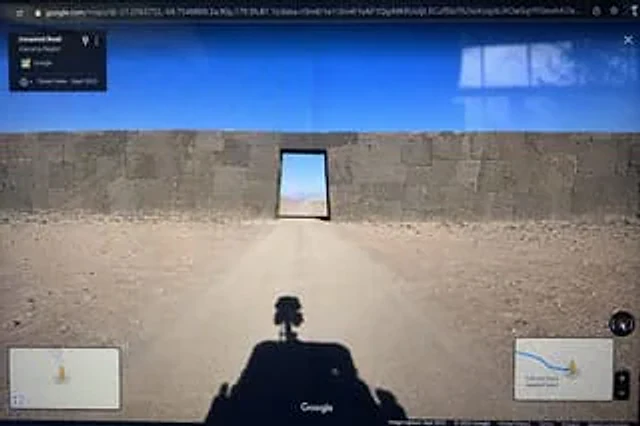
  "type": "Photo of a computer monitor displaying the Google Maps Street View interface.",
  "scene": {
    "environment": "{argument name=\"environment\" default=\"Desolate desert landscape under a clear blue sky\"}",
    "subject": "{argument name=\"subject\" default=\"A massive, ancient stone wall, constructed with perfectly fitting megaliths, blocks the dirt road, with a rectangular doorway at its center.\"}",
    "foreground": "The shadows of Google Street View vehicles projected onto the dirt road; the vehicles are equipped with 360-degree panoramic cameras on their roofs."
  },
  "ui_elements": {
    "browser_bar": "The URL bar at the top displays google.com/maps along with latitude and longitude coordinates.",
    "top_left_panel": "A black, semi-transparent information box displays the text \"Unnamed Road\".{argument name=\"region\" default=\"Atacama region\"} \"and \"Street View - September 2022\"",
    "bottom_left_panel": "Mini-map illustration with a yellow Pegman icon",
    "bottom_right_panel": "Displays a blue route, Pegman, zoom controls, and the text \"\".{argument name=\"distance text\" default=\"340 kilometers from the nearest town\"} Mini map illustration",
    "bottom_bar": "The Google logo at the bottom center, the compass icon on the right, and the copyright/photograph date text along the bottom."
  },
  "style_details": "Visible screen reflections and slight display distortion are used to simulate the effect of photographing a physical screen with a smartphone."
}
使用方法
- 复制完整原始提示词,并保留其中的参数。
- 按需求替换主体、文字和构图要求。
- 在兼容的外部工具中使用,核对当前使用条件并检查结果。
开始前需了解
- 先确认是否需要参考图。标注兼容模型,不代表该示例由这个模型生成。
- 核对名称、数字与画面文字;不同模型版本的结果可能不同。