원본 문서
GPT Image 2 · zh
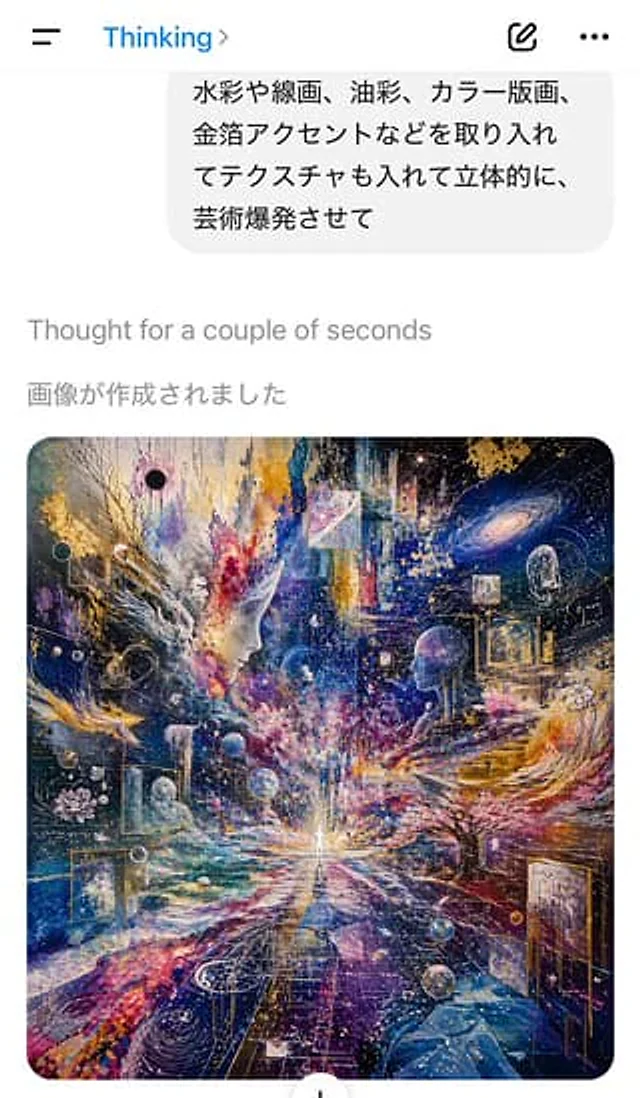
A screenshot of an AI chat application interface in light-colored mode, taken from a vertical mobile phone, shows the instant the image is generated. At the top is a simple mobile application title bar, with a hamburger menu icon on the left, the blue title "Thinking" in the center and an arrow icon to its right, and a compose icon and a three-dot menu on the right. Below is a light gray user message bubble containing four lines of Japanese text: “淼や线画、油彩、カラー版画、 金箔アクセントなどを取り入れてテクスチャも入れて立体的に、 芸術爆発させて.” Below the bubble, a gray system status line “Thought for a couple of seconds” is displayed on a white background, followed by a dark gray Japanese line “畫畫が作成されました.” Below, a large, rounded-corner generated art preview is displayed in the center, occupying most of the lower half of the screen. The artwork itself is an ultra-refined visual collage of the universe, employing a square composition: a tiny, luminous human figure stands at the vanishing point in the bottom center, radiating light outwards; two enormous, translucent human figures face each other from the left and right mid-grounds; rotating galaxies, stars, nebulae, planets, floating geometric frames, transparent spheres, gold foil fragments, line art, splattered paint, and layered textures fill the entire image. A dramatic palette of deep indigo, ultramarine, violet, magenta, white, and luminous gold, combined with watercolor, oil painting, printmaking, ink lines, and metallic foil embellishments, presents an explosive painterly energy. The image includes tree-like forms, abstract architectural steps on the right, lotus-like patterns on the left, multiple miniature scenes embedded in space, and dense trails of luminous particles converging towards the central figure. The overall screenshot should present the quality of a real iPhone app shot; aside from the artwork, the interface is simple and minimalist, with the generated image serving as the visual focus.사용 방법
- 매개변수를 포함한 전체 원본 프롬프트를 복사하세요.
- 주제, 문구, 구도를 자신의 요구에 맞게 바꾸세요.
- 호환되는 외부 도구에서 사용하고 이용 조건과 결과를 확인하세요.
시작 전 확인
- 참조 이미지가 필요한지 확인하세요. 호환 표시는 해당 모델로 이 예시를 생성했다는 뜻이 아닙니다.
- 이름, 수치, 이미지 속 문구를 확인하세요. 모델 버전에 따라 결과가 다를 수 있습니다.